
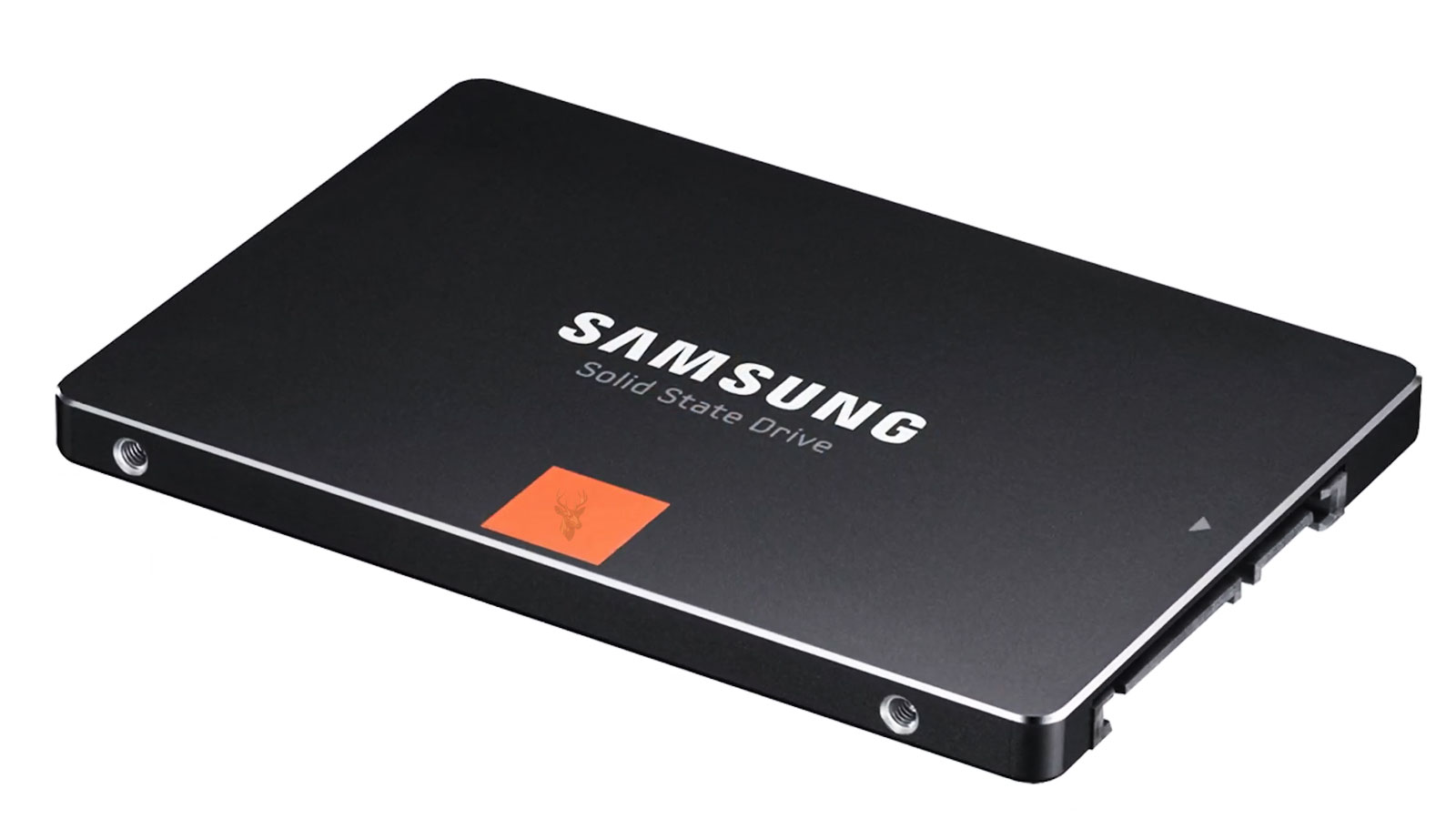
Understanding How Wear Leveling Protects Solid-State Drives
Unlike traditional hard drives that store information on spinning magnetic platters, solid-state drives store data inside flash memory cells. These memory cells provide excellent speed, low power consumption, and resistance to physical shock, but they also have a characteristic that must be carefully managed: each memory cell can only be erased and rewritten a limited number of times.
Modern SSDs overcome this limitation through sophisticated controller technology. One of the most important techniques is known as wear leveling, a process that distributes write activity across the entire drive instead of repeatedly using the same physical memory locations.
Flash Memory Does Not Wear Evenly on Its Own
If a computer repeatedly updated the same physical memory cells every time a file changed, those cells would eventually reach their endurance limit long before the rest of the drive. Even though most of the flash memory would remain in excellent condition, a small number of heavily used cells could begin developing write or erase failures.
Without intelligent management, SSD lifespan would be dramatically shorter, especially for operating systems and applications that constantly update temporary files, logs, browser caches, and system databases.
Each Flash Cell Has a Limited Number of Program and Erase Cycles
Flash memory cannot be rewritten indefinitely. Before new information can be stored, existing data must first be erased from the memory block. Every erase cycle places a small amount of stress on the flash cell.
Manufacturers design SSDs so these limits are rarely encountered during normal use, but the controller still monitors write activity carefully to maximize long-term reliability.
The SSD Controller Constantly Tracks Flash Usage
The controller inside an SSD performs much more than simple read and write operations. It keeps detailed records of where data is stored, how frequently memory blocks have been written, which areas contain available space, and which blocks should be used next.
This information allows the controller to balance write activity across the storage device instead of allowing one section of flash memory to experience excessive wear.
Wear Leveling Is Mostly Invisible to the User
Computer users rarely notice wear leveling taking place because the controller performs these operations automatically. Files appear to remain in the same folders and retain the same names even though their physical storage locations inside the SSD may change repeatedly over time.
The operating system communicates using logical addresses, while the SSD controller determines where the information is actually stored within the flash memory.
Logical Addresses Differ From Physical Memory Locations
When a file is saved, the operating system references logical block addresses rather than specific flash cells. The SSD controller translates these logical addresses into physical memory locations through an internal mapping system.
This translation layer gives the controller complete flexibility to move information throughout the drive without requiring the operating system to know where individual memory cells are physically located.
Data Can Move Even When Files Appear Unchanged
A document may remain in exactly the same folder for years while its physical storage location changes many times. The SSD controller relocates information whenever necessary to balance wear, improve efficiency, and prepare empty blocks for future writes.
This constant movement happens behind the scenes and is one reason SSD management is significantly more complex than traditional magnetic storage.
| Operating System Sees | SSD Controller Manages |
|---|---|
| Drive letters | Physical flash blocks |
| Folders and files | Memory allocation |
| Logical addresses | Physical cell locations |
| Delete operations | Future block preparation |
| Read and write requests | Wear distribution and error correction |
Wear Leveling Attempts to Balance Cell Usage
Rather than concentrating writes within one area of the SSD, the controller spreads new information across many different flash blocks. Over time, this balancing process keeps erase counts relatively similar throughout the storage device.
The objective is not to eliminate wear but to ensure that no small portion of the SSD reaches its endurance limit significantly earlier than the rest.
Dynamic Wear Leveling Focuses on Active Data
One common strategy is dynamic wear leveling. This technique primarily rotates write activity among blocks that already receive frequent updates. New versions of changing files are written to less-used locations whenever practical.
Dynamic wear leveling greatly reduces concentrated wear compared to repeatedly overwriting identical physical locations.
Static Wear Leveling Goes Even Further
Some SSDs also perform static wear leveling. In addition to balancing active writes, the controller occasionally moves files that rarely change so that their physical blocks can participate in future write activity.
This process helps prevent certain areas of flash memory from remaining almost unused while neighboring blocks experience continuous erase cycles.
Wear leveling does not prevent flash memory from wearing out. Instead, it distributes normal wear across the entire SSD so the storage device reaches the end of its useful life much more evenly.
Static Data Can Be Relocated Without User Interaction
A large archive that has not been modified in several years may still be moved internally by the SSD. Although the file itself remains unchanged, relocating it allows the controller to reuse lightly worn memory blocks more effectively.
Because these changes occur internally, users typically have no indication that the file has ever been moved.
Erase Counts Help Measure Flash Usage
The controller keeps track of how many erase cycles individual memory blocks have experienced. These records help determine which areas have seen relatively little activity and which have already handled substantial write workloads.
Balancing these counts over time allows the controller to make more informed allocation decisions as additional files are created, modified, and deleted.
Flash Memory Is Organized Into Larger Structures
Individual memory cells are grouped into pages and larger erase blocks. Although data can usually be written at the page level, erase operations typically occur on much larger groups of flash cells.
This organizational structure explains why SSD controllers must carefully coordinate writing, moving, and erasing information instead of simply overwriting existing data directly.
Overwriting Data Is Different From Hard Drive Behavior
Magnetic hard drives can generally overwrite existing sectors directly. Flash memory works differently because previously programmed cells must first be erased before new information can be stored.
This additional erase requirement makes controller management significantly more sophisticated than traditional hard drive operation.
Background Operations Help Maintain Efficiency
Wear leveling works alongside several other background processes inside the SSD, including garbage collection, bad block management, error correction, and free-space organization. Together, these systems help maintain consistent performance and reliable long-term operation.
Most of these maintenance activities occur automatically while the drive is idle or during periods of lower storage activity.
Wear Leveling Is Important for Every Type of Computer
Whether an SSD is installed in a desktop computer, laptop, workstation, gaming system, or external enclosure, wear leveling remains one of the controller’s most important responsibilities. Every workload produces write activity, and balancing that activity helps maximize the useful service life of the storage device regardless of how it is used.
Garbage Collection Works Closely With Wear Leveling
Garbage collection prepares flash blocks for future use by moving valid data away from areas that contain deleted or outdated information. Once the useful data has been relocated, the controller can erase the larger block and return it to the pool of available storage.
Wear leveling influences where that relocated data is placed so the controller can avoid concentrating activity on already heavily used flash blocks.
Deleted Files Are Not Always Erased Immediately
When a file is deleted, the operating system usually marks its logical space as available. The SSD may not erase the underlying flash cells at that exact moment because erasing individual files would be inefficient.
Instead, the controller waits until it can reorganize and erase larger blocks in a more efficient sequence.
TRIM Helps the Controller Identify Unneeded Data
TRIM allows the operating system to notify the SSD that certain logical addresses no longer contain useful information. This helps the controller distinguish deleted data from information that must be preserved.
With accurate TRIM information, garbage collection and wear leveling can make better decisions about which blocks to erase, move, or reuse.
Wear Leveling Does Not Work Independently
The controller must balance several objectives at the same time. It needs to preserve performance, reduce unnecessary writes, correct errors, manage spare blocks, and distribute wear without interrupting normal computer activity.
- Wear leveling distributes erase cycles.
- Garbage collection prepares reusable blocks.
- TRIM identifies logical space that is no longer needed.
- Error correction detects and repairs recoverable bit errors.
- Bad block management removes unreliable areas from service.
- Over-provisioning provides additional working space.
Write Amplification Affects Flash Endurance
Write amplification occurs when the SSD must write more data internally than the computer originally requested. A small file update may require valid information to be moved, an entire block to be erased, and multiple pages to be rewritten.
Because these internal operations also consume program and erase cycles, reducing unnecessary write amplification helps extend SSD lifespan.
Efficient Wear Leveling Must Avoid Excessive Data Movement
Moving data can balance wear, but every relocation also creates additional internal writes. The controller must therefore decide when redistribution is beneficial and when it would create unnecessary activity.
Well-designed firmware attempts to balance endurance without causing excessive write amplification or reducing performance more than necessary.
Over-Provisioning Gives the Controller More Flexibility
Most SSDs contain more physical flash memory than the capacity presented to the operating system. This reserved area is known as over-provisioning.
The additional space gives the controller more empty blocks for wear leveling, garbage collection, bad block replacement, and sustained write activity.
More Free Space Can Improve Internal Management
Even beyond factory over-provisioning, unused capacity visible to the operating system can help the SSD operate more efficiently. A drive with substantial free space gives the controller more options when relocating data and preparing blocks for future writes.
A nearly full SSD has fewer available areas, which can increase internal data movement and make wear management more difficult.
| SSD Condition | Effect on Internal Management |
|---|---|
| Plenty of free space | More flexibility for block rotation and garbage collection. |
| Nearly full drive | Fewer empty blocks and potentially more data movement. |
| Heavy continuous writes | Greater demand on cache, garbage collection, and wear leveling. |
| Long idle periods | More opportunity for background maintenance. |
| Limited over-provisioning | Less reserved space for controller operations. |
Different NAND Types Have Different Endurance Characteristics
Flash memory types store different numbers of bits in each cell. Single-level cell, multi-level cell, triple-level cell, and quad-level cell NAND each provide different combinations of capacity, cost, speed, and endurance.
As more bits are stored in one cell, the controller must distinguish between a larger number of voltage states. This generally increases storage density while reducing the number of reliable program and erase cycles available to each cell.
SLC Flash Usually Provides the Highest Endurance
Single-level cell flash stores one bit in each memory cell. Its simpler voltage structure generally provides strong endurance and performance, but it is expensive and uncommon in ordinary consumer SSDs.
SLC is more likely to appear in specialized enterprise or industrial storage where endurance and predictable performance are more important than cost per gigabyte.
TLC Is Common in Consumer SSDs
Triple-level cell flash stores three bits per cell and is widely used in modern consumer drives. It offers a practical balance between capacity, cost, performance, and endurance.
Wear leveling remains essential because operating systems, applications, games, and everyday file activity can produce a large number of writes over the life of the drive.
QLC Provides Higher Capacity at Lower Cost
Quad-level cell flash stores four bits per cell. It can provide large capacities at attractive prices, but it usually has lower endurance and slower direct write performance than TLC.
QLC drives rely heavily on controller management, caching, over-provisioning, and wear leveling to provide acceptable reliability during normal consumer use.
The endurance of an SSD depends not only on the flash memory type but also on controller quality, firmware design, cooling, spare capacity, workload, and the effectiveness of wear management.
Enterprise SSDs Often Use More Conservative Designs
Enterprise drives may reserve more flash capacity, use higher-endurance NAND, include stronger power-loss protection, and employ firmware optimized for sustained workloads.
These design choices can provide more predictable wear distribution and longer service life under continuous database, virtualization, logging, or server activity.
Consumer SSDs Are Designed for Typical Personal Workloads
Consumer drives usually balance affordability, capacity, and speed for desktop and laptop use. They are expected to handle operating system updates, application installations, web browsing, gaming, document work, and ordinary file storage.
Wear leveling helps these drives remain reliable even though certain system files may be updated repeatedly throughout the day.
Write Endurance Is Commonly Expressed as TBW
Terabytes written, commonly abbreviated as TBW, estimates how much data can be written to an SSD during its rated warranty period. It provides a useful reference for comparing endurance between models of similar capacity.
TBW is not a countdown that guarantees immediate failure once the rating is reached. It is a manufacturer endurance specification based on expected operating conditions and warranty limits.
Drive Writes Per Day Is Another Endurance Measurement
Enterprise storage often uses drive writes per day, or DWPD, to describe how many times the full capacity of a drive can be written each day during the warranty period.
This measurement is especially useful when comparing storage designed for servers, databases, or other write-intensive environments.
SMART Data May Report Wear Indicators
Some SSDs expose internal health information through SMART attributes. Depending on the manufacturer, these values may include percentage used, remaining life, total host writes, media wear, spare blocks, or erase count information.
The names and interpretation of these attributes vary between manufacturers, so raw values should be evaluated using documentation for the specific SSD model.
Percentage Used Does Not Always Mean Immediate Failure
A health utility may show that a portion of the drive’s rated endurance has been consumed. This usually reflects cumulative write activity rather than an immediate hardware problem.
A drive can continue operating normally while its wear indicator gradually changes over years of use.
Spare Blocks Replace Areas That Become Unreliable
SSDs reserve replacement blocks that can take over when individual flash areas no longer meet reliability requirements. The controller remaps data away from weak or failed blocks without requiring the operating system to manage the process.
Wear leveling helps reduce the chance that too many blocks in one area will be exhausted prematurely.
Bad Block Management Begins Before the Drive Is Used
Flash memory may contain some unusable blocks from manufacturing. These are identified and excluded before the SSD reaches the user.
Additional blocks may be retired during the life of the drive as the controller detects increasing error rates or failed program and erase operations.
Error Correction Helps Preserve Data as Cells Age
As flash memory experiences more program and erase cycles, maintaining precise voltage levels becomes more difficult. Error-correcting code allows the controller to detect and repair many bit errors before they affect user files.
Modern controllers use increasingly sophisticated error correction because higher-density NAND requires more precise data interpretation.
Read Disturb and Data Retention Also Matter
Flash memory reliability is influenced by more than write cycles. Repeated reads from nearby cells, long periods without power, temperature, and cell age can affect stored charge over time.
The controller may refresh or relocate data when it detects that error margins are becoming smaller.
Temperature Can Influence Flash Wear
High operating temperatures can increase electrical stress and accelerate certain forms of component aging. SSD controllers may reduce performance when temperatures rise too far in order to protect the controller and flash memory.
Consistent cooling is especially important in compact laptops, tightly packed desktops, servers, and external NVMe enclosures.
Thermal Throttling Is a Protective Response
When an SSD becomes too warm, the controller may lower transfer speed until the temperature decreases. This can be inconvenient during long file transfers, but it helps reduce excessive thermal stress.
A drive that repeatedly reaches high temperatures may benefit from improved airflow, a properly installed heatsink, or correction of enclosure cooling problems.
Heavy Workloads Consume Endurance Faster
Continuous video recording, virtual machines, database activity, large scratch files, frequent disk imaging, and high-volume logging can generate far more writes than ordinary home or office use.
These workloads do not make wear leveling ineffective, but they consume the drive’s available endurance more quickly because the total amount of written data is much greater.
Ordinary Reading Does Not Cause the Same Wear as Writing
Reading data does not require the same program and erase process as writing new information. A drive used mainly to store and read documents, photographs, or media may accumulate endurance wear much more slowly than a drive used for constant write activity.
This is why workload type matters when estimating SSD lifespan.
Operating Systems Produce Many Small Background Writes
Even when a user is not actively saving large files, the operating system may update logs, caches, temporary files, browser data, indexes, security databases, and application settings.
Wear leveling spreads these repeated small writes across the SSD so they do not continuously affect the same physical memory cells.
Virtual Memory Can Add Regular Write Activity
When system memory is under pressure, the operating system may move less-active data between RAM and the SSD through a paging or swap file. This creates additional storage writes.
Modern SSDs are designed to handle this activity, but systems that constantly run out of memory may generate more writes than necessary.
Browser Caches Are Frequently Updated
Web browsers continuously store temporary website files, session information, thumbnails, databases, and history records. These updates can occur thousands of times during ordinary computer use.
Wear leveling prevents this repeated logical activity from being concentrated on identical physical flash cells.
Security Software Also Creates Background Writes
Antivirus programs update signatures, maintain scan histories, quarantine records, and write event logs. Backup and synchronization applications may create even more frequent changes.
The controller manages all of these writes together rather than treating any one application as a separate physical area of the drive.
Wear Leveling Makes Frequent Updates Practical
Without wear leveling, ordinary operating system activity could repeatedly stress a small region of flash memory. By remapping logical addresses to different physical locations, the controller allows the same files to be updated many times without exhausting one fixed group of cells.
This hidden redistribution is one of the main reasons modern SSDs can provide years of reliable everyday service.
Modern SSD Controllers Continue Learning Throughout the Drive’s Life
The controller constantly updates its internal mapping information as files are created, modified, moved, and deleted. Every write operation provides additional information that helps the controller make future allocation decisions.
Rather than following a fixed pattern, wear leveling continuously adapts to changing workloads while attempting to keep erase counts distributed across the available flash memory.
Large File Transfers and Small File Updates Produce Different Wear Patterns
Copying a large video archive generates long sequential writes, while editing office documents, browsing the web, and installing software create numerous smaller updates. Both workloads consume program and erase cycles, but they do so in different ways.
Wear leveling helps ensure that these varying workloads do not repeatedly stress the same physical memory blocks over long periods of use.
Operating System Reinstallation Does Not Reset Flash Wear
Installing a fresh operating system creates a new file system, but it does not restore worn flash memory to its original condition. The SSD controller retains its internal knowledge of erase counts, spare blocks, and flash health regardless of how many times the operating system is reinstalled.
Because wear occurs at the hardware level, reinstalling software does not erase the history of flash usage.
Formatting Does Not Restore SSD Endurance
A quick or full format prepares storage for new files, but neither process reverses normal flash wear. The controller continues managing the same memory cells using its existing wear statistics and internal allocation tables.
Formatting simply changes how the operating system organizes logical storage rather than replacing or renewing the flash memory itself.
Firmware Updates May Improve Wear Management
Manufacturers occasionally release firmware updates that improve controller behavior, compatibility, performance, or reliability. In some cases, firmware adjustments may refine wear-leveling algorithms or optimize garbage collection behavior.
Firmware updates should only be performed according to the manufacturer’s recommendations because an interrupted update can make the drive inaccessible.
Power Loss Protection Helps Preserve Internal Consistency
Some enterprise SSDs include capacitors that provide enough temporary power to complete critical internal operations if external power is suddenly lost. Consumer SSDs may offer more limited protection depending on their design.
Completing pending mapping updates helps prevent inconsistencies that could otherwise affect stored data after an unexpected shutdown.
The Controller Must Balance Performance and Endurance
Every decision made by the SSD controller involves tradeoffs. Aggressively moving data may improve wear distribution but also increases internal write activity. Delaying movement may reduce write amplification but allow erase counts to become less evenly balanced.
Modern firmware attempts to maintain an effective compromise between performance, endurance, reliability, and available free space.
| Controller Objective | Purpose |
|---|---|
| Wear leveling | Distribute erase cycles across flash memory. |
| Garbage collection | Prepare reusable storage blocks. |
| Error correction | Maintain data integrity as cells age. |
| Bad block management | Retire unreliable flash blocks. |
| Over-provisioning | Provide working space for internal operations. |
| Thermal management | Protect components from excessive heat. |
Most Home Users Never Reach the SSD’s Endurance Limit
Modern SSDs are designed to handle years of typical desktop and laptop activity. Web browsing, office work, email, streaming media, gaming, and ordinary file storage generally produce far fewer writes than the endurance ratings of current consumer drives.
Although every write contributes to flash wear, normal home and office workloads usually remain well within the intended operating range of modern storage devices.
Professional Workloads May Consume Endurance More Quickly
Video editing, virtualization, software development, surveillance recording, scientific analysis, and database servers often write very large amounts of data every day. These environments place much greater emphasis on endurance ratings and efficient wear management.
Selecting storage intended for the expected workload becomes increasingly important as daily write volume increases.
Keeping Adequate Free Space Benefits the Controller
Allowing an SSD to retain reasonable free space gives the controller greater flexibility when relocating data, balancing erase counts, and preparing clean blocks for future writes.
Although an SSD can function while nearly full, leaving some unused capacity generally supports more efficient long-term internal management.
Frequent Secure Erase Operations Are Usually Unnecessary
Secure erase utilities are designed for specific maintenance or data sanitization situations rather than routine performance improvement. Repeatedly performing secure erase operations offers little benefit for ordinary users and contributes additional erase activity.
Routine computer use normally allows the controller to manage flash memory automatically without requiring manual intervention.
Defragmentation Is Different From Wear Leveling
Traditional hard drives benefited from defragmentation because reducing physical head movement improved read performance. SSDs access flash memory electronically and do not depend on moving read heads.
Modern operating systems recognize SSDs and use maintenance methods appropriate for flash storage instead of treating them like magnetic hard drives.
Wear leveling operates automatically inside the SSD controller. Under normal circumstances, users do not need to manually manage or optimize the process.
Normal Usage Is Usually Better Than Constant Optimization
Many users worry that ordinary activities will quickly wear out an SSD. In reality, modern drives are engineered for continuous everyday operation, and their controllers are specifically designed to distribute write activity intelligently.
Maintaining reliable backups, using adequate free space, installing appropriate firmware updates, and avoiding unnecessary stress are generally more beneficial than attempting to manually reduce every individual write.
Signs That Deserve Further Investigation
- Rapid increases in reported media wear indicators.
- Growing numbers of retired or spare block replacements.
- Repeated write failures or file corruption.
- SMART health warnings issued by the manufacturer.
- Unexpected read-only behavior.
- Frequent input/output errors during file operations.
- Unexplained operating system storage errors.
These symptoms do not automatically indicate worn-out flash memory, but they justify further evaluation of the storage device.
Professional Evaluation May Be Appropriate
If an SSD begins producing repeated write errors, disappearing from the system, reporting health warnings, or showing signs of file corruption, professional diagnosis can help determine whether the problem involves flash wear, firmware, the controller, file system damage, or another hardware issue.
When valuable data is involved, preserving the information should take priority over continued testing or repeated write-intensive operations.
Frequently Asked Questions About SSD Wear Leveling
Can wear leveling completely prevent SSD wear?
No. Wear leveling cannot eliminate flash wear. Its purpose is to distribute erase cycles evenly so that the entire SSD ages more uniformly.
Does reading files wear out an SSD?
Reading data creates far less stress than writing and erasing flash memory. Program and erase cycles are the primary factors affecting flash endurance.
Can reinstalling Windows restore SSD lifespan?
No. Reinstalling the operating system changes the software but does not reset the physical condition or erase history of the flash memory.
Should I leave some free space on my SSD?
Yes. Maintaining available free space gives the controller greater flexibility for garbage collection, wear leveling, and other internal maintenance operations.
Can a nearly full SSD affect wear leveling?
Yes. With fewer unused blocks available, the controller has less flexibility for relocating data and balancing erase counts efficiently.
Is wear leveling handled by Windows?
No. The operating system communicates using logical addresses, while the SSD controller performs wear leveling internally.
Do all SSDs use wear leveling?
Yes. Modern SSDs rely on wear-leveling techniques because flash memory has finite program and erase endurance.
Can users manually improve wear leveling?
The process is automatic. Maintaining reasonable free space, using the drive normally, and keeping reliable backups are generally the most practical ways to support long-term SSD operation.
A Hidden Process That Helps SSDs Last for Years
Wear leveling is one of the fundamental technologies that allows modern solid-state drives to provide dependable long-term storage despite the finite endurance of flash memory. By continuously distributing write activity across available memory blocks, the SSD controller prevents individual areas from wearing out prematurely while working alongside garbage collection, TRIM, error correction, bad block management, and over-provisioning.
Although users rarely see the process taking place, wear leveling operates every day behind the scenes, helping desktop computers, laptops, workstations, gaming systems, and external SSDs maintain reliable storage performance throughout their service lives.











