
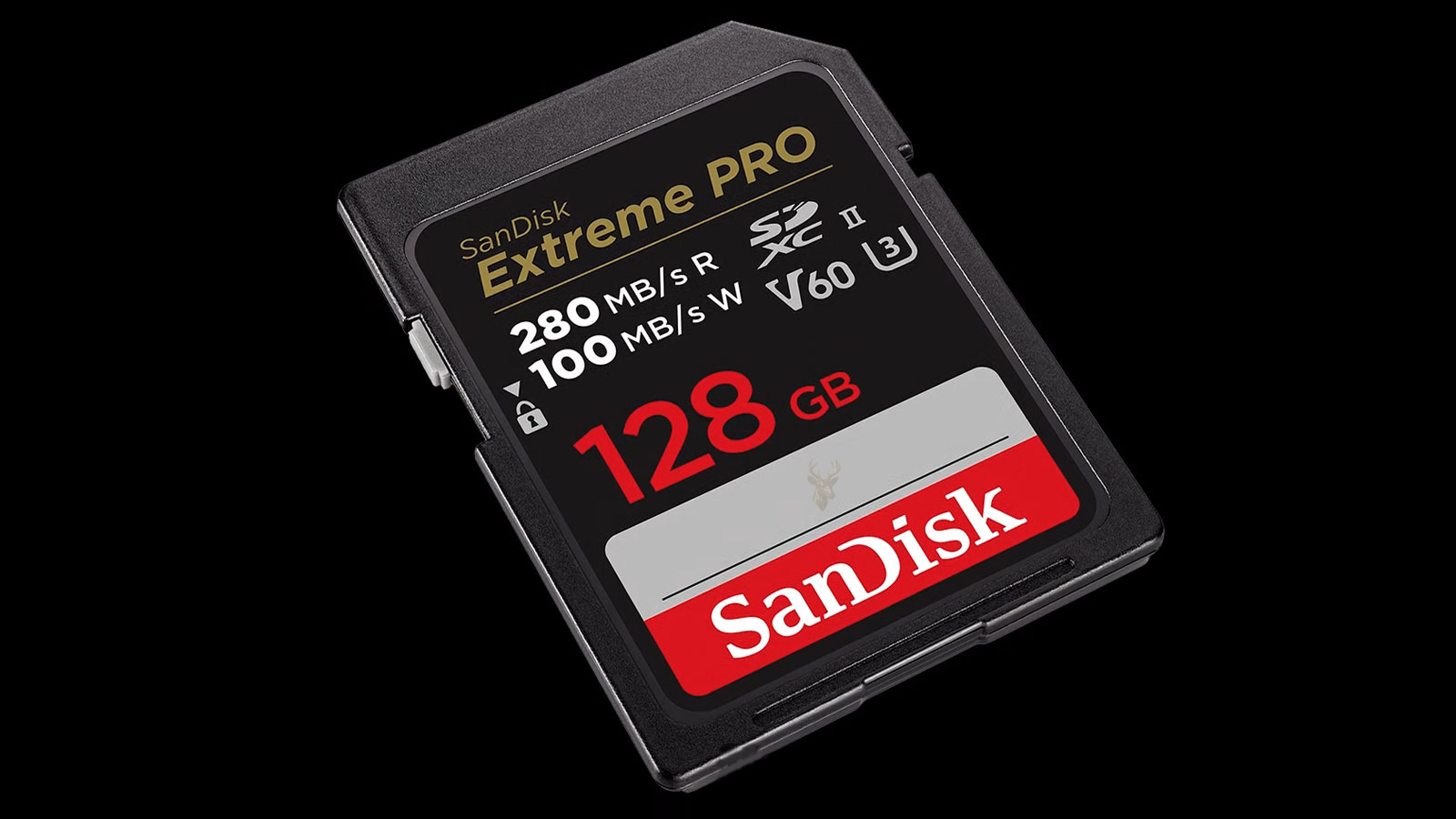
Understanding SD Card Corruption and Missing Files
SD cards are widely used in cameras, drones, smartphones, security systems, handheld gaming devices, and many other portable electronics because they provide compact, removable storage. Although these cards are generally reliable, they can develop corruption that prevents files from being accessed even when the card itself is still detected by the device.
Missing photographs, inaccessible videos, damaged documents, or requests to format the card often indicate that the storage device can no longer interpret the information stored within its file system correctly. In many situations, the data still exists, but the computer or camera can no longer locate it normally.
What SD Card Corruption Actually Means
Corruption occurs when the information that organizes files becomes damaged, incomplete, or inconsistent. Instead of reading folders and files correctly, the operating system encounters information that no longer follows the expected structure.
The memory cells storing the actual data may still contain the original photographs, videos, or documents, but if the organizational information becomes damaged, those files may no longer appear where they should.
Missing Files Do Not Always Mean Deleted Files
One of the most common misconceptions is that files have been permanently erased simply because they no longer appear. In reality, corruption frequently affects the file system before it affects the stored data itself.
This distinction is important because recovery possibilities depend on what has actually failed. A damaged directory is very different from overwritten memory cells.
How an SD Card Stores Information
An SD card stores digital information inside flash memory cells. Along with the user files, it maintains file allocation structures, directory entries, metadata, and other information that allows devices to locate each file quickly.
Whenever a new photograph is saved or a file is deleted, these organizational structures are updated continuously.
The File System Is Just as Important as the Files
The file system acts like a detailed index for everything stored on the card. It keeps track of file names, storage locations, folder organization, timestamps, and available space.
If this information becomes corrupted, the operating system may no longer know where individual files begin or end, even if the actual data remains untouched.
Common Signs of SD Card Corruption
- Files suddenly disappear.
- Folders appear empty.
- The card requests formatting.
- Error messages appear when opening files.
- The camera reports that the card cannot be read.
- The computer recognizes the card but cannot access its contents.
- Some photographs open while others do not.
- The storage capacity appears incorrect.
Improper Removal Is a Frequent Cause
Removing an SD card while files are still being written can interrupt important updates to the file system. Even though only one photograph may appear unfinished, the interrupted operation may affect directory information used by many files.
This is why cameras, phones, and computers recommend waiting until all write activity has finished before removing removable storage.
Power Loss Can Interrupt Write Operations
If a camera battery dies while saving photographs or recording video, the writing process may stop before all required information reaches the card successfully.
Similar problems can occur if a phone suddenly shuts down, a card reader loses connection, or a computer experiences an unexpected restart while files are being transferred.
| Observed Symptom | Possible Cause |
|---|---|
| Card requests formatting | File system corruption. |
| Photos disappear | Directory information has been damaged. |
| Videos cannot open | Incomplete write operation or corrupted file. |
| Card detected but inaccessible | Damaged partition or file system. |
| Card not recognized at all | Hardware failure, controller problem, or damaged connector. |
Counterfeit SD Cards Create Unexpected Problems
Counterfeit memory cards sometimes report a storage capacity that is much larger than the physical memory actually installed. Files appear to save normally until the genuine capacity is exceeded.
Once that limit is reached, new photographs and videos may overwrite older files or become corrupted because the controller falsely reports available storage that does not exist.
Memory Cells Wear Out Over Time
Flash memory has a limited number of write cycles. Modern controllers distribute writing activity across many memory cells to extend the useful life of the card, but no flash storage lasts indefinitely.
As the card ages, individual memory cells may become unreliable, increasing the likelihood of read errors, write failures, and corrupted files.
The Controller Plays a Critical Role
Inside every SD card is a small controller responsible for managing memory, correcting minor errors, and communicating with the host device. If this controller develops faults, the entire card may become inaccessible even though the flash memory itself still contains data.
Controller failures are generally more serious than ordinary file system corruption because the storage device may no longer identify itself correctly to the computer.
Many missing-file situations result from damaged file system information rather than immediate destruction of the stored data, making careful diagnosis an important first step before attempting recovery.
Different Devices Can Produce Different Symptoms
An SD card may appear unreadable in one camera while remaining fully accessible through another camera or a computer. Likewise, a damaged card reader can produce error messages that seem to indicate storage failure even though the card itself is functioning normally.
Testing the card with another compatible reader or device helps determine whether the problem follows the card or remains associated with the original hardware.
Testing Should Protect the Original Card
When important files disappear, the card should be treated as unstable until the cause is understood. Continued use can overwrite recoverable data, create additional file system changes, or place more stress on failing memory cells.
The safest first step is to stop recording new photographs, saving files, formatting the card, or allowing a device to repair it automatically.
Formatting Can Reduce Recovery Options
A camera or computer may offer to format an unreadable SD card. Formatting creates a new file system structure so the card can be used again, but it can also replace information that recovery tools rely on to locate missing files.
The card should not be formatted until the files have been recovered or determined to be unnecessary.
Automatic Repair Tools Can Change the Evidence
File system repair utilities attempt to correct inconsistencies by modifying directory entries, allocation information, and other structures. These changes may restore access in some situations, but they can also rename files, discard damaged records, or separate data from its original folder structure.
When the files are valuable, creating a complete image of the card before attempting repairs provides a safer working copy.
A Read-Only Approach Preserves the Current State
Recovery testing should avoid writing anything back to the affected card. Recovered files should always be saved to another storage device rather than returned to the same SD card.
This prevents new data from overwriting storage areas that may still contain missing photographs, videos, or documents.
The Lock Switch Does Not Repair the Card
Full-size SD cards include a small mechanical lock switch along the side. This switch signals compatible readers to prevent writing, but it does not correct corruption or guarantee that every reader will enforce write protection.
A damaged or loose switch can also cause a card to appear unexpectedly write-protected even when the memory itself remains functional.
The Card Reader Should Be Tested Separately
A faulty reader can cause intermittent disconnections, incorrect capacity reports, transfer errors, and failed detection. Before concluding that the SD card is damaged, it should be tested with another known-working reader that supports its capacity and format.
Built-in laptop readers, inexpensive USB adapters, camera connections, and multi-card hubs can each behave differently with the same card.
| Test Result | What It May Indicate |
|---|---|
| Card works in another reader | The original reader, adapter, or port may be defective. |
| Card fails in several readers | The card or its file system is likely damaged. |
| Several cards fail in one reader | The reader or computer connection may be responsible. |
| Card disconnects when moved | Contacts, adapter, or reader may have an intermittent connection. |
| Correct capacity appears but folders are missing | File system or directory corruption is likely. |
Card Type and Reader Compatibility Matter
SD, SDHC, and SDXC cards use similar physical designs but can rely on different capacities and file systems. An older reader may recognize a smaller SD card while failing to support a newer high-capacity card correctly.
Compatibility problems can resemble corruption because the card may appear blank, unformatted, or completely absent from the operating system.
MicroSD Adapters Add Another Possible Failure Point
A microSD card placed inside a full-size adapter depends on the adapter’s internal contacts to reach the reader. Worn, contaminated, or poorly aligned contacts can interrupt communication even when the microSD card remains healthy.
Testing with another adapter helps separate a card failure from a simple mechanical connection problem.
Contact Contamination Can Prevent Reliable Reading
Finger oils, dust, oxidation, and residue on the exposed contacts can weaken the electrical connection between the card and reader. The result may be intermittent detection, transfer failures, or repeated requests to reinsert the card.
Contacts should be handled carefully and cleaned only with methods that do not scratch the conductive surface or introduce moisture into the card.
Imaging the Card Creates a Safer Recovery Source
A sector-by-sector image captures the readable contents of the SD card into a file stored on another drive. Recovery work can then be performed on the image rather than repeatedly accessing the original media.
This is especially important when the card disconnects, produces read errors, or appears to be deteriorating with continued use.
Unstable Cards May Require Controlled Reading
A failing card may read successfully for a short period and then stop responding. Recovery imaging tools can sometimes retry difficult areas, skip unreadable sections temporarily, and return to them after the most accessible data has been copied.
Ordinary file copying is less suitable in these situations because one damaged file may interrupt the entire transfer.
File System Recovery Uses Existing Organizational Information
When directory records remain partially intact, recovery software may reconstruct folders, file names, timestamps, and original paths. This provides a more organized result than searching only for raw file content.
The quality of the recovered structure depends on how much of the original file system remains readable and whether later activity has overwritten its records.
Signature Recovery Searches for File Content Directly
If the file system is too damaged to identify normal directory entries, recovery tools may scan the card for recognizable patterns associated with photographs, videos, documents, and other file types.
This method can recover content without relying on the original folder structure, but file names and timestamps may be lost.
Fragmented Files Are More Difficult to Reconstruct
Large videos and frequently modified files may be stored in several noncontiguous areas of the card. If the file system records connecting those pieces are damaged, simple signature recovery may locate only the beginning of the file.
Recovered videos may therefore appear incomplete, fail to play, or stop unexpectedly even when a large portion of their data remains present.
Photo Recovery Is Often More Successful
Individual photographs are commonly stored as complete files and often contain recognizable internal structures. This can make them easier to recover than long video recordings that span many areas of the card.
However, photographs can still be partially overwritten, truncated, or damaged if the card continued to be used after the files disappeared.
The best recovery opportunity usually exists before the card is formatted, repaired, reused, or exposed to repeated unsuccessful reading attempts.
Recovered Files Must Be Verified
A recovery program may report that thousands of files were found, but the number alone does not confirm that the files are complete. Photographs should be opened at full resolution, videos should be played beyond their first few seconds, and documents should be checked for readable content.
Thumbnail previews can be misleading because a small embedded preview may survive even when the main image data is damaged.
Duplicate Results Are Common During Recovery
Recovery scans may locate original files, deleted copies, thumbnails, edited versions, and remnants from previous file system structures. This can produce several files that appear similar but differ in size, resolution, or completeness.
Sorting by file type, dimensions, creation date, and file size can make the recovered collection easier to review.
Unreadable Files May Still Contain Partial Data
A photograph or video that does not open normally may still contain substantial usable content. Repair utilities can sometimes rebuild damaged headers or replace missing structural information using a healthy file created by the same device.
This type of repair cannot restore portions of the file that have already been overwritten or never reached the card successfully.
Camera Folder Structures Can Be Reconstructed
Digital cameras often organize media inside standardized folder structures. Corruption may remove the visible folders while leaving image files elsewhere on the card.
Recovery software may restore the photographs without recreating the exact camera folder names, requiring the files to be reorganized afterward.
Hidden Attributes Can Make Files Appear Missing
Malware, software errors, or damaged directory attributes can mark folders and files as hidden. In these cases, the data may remain fully accessible but not appear under normal viewing settings.
Checking for hidden content is appropriate when the card capacity still shows substantial used space even though the visible folders appear empty.
Used Space Can Provide a Useful Clue
If an apparently empty card still reports that most of its capacity is occupied, files or file remnants may remain present. If the card suddenly reports its full capacity as available, directory records may have been cleared or a new file system may have been created.
Capacity information is only one diagnostic clue and should not be used alone to determine whether recovery is possible.
A RAW File System Indicates Structural Damage
When a computer identifies an SD card as RAW, it usually means the partition exists but the operating system cannot recognize a valid file system. The card may still contain data even though normal folders cannot be opened.
Formatting the RAW volume would create a new file system but should be avoided until recovery attempts are complete.
Incorrect Capacity Can Signal Controller Trouble
A card that suddenly reports only a few megabytes, an impossible capacity, or no usable space may have controller or firmware problems rather than ordinary directory corruption.
When the controller cannot map the flash memory correctly, software recovery through a normal card reader may no longer be possible.
Physical Failure Changes the Recovery Method
A cracked card, damaged contact area, failed controller, or broken internal connection requires a different approach from logical file system corruption. Repeated software scans cannot recover data from hardware that cannot maintain communication.
Physical inspection and specialized recovery procedures may be necessary when the card is not recognized consistently or generates severe read errors across multiple compatible readers.
Professional Recovery Is Appropriate When Recognition Becomes Unstable
An SD card that disconnects repeatedly, reports different capacities, becomes unusually warm, or disappears from every compatible reader may have an internal hardware problem. Continued attempts with ordinary recovery software can place additional stress on a failing controller or memory connection.
Professional evaluation is especially important when the card contains irreplaceable photographs, business records, research data, surveillance footage, or other information that cannot be recreated.
Repeated Scanning Can Make a Failing Card Less Stable
A complete recovery scan may require the card to read every accessible storage area. Healthy media can usually tolerate this process, but a failing card may disconnect, reset, or stop responding as the scan continues.
Creating an image first reduces the number of times the original card must be accessed and allows later recovery attempts to use the copied data instead.
Heat Can Indicate an Electrical or Controller Problem
Some warmth during operation may be normal, particularly during sustained video recording or large transfers. Noticeable heat from a card that is not transferring data can indicate excessive current draw or an internal electronic fault.
A card that becomes hot should be disconnected rather than left operating through repeated recovery attempts.
A Cracked Card Should Not Be Flexed or Reinserted Repeatedly
Full-size SD cards can crack near the contacts, lock switch, or thin outer edges. Flexing the card may temporarily change the connection while also damaging internal conductors further.
Tape or glue applied without understanding the internal construction can contaminate a reader or place pressure on damaged areas. Physically damaged cards should be handled as little as possible.
Water Exposure Can Cause Delayed Corrosion
An SD card exposed to water may continue working temporarily and fail later as corrosion develops around the contacts or internal components. Saltwater, beverages, and contaminated liquids create greater risk because they leave conductive or corrosive residue behind.
The card should not be powered repeatedly while moisture may still be present. Proper inspection and cleaning may be required before recovery begins.
| Condition | Recommended Response |
|---|---|
| Files are missing but the card reads normally | Stop using the card and create an image before recovery. |
| The card asks to be formatted | Decline formatting until the files have been recovered. |
| The card disconnects during reading | Limit further attempts and use controlled imaging methods. |
| The card reports an incorrect capacity | Suspect controller, firmware, or counterfeit-capacity problems. |
| The card is cracked, wet, or unusually hot | Disconnect it and seek physical evaluation. |
| The files are irreplaceable | Avoid experimental repairs and preserve the card’s current state. |
Recovery Results Should Be Saved to Reliable Storage
Recovered files should be written to a healthy internal drive, external drive, or other storage device with enough free space. They should never be saved back onto the affected SD card.
Saving results to the original card can overwrite additional recoverable data and make it difficult to distinguish recovered files from newly written copies.
One Copy Is Not Enough for Valuable Recovered Files
After recovery, important files should be copied to at least one additional storage location. A successful recovery does not guarantee that the destination drive will remain reliable or that every recovered file has been preserved correctly.
Keeping copies on separate devices reduces the chance that another hardware failure will cause the same files to be lost again.
Recovered Photographs Should Be Checked Beyond Their Thumbnails
A photograph may display a normal thumbnail while the full-resolution image contains missing sections, distorted colors, gray areas, or decoding errors. Each important image should be opened at its original size before the recovery is considered complete.
RAW camera files should also be tested with compatible editing or viewing software because a generic preview may not verify the complete image data.
Recovered Videos Need Longer Playback Tests
A video that begins playing successfully may still contain corruption later in the recording. Long clips should be reviewed at several points, including near the middle and end.
Audio synchronization, missing frames, sudden stops, and playback errors can indicate that part of the original file was damaged or could not be reconstructed.
File Names May Need to Be Rebuilt Manually
When recovery depends on file signatures rather than intact directory records, files may receive generic names based on scan order. Original folder names, camera sequence numbers, and creation dates may not survive.
Sorting by embedded metadata, image dimensions, recording dates, and file type can help rebuild a useful organization after the content has been recovered.
Some Files May Be Older Deleted Data
A deep scan can locate files deleted long before the current corruption occurred. These results may be mixed with the recently missing content and can include incomplete remnants from previous use.
Recovery results should therefore be reviewed carefully rather than assuming every discovered file belongs to the most recent incident.
The Card Should Not Be Returned to Important Use Immediately
Even if formatting appears to restore normal access, a card that has already developed unexplained corruption may no longer be dependable. Reusing it for important photographs or recordings creates a risk that the problem will return without warning.
Replacement is generally safer when corruption was associated with aging, unstable detection, write failures, incorrect capacity, or controller errors.
Formatting Does Not Repair Worn Memory
Formatting replaces the file system structures and may hide logical errors temporarily. It does not restore worn flash cells, repair cracked connections, replace a failing controller, or correct counterfeit capacity.
A card that fails verification after formatting should be removed from service rather than trusted with new data.
A Full Capacity Test Can Reveal False Storage Claims
After all needed files have been recovered, a card intended for noncritical reuse can be tested by writing and verifying data across its reported capacity. This helps identify counterfeit cards and memory areas that cannot store information reliably.
The test destroys existing contents and should never be performed before recovery is complete.
Cameras Should Format Cards Using Their Own Menu
When a healthy replacement card is prepared for a camera, formatting it inside the camera can create the folder structure and file system expected by that model. This reduces compatibility problems that can occur when a card is prepared by another device.
Formatting should occur only after all existing files have been copied and verified because the process removes the current file system organization.
Cards Should Not Be Shared Constantly Between Unrelated Devices
Moving one SD card repeatedly between cameras, phones, computers, gaming systems, and other equipment can expose it to different folder structures, formatting expectations, and power conditions.
Dedicated cards for important devices reduce unnecessary changes and make unexpected corruption easier to diagnose.
Recording Should Stop Before Powering Off a Camera
Video cameras, drones, and security devices may continue writing data briefly after recording appears to stop. Removing power or opening the card compartment too quickly can interrupt final file and directory updates.
Waiting for activity indicators to stop helps ensure that the device has completed the write process.
Low Batteries Increase the Risk of Interrupted Writes
A camera or handheld device operating with a nearly depleted battery may shut down while saving a file. Large photographs, burst sequences, and high-resolution video recordings can require additional time to reach the card completely.
Charging or replacing the battery before extended recording reduces the chance that a write operation will be interrupted.
High-Quality Cards Are Better Suited for Continuous Recording
Dash cameras, security systems, and other devices that write continuously place heavier demands on flash memory than occasional photography. Cards designed for high-endurance use generally tolerate repeated recording cycles better than standard consumer cards.
Even endurance-rated cards should be replaced periodically because continuous writing eventually wears the memory.
- Purchase memory cards from established sellers.
- Choose a speed and endurance rating appropriate for the device.
- Keep batteries charged during important recording sessions.
- Wait for writing activity to finish before removing the card.
- Use the device’s eject or unmount function when available.
- Copy valuable files to another storage location regularly.
- Replace cards that begin producing intermittent errors.
Backups Provide Better Protection Than Card Reliability Alone
No SD card should be treated as the only permanent location for important data. Small removable media can be lost, damaged, corrupted, overwritten, or exposed to environmental conditions that cause sudden failure.
Photographs and documents should be transferred to a computer or other storage system as soon as practical, followed by an additional backup for anything that cannot be replaced.
An SD card is most useful as portable working storage, not as the only long-term archive for valuable files.
Frequently Asked Questions About SD Card Corruption
Why does my SD card ask to be formatted?
The device may detect the card physically but be unable to recognize a valid file system. Formatting should be postponed until important files have been recovered.
Can missing photographs still be recovered?
They may be recoverable when the directory information is damaged but the image data has not been overwritten. Recovery chances are better when the card is no longer used.
Should I run a repair utility on the card?
Repair utilities modify the file system and may reduce some recovery options. A complete image should be created first when the files are valuable.
Can a bad card reader make an SD card appear corrupted?
Yes. A damaged, incompatible, or unstable reader can produce failed detection, incorrect capacity, and transfer errors that resemble card failure.
Why are some recovered files damaged?
Parts of the files may have been overwritten, stored in unreadable memory areas, or separated from the file system information needed to reconstruct them correctly.
Can I continue using the card after recovering the files?
A card with unexplained corruption, unstable detection, or write errors should be replaced. Formatting alone does not correct worn memory or controller faults.
Does the lock switch protect files from corruption?
The switch requests write protection from compatible readers, but it does not repair existing corruption or protect the card from hardware failure.
Why does the card show used space when the folders are empty?
The files may be hidden, or damaged directory records may prevent them from appearing even though their data still occupies storage space.
Can video files be repaired after recovery?
Some damaged videos can be repaired when enough of the recording remains intact and a compatible reference file is available. Missing or overwritten video data cannot be recreated.
Careful Handling Preserves the Best Recovery Opportunity
SD card corruption can affect file names, folders, partition information, individual files, or the card’s ability to communicate with a reader. Missing content may remain recoverable when the card is protected from additional writing and evaluated before formatting or repair changes are made.
The most effective response is to stop using the card, test the connection carefully, create an image when possible, and recover files to another storage device. Once the important data has been verified and backed up, the cause of the failure can be evaluated without placing the only remaining copy at unnecessary risk.











