
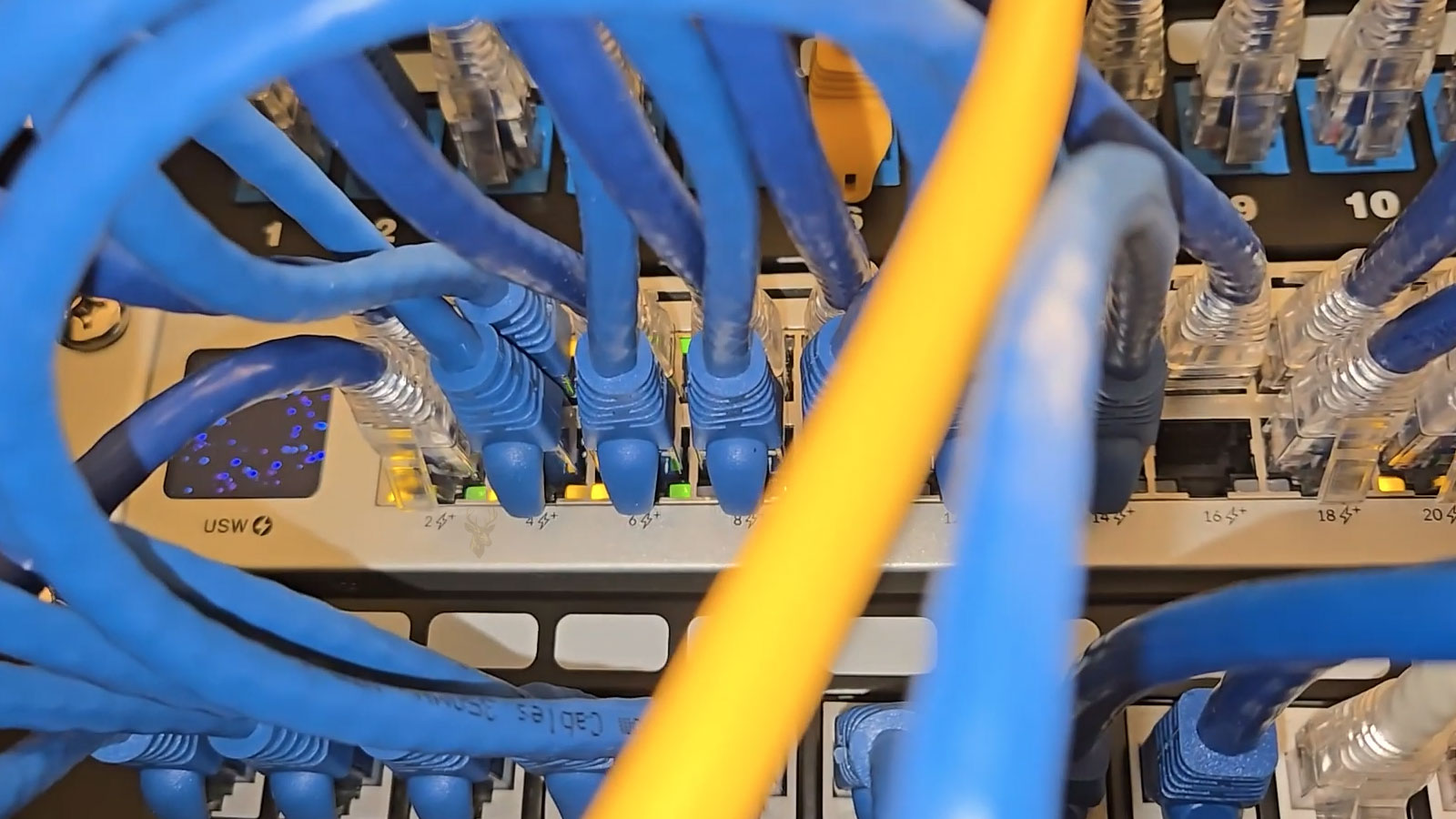
Understanding Network Loops and Broadcast Storms
Small office networks are designed so that data travels through a predictable path between computers, switches, printers, servers, and internet equipment. When that path changes unexpectedly because of an accidental cable connection or incorrect network configuration, traffic can begin circulating continuously instead of reaching its intended destination.
This condition is commonly known as a network loop. If enough network traffic becomes trapped in the loop, a broadcast storm can develop, consuming available bandwidth and processing resources until normal communication becomes unreliable or stops completely.
What Is a Network Loop?
A network loop occurs when two or more active network paths unintentionally connect back to each other. Instead of forwarding traffic toward its destination, network switches continue sending certain types of traffic around the loop repeatedly.
Unlike normal communication, which eventually reaches its destination and ends, looped traffic can continue circulating until the network becomes overwhelmed.
Understanding Broadcast Traffic
Some network messages are intentionally sent to every device on the local network instead of one specific computer. These broadcasts allow devices to discover each other, request network information, and locate shared resources.
Under normal conditions, broadcast traffic represents only a small portion of total network activity. During a loop, however, those broadcasts may multiply rapidly and consume most available network capacity.
What Is a Broadcast Storm?
A broadcast storm develops when broadcast traffic increases faster than network equipment can process it. Instead of handling ordinary communication, switches spend most of their resources forwarding repeated broadcast frames that continue circulating through the loop.
As the amount of unnecessary traffic grows, computers may struggle to communicate with servers, printers, internet gateways, and one another.
Common Symptoms of a Broadcast Storm
- Internet access becomes extremely slow or unavailable.
- Shared folders stop responding.
- Network printers disappear or fail to print.
- VoIP phone calls become distorted or disconnect.
- File transfers stall unexpectedly.
- Multiple computers lose network connectivity at the same time.
- Switch status lights flash continuously at unusually high activity levels.
The Problem Often Affects the Entire Office
Unlike failures that involve a single computer, a network loop typically impacts many devices simultaneously. Employees may assume the internet provider is experiencing an outage when the actual problem exists entirely inside the office network.
Because every connected device shares the same switching infrastructure, one accidental loop can affect workstations, wireless access points, printers, and servers at the same time.
Accidental Cable Connections Are a Frequent Cause
One of the most common causes occurs when both ends of an Ethernet cable are connected between two network switches without proper loop prevention. Similar problems can occur if a patch cable is connected between two wall jacks that already communicate through the same switch.
Although the connection may appear harmless, it can create a continuous circular path for network traffic.
Adding Equipment Can Introduce Loops
Small office networks often grow gradually as additional switches, wireless access points, and network printers are installed. Without documenting existing connections, it becomes easier to create duplicate paths unintentionally.
Even temporary equipment added during office renovations or special events can introduce unexpected network loops.
| Possible Cause | Typical Result |
|---|---|
| Switch connected back into itself | Continuous looping traffic |
| Duplicate switch-to-switch connections | Broadcast storm may develop |
| Improperly connected wall jacks | Unexpected network loop |
| Misconfigured network equipment | Traffic forwarding problems |
| Temporary office wiring changes | Intermittent network instability |
Managed and Unmanaged Switches Behave Differently
Many small offices use unmanaged switches because they are inexpensive and require little configuration. These switches typically forward traffic automatically but often lack advanced features that detect or prevent network loops.
Managed switches usually provide additional monitoring and protection features that help identify abnormal traffic conditions before they disrupt the entire network.
Wireless Networks Can Also Participate
Although loops are commonly associated with Ethernet cables, improperly connected wireless bridges, mesh systems, or access points can also introduce redundant network paths if they are configured incorrectly.
For this reason, diagnosing a broadcast storm should include both wired and wireless network equipment.
Internet Service Is Not Always Responsible
When every employee suddenly loses internet access, the service provider is often blamed first. However, a local broadcast storm can overload the office network even while the internet connection itself continues functioning normally.
Separating internet service problems from internal network failures is an important first step during diagnosis.
A single misplaced Ethernet cable can sometimes disrupt communication for an entire office by creating a network loop that overwhelms the switching infrastructure.
Early Recognition Can Reduce Downtime
Recognizing the signs of a developing broadcast storm allows technicians to isolate the affected connection before widespread disruption occurs. Careful network documentation, organized cabling, and systematic troubleshooting help restore reliable communication while reducing the chance of the same problem happening again.
Diagnosis Begins by Confirming the Scope of the Failure
The first step is to determine whether the problem affects one device, one area of the office, or the entire network. A single disconnected computer suggests a local cable, adapter, or configuration issue. Simultaneous failures across many devices are more consistent with a switching problem, network loop, or broadcast storm.
Comparing wired computers, wireless devices, printers, and servers helps reveal how widely the disruption has spread.
Switch Activity Lights Can Provide an Early Clue
During a broadcast storm, many switch ports may flash rapidly even when employees are not transferring files or using network-intensive applications. Continuous activity across multiple ports can indicate that repeated traffic is circulating through the network.
Status lights alone do not confirm a loop, but they can help identify which switch or section of the network should be examined first.
Recent Network Changes Should Be Reviewed
Many loops appear shortly after a cable is moved, a switch is added, office furniture is rearranged, or a wireless device is replaced. Asking what changed immediately before the failure can shorten the troubleshooting process.
- A new switch was installed.
- An employee connected an extra Ethernet cable.
- Wall jacks were patched differently.
- A wireless access point or mesh unit was added.
- Office equipment was moved to another room.
- A temporary network connection was left in place.
Disconnecting Suspected Links Can Isolate the Loop
When a loop is suspected, network links can be disconnected one at a time while observing whether normal communication returns. The process should begin with recently added cables and duplicate switch connections.
Removing the cable that completes the circular path usually causes the storm traffic to stop quickly, allowing devices to resume normal communication.
Troubleshooting Should Follow the Network Layout
In a small office with several switches, each section should be isolated methodically. Disconnecting an entire switch from the main network can reveal whether the loop exists in that branch.
If the network becomes stable after one switch is removed, the cables and equipment connected to that switch can then be tested individually.
| Observation | Possible Meaning |
|---|---|
| Network returns after one cable is removed | The disconnected cable may have completed the loop. |
| Network returns after one switch is isolated | The loop may exist within that branch of the network. |
| Only wireless devices fail | The access point, wireless bridge, or mesh configuration may be involved. |
| Only one computer fails | The issue is probably unrelated to a network-wide loop. |
| All devices remain slow after isolation | Another loop, equipment failure, or separate network problem may still exist. |
Unmanaged Switches Offer Limited Diagnostic Information
An unmanaged switch normally provides only basic activity and link lights. It does not usually identify excessive broadcasts, blocked ports, or topology changes.
This limitation means technicians may need to isolate cables physically instead of relying on a management interface to locate the problem.
Managed Switches Can Reveal Abnormal Traffic
Managed switches may provide port statistics, error counters, traffic graphs, and event logs. A port carrying an unusually high number of broadcast packets can help identify the section where the loop exists.
Some switches can also report rapid changes in the addresses learned on different ports, which may occur when traffic circulates through multiple paths.
Spanning Tree Protocol Helps Prevent Loops
Spanning Tree Protocol allows compatible switches to detect redundant network paths and block one of them before a loop develops. The blocked connection remains available as a backup and can become active if the primary path fails.
For this protection to work correctly, the connected switches must support the feature and be configured appropriately.
Loop Protection Features Vary Between Switches
Some small business switches include simplified loop detection even when they are not fully managed. These features may disable a port automatically when looping traffic is detected.
The exact behavior depends on the switch model. Some ports recover automatically, while others remain disabled until the cable is removed or the switch is restarted.
A Reboot May Restore Service Without Fixing the Cause
Restarting switches can temporarily clear learned network information and stop the immediate storm if the looped connection is no longer active. However, a reboot does not correct duplicate cabling or an improper network design.
If the physical loop remains, the disruption may return as soon as traffic begins circulating again.
Wall Jacks Can Create Hidden Circular Paths
Office wall jacks usually connect back to a patch panel or central switch. Connecting two active wall jacks together with a patch cable can create a loop that is not obvious from the server room.
Clear labeling helps identify where each wall jack terminates and reduces the chance of accidental cross-connections.
Desktop Switches Are Often Added Without Documentation
Employees sometimes add small switches beneath desks when more Ethernet ports are needed. Problems can occur when two cables from the same desktop switch are connected to different wall jacks that return to the same network.
Every added switch should have one clearly identified uplink unless the network is intentionally designed and configured for redundant connections.
Wireless Bridges Can Form Less Obvious Loops
A wireless access point may communicate with the network through Wi-Fi while also remaining connected by Ethernet. If bridging is enabled improperly, the wired and wireless paths can create a circular connection.
Mesh systems, range extenders, and wireless bridges should be configured according to the intended network design rather than connected through every available interface.
Consumer Routers Can Complicate Small Office Networks
Adding a second router without changing its operating mode can introduce separate addressing, duplicate services, or unintended network paths. Although this does not always create a traditional broadcast loop, it can produce symptoms that appear similar.
Extra routers used as access points should be configured correctly and connected through the proper ports.
Address Table Instability Can Affect Device Communication
Network switches learn which devices are connected to each port by examining hardware addresses. During a loop, the same address may appear repeatedly on different ports, preventing the switch from maintaining an accurate forwarding table.
This instability can cause packets to be sent through the wrong path, duplicated, or flooded across multiple ports.
Broadcast Storms Increase Processing Load on End Devices
Computers, printers, phones, and other devices must examine incoming broadcast traffic even when most of it is irrelevant. During a storm, this additional processing can make devices appear slow or unresponsive.
Older printers, network storage devices, and embedded systems may stop responding before newer computers show obvious symptoms.
Voice and Video Services May Fail First
VoIP calls and video meetings depend on steady packet delivery with minimal delay. Even before the network fails completely, excessive broadcast traffic can create audio distortion, frozen video, and dropped calls.
These real-time services can provide an early indication that the network is becoming congested.
The Internet Gateway May Become Difficult to Reach
During a broadcast storm, computers may remain physically connected to the switch but fail to communicate reliably with the router. Users may see a valid network connection while websites, cloud services, and remote applications stop working.
This distinction helps explain why restarting an internet modem may not correct the problem.
Packet Captures Can Confirm Excessive Broadcast Activity
When the network remains stable enough for testing, a packet capture can reveal repeated broadcasts, duplicated frames, and unusually high local traffic. This information can support the diagnosis and identify which protocols are being amplified by the loop.
Packet analysis is most useful when combined with switch statistics and physical cable tracing.
The Network Should Be Retested After the Loop Is Removed
- Confirm that computers can reach the router and internet.
- Test access to shared folders and servers.
- Verify that network printers respond normally.
- Check wireless access and VoIP services.
- Observe switch activity for unusual traffic.
- Reconnect isolated equipment one device at a time.
Gradual reconnection helps ensure that the same loop is not introduced again and can reveal whether more than one incorrect connection exists.
Correcting the Cable Is Only Part of the Repair
Once the loop has been identified, the network layout should be reviewed so the same mistake is less likely to happen again. Unnecessary cables should be removed, switches should be labeled, and duplicate paths should be documented or configured properly.
A stable repair restores service and improves the organization of the network rather than simply restarting equipment until the symptoms disappear.
Prevention Begins With a Clear Network Layout
A small office network is easier to maintain when every switch, wall jack, access point, router, and uplink has a documented purpose. Even a simple diagram can help prevent accidental duplicate connections and reduce troubleshooting time when problems appear.
The diagram should show how the main switch connects to secondary switches, wireless equipment, servers, printers, and internet hardware.
Cables and Ports Should Be Labeled Clearly
Labels make it easier to identify where each cable begins and ends. Patch-panel ports, wall jacks, and switch ports should use consistent names so employees and technicians do not have to guess which connections are active.
- Identify switch uplinks separately from device connections.
- Label wall jacks by room or workstation.
- Mark unused cables before storing them.
- Document any intentional redundant links.
- Remove cables that no longer serve a purpose.
Unnecessary Connections Increase Risk
Unused patch cables are often left connected because they appear harmless. Over time, someone may connect the other end without realizing that it returns to the same switch or network segment.
Removing abandoned connections reduces confusion and makes unusual cabling easier to notice.
Managed Switches Provide Better Protection
For offices that depend heavily on network access, managed switches can provide useful safeguards. Features such as Spanning Tree Protocol, loop detection, port monitoring, and broadcast controls can prevent one wiring mistake from affecting every connected device.
These protections still require correct configuration. Installing a managed switch without reviewing its settings may leave important loop-prevention features disabled.
Spanning Tree Should Be Planned Across All Switches
When several managed switches are connected, Spanning Tree settings should be coordinated across the network. One switch is typically selected as the central reference point, while redundant links remain blocked unless the primary path fails.
Inconsistent settings can delay recovery, block the wrong connection, or allow a loop to remain active.
Edge Ports Can Be Protected From Unexpected Switches
Ports intended for computers, printers, and phones can often be configured differently from switch-to-switch uplinks. Protective settings may disable an edge port if it begins receiving network control traffic that suggests another switch has been connected unexpectedly.
This can stop an unauthorized or accidental switch connection before it changes the network topology.
Broadcast Limits Can Reduce the Impact
Some managed switches can limit how much broadcast traffic a port is allowed to forward. If the amount exceeds a defined threshold, the switch may restrict or disable the port temporarily.
Broadcast controls do not replace proper cabling, but they can prevent abnormal traffic from consuming the entire network.
| Preventive Measure | Purpose |
|---|---|
| Network diagram | Shows the intended path between devices and switches. |
| Port and cable labels | Reduces accidental duplicate connections. |
| Spanning Tree Protocol | Blocks redundant paths before they form a loop. |
| Loop detection | Identifies and disables suspicious connections. |
| Broadcast controls | Limits excessive local network traffic. |
| Regular inspections | Finds undocumented changes before they cause downtime. |
Office Changes Should Include a Network Review
Moving desks, adding conference-room equipment, replacing access points, or expanding into another office area can change the network unexpectedly. Cabling should be reviewed during these projects rather than after connectivity problems begin.
Temporary connections should also be removed once the work is complete.
Employees Should Avoid Adding Equipment Without Approval
A small switch or spare router may appear to be an easy solution when more network ports are needed. However, unplanned equipment can introduce duplicate services, insecure access, and unintended network paths.
New network equipment should be installed only after confirming where and how it will connect.
Regular Switch Reviews Can Reveal Early Warning Signs
Managed switch logs and traffic statistics should be reviewed periodically. Repeated topology changes, unusually high broadcast counts, or ports that disable themselves may indicate an intermittent loop or unstable device.
Finding these patterns early can prevent a brief disruption from becoming a full office outage.
Intermittent Loops Can Be Difficult to Trace
Some loops occur only when a particular device powers on, reconnects to Wi-Fi, or resumes from sleep. Others appear when an employee plugs in a cable that is removed later.
In these situations, event logs, switch history, and accurate notes about when the problem occurs become especially valuable.
Repeated Outages Usually Indicate an Unresolved Cause
If restarting switches restores service but the disruption returns, the underlying cabling or configuration problem has probably not been corrected. Repeated reboots may clear the immediate symptoms while leaving the network vulnerable to another storm.
A network that recovers only after switches are restarted should be inspected for the reason traffic became unstable, not treated as permanently repaired.
A Controlled Recovery Protects Business Operations
After a loop is removed, critical systems should be restored in a logical order. The main switch, router, server connections, wireless access points, phones, printers, and employee devices can be verified gradually.
This approach makes it easier to identify any connection that causes the abnormal traffic to return.
Frequently Asked Questions About Network Loops
Can one Ethernet cable take down an entire office network?
Yes. If the cable completes a loop between active network paths, repeated traffic can overwhelm the switches and interrupt communication across the office.
Does every duplicate connection create a loop?
Not always. Properly configured managed switches can block redundant paths. Without loop-prevention features, however, duplicate links can cause serious instability.
Can a network loop damage a switch?
A loop normally causes excessive traffic rather than direct physical damage. Prolonged high activity may increase heat and processing load, especially in older or low-quality equipment.
Why do switch lights flash constantly during a storm?
The switches are forwarding large amounts of repeated traffic across many ports. Continuous flashing is a visible sign of unusually heavy activity.
Will replacing the internet modem fix a broadcast storm?
Usually not. A broadcast storm commonly originates inside the local office network, while the internet modem may be operating normally.
Can an unmanaged switch prevent network loops?
Some newer unmanaged or lightly managed switches include basic loop detection, but many provide no protection. The capabilities depend on the specific model.
Why does the problem return after equipment is restarted?
The restart may temporarily clear the traffic storm, but the loop can form again if the duplicate cable or incorrect configuration remains.
Can wireless equipment create a network loop?
Yes. Wireless bridges, mesh units, access points, and improperly configured routers can create redundant paths between wired and wireless portions of the network.
Reliable Networks Depend on Controlled Connections
Network loops and broadcast storms can cause widespread office disruption even when every computer and internet service appears to be working individually. The failure begins when traffic is given an unintended circular path and continues multiplying until switches and connected devices can no longer communicate normally.
Systematic cable isolation, switch monitoring, and review of recent changes can identify the source. Clear labeling, documented network design, managed switching features, and controlled equipment installation help prevent the same condition from returning.
A stable small office network should have understandable connections, appropriate loop protection, and a clear process for handling future changes before they affect daily business operations.











