
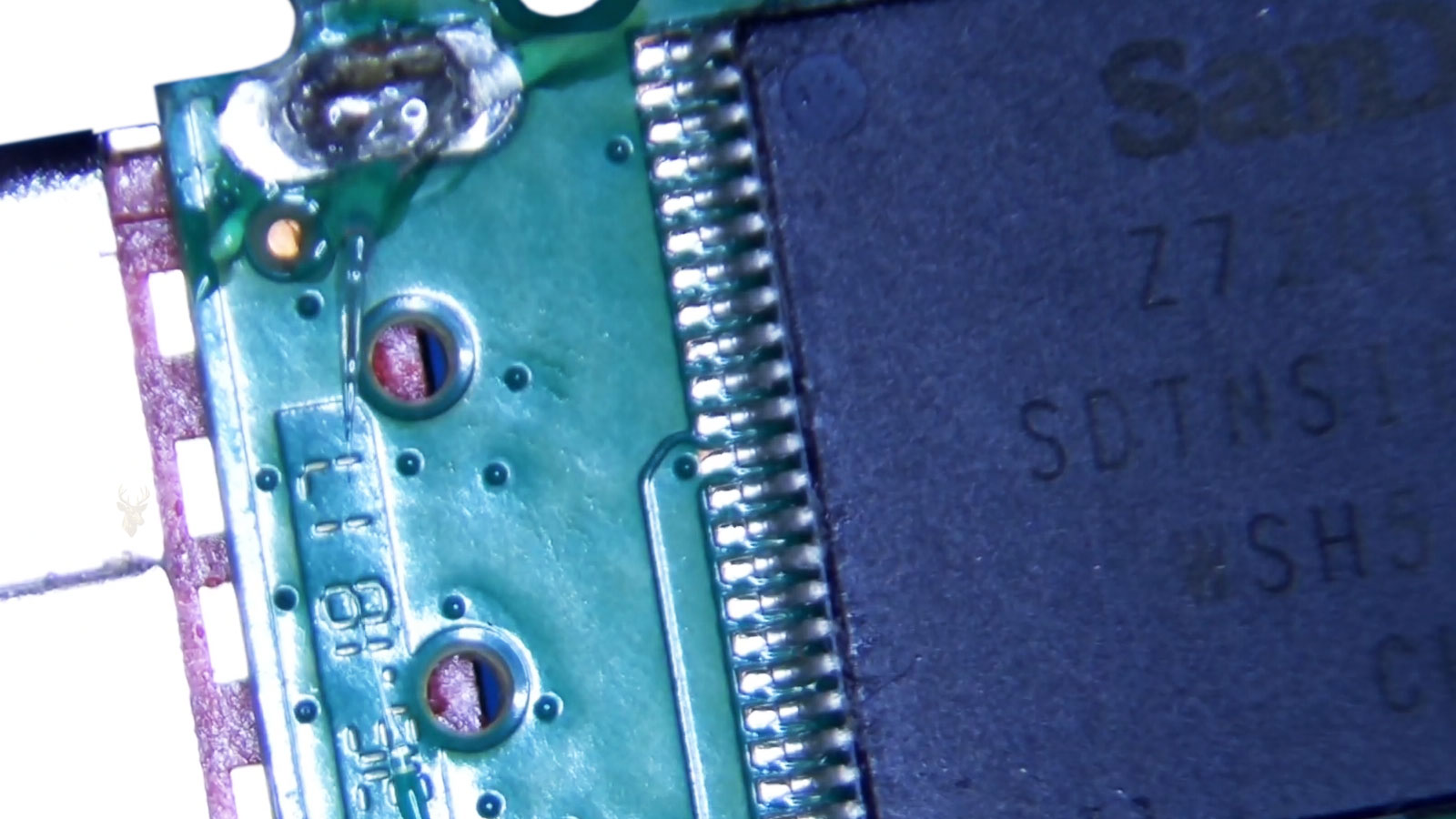
The Controller Connects the USB Port to the Flash Memory
A USB flash drive may appear to be a simple storage device, but several components must work together before a computer can read the files stored inside it. The USB connector carries power and data, the controller manages communication, and the NAND flash memory stores the actual information.
When the controller fails, the files may still remain inside the memory chips even though the computer can no longer access them through the normal USB connection.
The Controller Performs More Than Basic Communication
The controller acts as the operating system inside the flash drive. It translates requests from the computer into instructions the NAND memory can understand and organizes how data is written, located, corrected, and retrieved.
- Manages communication with the computer.
- Tracks where data is stored in the NAND memory.
- Corrects certain read errors.
- Distributes writes across available memory cells.
- Handles defective memory areas.
- Presents the storage capacity and file system to the operating system.
If the controller stops functioning correctly, the computer may lose access to the entire drive even when the memory chips have not been physically destroyed.
A Failed Controller Can Make the Drive Appear Completely Dead
Some controller failures prevent the flash drive from being detected at all. The computer may make no connection sound, display no new storage device, and show nothing useful in File Explorer or Disk Management.
This behavior is often described as a dead flash drive, but it does not confirm whether the stored data has been erased. It only shows that the normal communication path is no longer working.
Other Failures Produce Incorrect or Incomplete Detection
A damaged controller does not always fail completely. It may still identify itself to the computer while reporting incorrect information or refusing to provide usable access to the memory.
| Observed Behavior | Possible Controller-Related Meaning |
|---|---|
| The drive appears with 0 bytes | The controller is detected but cannot properly access the NAND memory. |
| The reported capacity is incorrect | Controller firmware or memory translation information may be damaged. |
| The drive repeatedly connects and disconnects | Power, controller, solder, or communication instability may be present. |
| The computer requests formatting | The drive may be communicating, but the file system or translated data is unreadable. |
| The drive appears as an unknown USB device | USB identification or controller initialization may be failing. |
These symptoms can also result from other forms of damage, so the behavior alone does not prove that the controller is the only failed component.
Controller Failure Is Different From File System Damage
File system damage affects the structures used to organize folders and files. In many of those cases, the computer still detects the flash drive with approximately the correct capacity, even though the files cannot be opened normally.
Controller failure occurs at a lower level. The computer may be unable to communicate reliably with the NAND memory before the file system can even be examined.
The USB Connector Can Mimic a Controller Failure
A cracked connector, broken solder joint, damaged circuit trace, or bent contact can prevent power or data signals from reaching the controller. The drive may then appear dead even though the controller and memory remain functional.
For this reason, physical inspection and electrical testing are often necessary before concluding that the controller itself has failed.
Intermittent Detection Can Indicate a Physical Connection Problem
A flash drive that works only when held at a certain angle may have mechanical damage near the connector rather than a purely internal controller fault. Continued movement can worsen broken solder joints or tear circuit traces from the board.
Once intermittent behavior begins, unnecessary reconnection attempts should be avoided until the drive can be evaluated.
Electrical Damage Can Affect Several Components at Once
USB ports normally supply low-voltage power, but electrical faults, static discharge, liquid contamination, damaged cables, or defective equipment can still harm the drive. A single event may damage the controller, protective components, and NAND memory at the same time.
This makes recovery more difficult than a failure limited to one replaceable connection or circuit component.
Heat Can Contribute to Controller Instability
Flash drives can become warm during long transfers, especially compact models with limited surface area. Excessive heat may worsen weak solder joints, unstable controller behavior, or already degraded memory.
A drive that disconnects after warming up and becomes detectable again after cooling may have a temperature-sensitive hardware problem.
NAND Memory Does Not Store Files in a Simple Order
The data inside NAND flash memory is not necessarily stored in the same order presented to the computer. The controller may divide, relocate, and interleave data across many memory pages and blocks.
This translation process helps the drive manage wear and defective cells, but it also means that reading the memory chip directly may produce scrambled raw data rather than immediately recognizable files.
Wear Leveling Changes the Physical Location of Data
NAND memory cells can tolerate only a limited number of write and erase cycles. To avoid wearing out the same locations repeatedly, the controller spreads writes across different physical areas.
The controller keeps track of how the logical storage addresses shown to the computer correspond to the actual physical locations inside the memory chips.
Bad Block Management Is Part of the Translation Process
NAND memory can contain unusable blocks from the factory and can develop additional weak blocks over time. The controller identifies these areas and avoids using them for normal storage.
If the controller’s translation information becomes damaged or unavailable, a recovery process may need to reconstruct how usable and defective areas were managed.
Error Correction Helps Rebuild Imperfect Reads
Flash memory can produce bit errors as it ages. Controllers use error correction information to recover data when a limited number of bits can no longer be read accurately.
Direct memory recovery may require understanding and applying the correct error correction method before the stored information can be reconstructed.
Controller Firmware Can Be Unique to the Drive
Two flash drives that look identical from the outside may contain different controllers, memory chips, firmware versions, and internal configurations. Manufacturers sometimes change internal components during a product’s production without changing the retail model name.
This limits the usefulness of choosing a donor drive based only on brand, color, capacity, or external appearance.
Installing a Controller From Another Drive Is Not a Simple Repair
Replacing a failed controller with one from another flash drive generally does not restore access automatically. The replacement must be compatible with the NAND memory, firmware configuration, translation method, and board design.
Even when the controller model matches, differences in firmware or memory layout can prevent the recovered drive from interpreting the stored data correctly.
Repeated Connection Attempts Can Make Recovery Harder
A failing flash drive may become progressively less stable each time it receives power. Repeated scanning, formatting attempts, repair utilities, and large read operations can place additional stress on damaged electronics or deteriorating memory.
When the files are important, the goal should be to preserve the drive’s current condition rather than repeatedly testing whether it will begin working again.
The correct next step depends on whether the problem involves the connector, power circuit, controller, NAND memory, or a combination of failures.
Professional Recovery Begins With Identifying the Failure Type
Before recovery work begins, the flash drive must be examined to determine whether the failure is mechanical, electrical, controller-related, memory-related, or caused by damaged logical structures. These problems can produce similar symptoms even though they require very different recovery methods.
A correct diagnosis helps prevent unnecessary work and reduces the risk of damaging components that may still be recoverable.
Connector Repairs May Restore Normal Access
If the USB connector or nearby solder joints are damaged, repairing the physical connection may allow the original controller to communicate with the computer again. This is often one of the more direct recovery paths because the drive can continue using its own firmware and translation information.
The repair must be stable enough to support a controlled read of the entire device without requiring the connector to be held or moved.
Temporary Access Should Be Used to Create an Image
If a damaged flash drive becomes readable after a physical repair, the safest objective is usually to create a sector-level image or controlled copy as soon as possible. The original device should not be treated as dependable storage simply because it becomes detectable again.
Recovery work can then continue from the image rather than repeatedly stressing the unstable flash drive.
An Unstable Drive May Require Controlled Reading
Some flash drives disconnect, freeze, or return read errors during copying. Specialized imaging tools can attempt smaller reads, skip damaged areas temporarily, retry selected regions, and preserve the data that remains accessible.
- Readable areas can be copied before unstable sections are revisited.
- Retry limits can reduce unnecessary stress on failing memory.
- Progress can be recorded if the drive disconnects during recovery.
- Problem regions can be approached with different read sizes or timing.
Ordinary file copying tools are not designed to manage unstable media with the same level of control.
Electrical Diagnosis Can Reveal a Shorted Component
A flash drive that appears completely dead may contain a failed protection component, shorted capacitor, damaged voltage regulator, or broken power path. Electrical testing can help determine whether the controller and NAND memory are receiving the correct operating voltages.
In some cases, correcting a localized board fault restores enough functionality for the original controller to access the memory.
Board-Level Repair Is Usually Preferred Before Chip Removal
When possible, restoring the original circuit board is generally preferable to removing the NAND memory. The original controller already understands the drive’s internal layout, error correction, bad block history, and data translation method.
Direct memory recovery becomes necessary when the original controller or supporting circuitry cannot be restored sufficiently for a stable read.
Chip-Off Recovery Reads the NAND Memory Directly
Chip-off recovery involves removing the NAND memory chip from the circuit board and reading it with specialized equipment. This bypasses the failed controller and USB interface.
The resulting data is a raw physical dump of the memory, not necessarily an immediately usable copy of the original files.
Monolithic Flash Drives Require a Different Approach
Some compact flash drives do not use a traditional circuit board with separate visible controller and NAND chips. Instead, the components and connections are integrated into a sealed monolithic package.
Recovery may require exposing microscopic contact points and connecting specialized readers directly to the internal circuitry. This work is significantly different from removing a conventional memory chip.
| Flash Drive Construction | Typical Recovery Direction | Primary Challenge |
|---|---|---|
| Traditional circuit board | Connector repair, board repair, or NAND removal | Diagnosing the failed component and preserving the original controller when possible |
| Monolithic design | Direct access through exposed internal test points | Locating and connecting to extremely small contacts |
| Multiple NAND chips | Reading and reconstructing data from all chips | Correctly combining interleaved memory channels |
| Integrated controller and memory package | Highly device-specific recovery methods | Limited direct access to internal storage signals |
Raw NAND Data Must Be Reconstructed
After the memory is read, the recovery process must reproduce the work previously performed by the controller. This may include correcting bit errors, removing service data, identifying page structure, accounting for defective blocks, and rebuilding the logical order of stored sectors.
Until this reconstruction is completed, recognizable folders and files may not be visible.
Page and Block Structures Vary Between NAND Chips
NAND memory is organized into pages and blocks, but the exact sizes and internal arrangements vary. Raw reads may also include spare areas containing error correction codes, controller metadata, and block management information.
The recovery method must correctly identify which bytes contain user data and which belong to the memory management process.
Interleaving Can Spread Data Across Multiple Memory Areas
Controllers may divide data across different memory planes, dies, channels, or chips to improve speed and capacity. A single file may therefore be distributed across several physical locations in a repeating pattern.
Recovery software must determine the correct interleave pattern before the logical data can be assembled in its original order.
Scrambling and XOR Transformations Complicate Recovery
Some controllers transform data before writing it to NAND. These processes can reduce electrical patterns that interfere with reliable storage, but they also make the raw memory contents appear scrambled.
The appropriate transformation must be identified and reversed before the underlying sectors can be interpreted.
Error Correction Must Match the Controller Method
Raw NAND reads commonly contain bit errors, even when much of the stored data remains recoverable. The correct error correction algorithm and data layout must be applied to repair those errors.
If too many bits have changed within a memory page, the available correction information may no longer be sufficient to reconstruct that portion accurately.
Translation Tables May Be Stored Inside the NAND
The controller may store mapping information, firmware data, and other service structures within reserved areas of the flash memory. Recovering these structures can help recreate the relationship between logical sectors and physical pages.
If those areas are damaged, the translation may need to be inferred from remaining patterns and metadata.
Encryption Can Create an Additional Recovery Barrier
Some flash drives use hardware encryption performed by the controller. In those devices, the NAND memory may contain encrypted data even when the user never manually enabled password protection.
If the failed controller holds a unique encryption key that cannot be recovered, directly reading the NAND may not produce usable files.
Password-Protected Drives May Depend on the Original Controller
Secure flash drives can combine authentication, encryption, and controller-specific key storage. Replacing or bypassing the original controller may remove the mechanism required to decrypt the stored information.
Knowing the correct password does not always help if the hardware responsible for processing the key is no longer functional.
NAND Degradation Can Limit the Final Result
A controller failure may occur alongside worn or deteriorating memory. If the NAND contains a large number of unreadable pages, reconstruction may produce incomplete files, corrupted archives, damaged photos, or documents with missing sections.
The presence of data inside the chip does not guarantee that every bit can still be recovered accurately.
Partial Recovery May Still Be Valuable
When some memory regions are unreadable, recovery may still produce intact files from unaffected areas. The value of a partial result depends on which files survived and whether the recovered content can be opened and verified.
Recovery success should be measured by the usable files returned, not only by the percentage of raw memory that was read.
File Validation Is an Essential Part of Recovery
A recovered filename and folder structure do not prove that the contents are intact. Documents, images, videos, databases, and archives should be opened or checked with appropriate validation tools whenever possible.
This helps identify files that were reconstructed but still contain hidden corruption caused by unreadable memory pages.
Recovery Possibilities Depend on the Exact Failure
A flash drive with a damaged connector may have a much stronger recovery outlook than one with severe NAND degradation or unrecoverable encryption. The external symptom may look similar, but the internal condition determines what methods remain available.
For that reason, recovery estimates should be based on diagnosis rather than assumptions made from whether the drive appears in File Explorer.
A Dead Drive Does Not Automatically Mean the Data Is Gone
If the controller or power circuit has failed while the NAND memory remains intact, the stored information may still be recoverable through board repair or direct memory access. The absence of normal detection does not prove that the files have been erased.
At the same time, the existence of data inside the memory chips does not guarantee that it can be reconstructed into complete usable files.
Recovery Becomes More Difficult When Several Problems Occur Together
Some failed flash drives have more than one fault. A damaged connector may be accompanied by a shorted component, unstable controller, deteriorating NAND, or corrupted file system.
Each additional failure can increase the complexity of the recovery and reduce the amount of data that can be returned intact.
Formatting Should Be Avoided When the Files Matter
When a computer asks to format a flash drive, accepting the prompt changes storage structures and may overwrite information useful during recovery. Formatting does not repair a controller failure and does not make damaged hardware dependable.
If the files are important, the safer response is to stop and preserve the current condition of the device.
Repair Utilities Cannot Correct Physical Controller Damage
File-system repair tools can sometimes correct logical inconsistencies on stable storage, but they cannot restore failed controller electronics, broken traces, shorted components, or unreadable NAND memory.
Running repair commands against an unstable flash drive may also create additional writes or increase the amount of time the failing hardware remains powered.
Freezing During Scans Is an Important Warning
A flash drive that causes recovery software, Disk Management, or File Explorer to freeze may be failing to respond to low-level read requests. Repeatedly reopening the same programs rarely corrects the underlying problem.
This behavior can indicate controller instability, severe memory errors, or communication failure between the controller and NAND.
Using Different Computers Usually Does Not Repair the Drive
Testing one additional known-good USB port can help rule out a simple port problem. However, repeatedly moving the drive between many computers does not repair an internal controller or memory failure.
Excessive testing can be especially harmful when the connector is loose or the board is physically cracked.
USB Hubs Can Complicate Diagnosis
Unpowered hubs, damaged extension cables, and overloaded front-panel ports can cause voltage drops or unstable communication. Initial testing should normally use a direct connection to a known-good USB port.
If the drive remains unstable through a direct connection, the problem is more likely to be inside the device.
Important Files Should Be Prioritized
When a failing flash drive becomes temporarily readable, copying the most important files first may be more practical than attempting an alphabetical or complete file transfer. The device may stop responding before every folder can be accessed.
- Prioritize unique documents that do not exist elsewhere.
- Copy irreplaceable photos and project files before replaceable software.
- Avoid opening files directly from the failing drive.
- Save recovered files to a separate healthy storage device.
- Do not write recovered data back to the original flash drive.
Recovery Results May Lose Original Organization
If the file system or translation structures cannot be reconstructed completely, recovery may rely on identifying files by their internal signatures. This can return usable content while losing original filenames, folder locations, dates, or relationships between files.
Files recovered through carving may need to be reviewed and renamed manually.
Fragmented Files Are More Difficult to Rebuild
A file stored in several nonadjacent locations depends on accurate translation and file-system information. If those structures are missing, recovering only the individual fragments may not be enough to recreate the complete file.
Large videos, archives, databases, and virtual machine files can be especially sensitive to missing or incorrectly ordered sections.
Some File Types Tolerate Damage Better Than Others
| File Type | Possible Result After Partial Recovery |
|---|---|
| JPEG photographs | Part of the image may display while another area appears distorted or missing. |
| Office documents | The file may refuse to open or may recover only portions of the content. |
| Video files | Playback may stop, skip, or fail if structural information is damaged. |
| ZIP archives | One damaged section can prevent access to multiple files stored inside the archive. |
| Databases | Missing pages can affect records far beyond the visibly damaged area. |
Recovery Cost Reflects More Than the Storage Capacity
A small-capacity flash drive can require extensive work if it has a monolithic construction, unknown controller, damaged NAND, encryption, or complex translation. Recovery difficulty is not determined simply by whether the device stores 16 GB or 256 GB.
The required equipment, research, board repair, memory reading, reconstruction, and file validation all influence the amount of work involved.
The Value of the Data Should Guide the Decision
Professional recovery may be appropriate when the drive contains unique business records, family photos, academic work, financial information, or project files that cannot be recreated. It may not be practical when the device contains only replaceable copies.
The decision should consider the importance of the files rather than the original purchase price of the flash drive.
Recovered Data Requires a New Storage Destination
A flash drive that has suffered controller, connector, or NAND failure should not be returned to normal service. Even if access is temporarily restored, the original device remains unreliable.
Recovered files should be transferred to healthy storage and then included in a proper backup system.
Flash Drives Should Not Be the Only Copy
USB flash drives are convenient for transferring files, but their small size and compact construction make them easy to lose, damage, or disconnect improperly. They should not serve as the only location for important information.
A flash drive is useful for portability, but portability is not the same as backup protection.
A Better Backup Plan Reduces Recovery Dependence
Important files should exist in more than one location. A working computer, an external backup, and a properly managed cloud or off-site copy can provide protection when one device fails.
Backups should also be checked periodically to confirm that the files can actually be opened and restored.
Frequently Asked Questions About Flash Drive Controller Failure
Can data be recovered if the flash drive is not detected?
Possibly. If the connector, power circuit, or controller has failed while the NAND memory remains readable, board-level or direct-memory recovery may still be possible.
Does a 0-byte capacity mean the files are erased?
No. It may mean the controller cannot access or correctly translate the NAND memory. Further diagnosis is required to determine the condition of the stored data.
Can the controller simply be replaced?
Usually not as a simple parts swap. The controller must match the memory, firmware, translation method, and sometimes encryption information used by the original drive.
Should a drive be formatted when the computer requests it?
Not when important files are still needed. Formatting changes storage structures and does not correct physical controller or memory damage.
Can recovery software repair a dead flash drive?
Software can help only when the computer can communicate with the device well enough to read data. It cannot repair broken connectors, failed electronics, or inaccessible NAND memory.
Is chip-off recovery always successful?
No. Success depends on the condition of the NAND, the ability to reconstruct the controller’s translation, available error correction, encryption, and the completeness of the raw memory reads.
Controller Failure Defines the Recovery Path
The controller inside a USB flash drive manages communication, wear leveling, bad blocks, error correction, and the translation between logical files and physical NAND memory. When it fails, the data may remain present while becoming inaccessible through the normal USB interface.
Recovery may involve connector repair, board-level diagnosis, controlled imaging, direct NAND reading, or reconstruction of the controller’s internal processes. The final result depends on the exact failure, the condition of the memory, and whether the stored information can be translated and validated successfully.











