
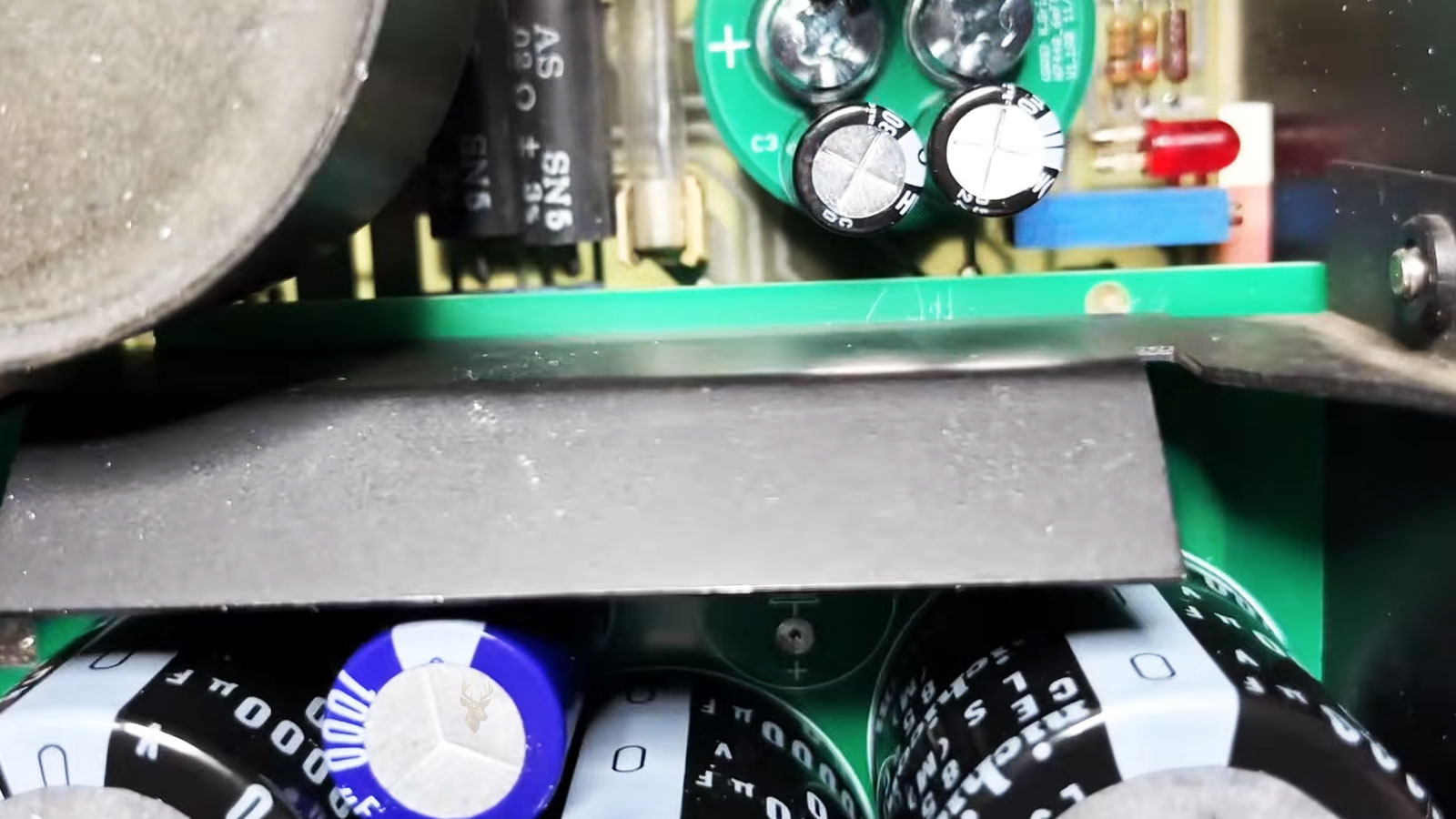
How Electrolytic Capacitors Support Stable Computer Power
Computers depend on carefully controlled electrical power. Processors, memory modules, storage devices, graphics cards, and other components require specific voltages that must remain stable while the workload changes. Electrolytic capacitors help make that possible by storing small amounts of electrical energy and releasing it when a circuit needs additional support.
These components are commonly found on desktop motherboards, laptop logic boards, graphics cards, computer power supplies, monitor power boards, and many other electronic assemblies. Although they are usually small and easy to overlook, their condition can affect whether a computer starts, remains stable, or operates reliably under load.
What an Electrolytic Capacitor Does
An electrolytic capacitor temporarily stores electrical charge between two conductive surfaces separated by an insulating layer. When connected to a circuit, it can absorb electrical energy and then release that energy when voltage begins to fall.
This ability allows capacitors to smooth power fluctuations, filter electrical noise, and help maintain a steady voltage. They do not function like a computer battery intended to power the system for an extended period. Instead, they respond very quickly to short changes occurring inside electronic circuits.
An electrolytic capacitor acts as a small electrical reserve that helps a circuit remain stable when power conditions change.
Why Computer Circuits Need Stored Electrical Energy
Computer components do not consume a perfectly constant amount of power. A processor may move rapidly between an idle state and a demanding workload. A graphics card may increase power consumption when a game or rendering application begins. Storage devices, fans, and connected USB equipment can also create sudden changes in electrical demand.
The power regulation system must react quickly enough to prevent these changes from causing unstable voltage. Capacitors positioned near important components provide immediate support while the rest of the power circuit adjusts.
- They help reduce brief voltage drops.
- They absorb small electrical spikes.
- They filter unwanted electrical noise.
- They support voltage regulators during sudden load changes.
- They help protect sensitive components from unstable power.
Electrolytic Capacitors Are Polarized Components
Most electrolytic capacitors are polarized, meaning they have a positive connection and a negative connection. They must be installed in the correct direction for the circuit to operate safely.
The negative side is usually identified by a marked stripe on the capacitor body. Circuit boards may also include printed symbols showing the correct orientation. Installing a polarized capacitor backward can cause overheating, leakage, swelling, or sudden failure.
Capacitance and Voltage Ratings
Electrolytic capacitors are labeled with a capacitance value and a maximum voltage rating. Capacitance is commonly measured in microfarads, written as µF, and describes how much electrical charge the component can store.
The voltage rating indicates the highest voltage the capacitor is designed to tolerate during normal operation. A replacement capacitor must have the correct capacitance and an appropriate voltage rating. Physical size, temperature rating, polarity, and electrical characteristics must also be considered.
| Capacitor Marking | What It Describes |
|---|---|
| Capacitance | The amount of electrical charge the capacitor can store |
| Voltage rating | The maximum operating voltage the capacitor is designed to handle |
| Temperature rating | The highest temperature permitted under specified conditions |
| Polarity marking | The required orientation of the positive and negative connections |
| Series or manufacturer code | Additional information about construction and performance |
Capacitors Inside Computer Power Supplies
A computer power supply converts electricity from the wall outlet into the lower direct-current voltages required by internal hardware. Electrolytic capacitors are used throughout this conversion process.
Large capacitors on the primary side of a power supply help store and smooth high-voltage energy after incoming alternating current has been converted. Smaller capacitors on the secondary side help filter the lower output voltages delivered to the motherboard, graphics card, storage devices, and other components.
Because power supply circuits can retain dangerous voltage even after the computer is unplugged, they should not be opened or handled casually. Internal inspection and component-level repair require appropriate training, discharge procedures, and test equipment.
Motherboard Voltage Regulation
A desktop motherboard receives several voltages from the power supply, but important components require additional regulation. The processor, memory, chipset, and other circuits may operate at voltages much lower than those directly provided by the power supply.
Voltage regulator modules reduce and control these voltages. Capacitors located around the processor socket and other power circuits help filter the regulator output and respond to rapid changes in component demand.
Supporting the Processor
A modern processor can change its operating frequency and power consumption many times within a very short period. Capacitors near the processor help prevent these fast transitions from causing excessive voltage movement.
Supporting Memory and Expansion Hardware
Memory power circuits, PCI Express slots, storage controllers, and other motherboard sections also use capacitors. Each area has its own electrical requirements, and capacitor placement is selected according to the needs of the circuit.
Graphics Cards Use Similar Power Regulation Circuits
Dedicated graphics cards contain their own voltage regulation systems. These circuits convert power received from the motherboard and auxiliary power connectors into the lower voltages required by the graphics processor and video memory.
Capacitors help stabilize this power while the graphics workload changes. A card drawing relatively little power at the desktop may place a much heavier demand on its power circuitry when a game, benchmark, or rendering task begins.
Traditional Electrolytic and Solid Polymer Capacitors
Computer hardware may use different types of capacitors depending on circuit requirements. Traditional aluminum electrolytic capacitors contain a liquid or gel-like electrolyte. Many modern motherboards and graphics cards also use solid polymer capacitors.
Solid polymer designs generally offer lower electrical resistance, strong performance at high frequencies, and improved resistance to certain forms of leakage. However, no capacitor type is immune to heat, manufacturing defects, electrical stress, or aging.
| Capacitor Type | General Characteristics |
|---|---|
| Traditional aluminum electrolytic | Common, economical, and available in many capacitance values |
| Solid polymer | Often used where low resistance and stable high-frequency performance are important |
| Surface-mount electrolytic | Compact construction designed for automated circuit board assembly |
| Radial lead electrolytic | Cylindrical design with both leads extending from one end |
Heat Is a Major Factor in Capacitor Aging
Electrolytic capacitors gradually deteriorate with age, and high temperature can accelerate that process. Heat affects the internal electrolyte and can increase electrical resistance over time.
Capacitors located near processors, graphics chips, voltage regulators, or power supply heatsinks may experience elevated temperatures for extended periods. Poor airflow, dust accumulation, blocked vents, and failing cooling fans can increase this stress.
Electrical Stress Can Also Shorten Service Life
A capacitor may be exposed to repeated ripple current, voltage spikes, or operation near its maximum rating. In a properly designed circuit, the component should have enough capacity and voltage tolerance for normal conditions. However, unstable incoming power, failing regulators, overloaded power supplies, or nearby component failures can place additional stress on it.
Manufacturing quality also matters. Two capacitors with similar printed ratings may not provide the same long-term durability when used under demanding conditions.
The First Signs of Capacitor Deterioration May Be Electrical
A failing capacitor does not always appear visibly damaged. Its capacitance may decrease, its internal resistance may increase, or its ability to filter electrical noise may weaken while the outer casing still looks normal.
As performance declines, the affected circuit may become unstable during startup, under heavy load, or after the computer reaches operating temperature. Visible capacitor damage, electrical testing methods, and the resulting computer symptoms can help reveal when power filtering has become unreliable.
Visible Signs of Capacitor Failure
Although electrical testing provides the most reliable way to evaluate a capacitor, some failures eventually produce visible physical changes. These changes occur because heat, age, internal pressure, or chemical deterioration affect the materials inside the component.
A capacitor showing obvious physical damage should generally be considered defective, but it is important to remember that many failing capacitors continue to appear perfectly normal from the outside.
- Swollen or domed top surface.
- Leaking electrolyte around the base or vent.
- Corrosion on nearby circuit board traces.
- Tilted or partially lifted capacitor body.
- Discolored plastic sleeve caused by prolonged heat.
Not every failed capacitor looks damaged, and not every damaged-looking capacitor is the only failed component in the circuit.
Why Capacitors Swell
Many aluminum electrolytic capacitors include a pressure relief vent built into the top of the metal can. If internal gases develop because of chemical breakdown or overheating, pressure increases inside the component.
The vent is designed to weaken in a controlled manner before the entire metal enclosure ruptures. A swollen top often indicates that the capacitor has reached the end of its useful service life.
Leakage Does Not Always Mean Liquid Is Present
Electrolyte leakage may appear as a brown, black, or crust-like residue around the capacitor. In some cases the material has already dried, making it difficult to determine whether active leakage is still occurring.
Residue should not automatically be confused with manufacturing adhesive, which is sometimes used to secure larger components during assembly. Careful inspection is necessary before drawing conclusions.
Computer Symptoms Caused by Weak Capacitors
Because capacitors help stabilize power, their deterioration can create problems that seem unrelated to power delivery. The exact symptoms depend on which circuit contains the failing component.
| Affected Circuit | Possible Symptoms |
|---|---|
| Processor power regulation | Unexpected shutdowns or instability during heavy workloads |
| Memory power circuits | Intermittent crashes or failed memory initialization |
| Graphics card regulation | Display instability or system crashes while rendering |
| Power supply filtering | Random restarts or difficulty starting the computer |
| Monitor power board | Failure to power on or unstable display operation |
Startup Problems May Occur Before Complete Failure
As capacitor performance gradually declines, a computer may still function under some conditions while refusing to start under others. Cold starts after the computer has been powered off for several hours sometimes become more difficult before complete failure develops.
In other situations, repeated restart attempts temporarily allow the system to boot, creating an intermittent problem that can be difficult to reproduce consistently.
Voltage Ripple Increases as Filtering Becomes Less Effective
One of the important jobs performed by electrolytic capacitors is reducing voltage ripple. Ripple refers to small fluctuations that remain after power has been converted and regulated.
As capacitor performance decreases, these fluctuations become larger. Sensitive electronic components may begin operating outside their preferred electrical conditions, increasing the likelihood of instability.
Equivalent Series Resistance Matters
Every capacitor has a small amount of internal electrical resistance known as Equivalent Series Resistance, commonly abbreviated as ESR. As electrolytic capacitors age, ESR often increases even if the capacitance value has not changed dramatically.
Higher ESR reduces the capacitor’s ability to respond quickly to rapid changes in electrical demand, making power regulation less effective.
A capacitor can fail electrically long before obvious physical damage becomes visible.
Technicians Often Measure More Than Capacitance
Simply measuring capacitance does not always reveal whether a component remains suitable for service. Professional troubleshooting frequently includes ESR testing because internal resistance often changes before capacitance falls outside acceptable limits.
Depending on the circuit, technicians may also compare voltage stability, observe ripple with an oscilloscope, or evaluate the surrounding power regulation circuitry before identifying the actual source of the problem.
Capacitors Rarely Fail Alone
Although a capacitor itself may deteriorate naturally with age, failures can also be caused by conditions elsewhere in the circuit. A defective voltage regulator, unstable power supply, excessive operating temperature, or damaged semiconductor may overload nearby capacitors and shorten their service life.
Replacing a visibly damaged capacitor without identifying the underlying cause may allow the same failure to occur again.
Component Quality Influences Long-Term Reliability
Manufacturers select capacitors based on electrical specifications, temperature ratings, expected lifespan, and cost. Components intended for demanding applications are often designed to tolerate higher temperatures and longer operating hours than lower-cost alternatives.
Quality differences do not guarantee success or failure, but they can influence how well a capacitor withstands years of continuous computer operation.
Proper Airflow Helps Extend Capacitor Life
Keeping computer cooling systems clean allows heat to leave the chassis more effectively, reducing stress on nearby capacitors. Clean heatsinks, functioning cooling fans, unobstructed ventilation, and reasonable operating temperatures all contribute to longer component life.
Good airflow cannot stop normal aging, but it can reduce unnecessary thermal stress that accelerates deterioration.
Modern Computers Still Depend on Capacitors
Although computer hardware has become significantly more advanced over the years, capacitors remain essential throughout nearly every major electronic subsystem. Improvements in manufacturing, solid polymer technology, and power regulation have increased reliability, yet the basic purpose of these components remains unchanged.
Capacitor replacement requires careful attention to electrical specifications, physical compatibility, and the operating demands of the circuit. Matching the correct component helps preserve stability and supports the long-term reliability of modern computer hardware.
Replacing a Failed Capacitor Requires More Than Matching the Printed Numbers
When a failed electrolytic capacitor is identified, selecting a replacement involves more than simply finding one with the same capacitance value. The replacement component should also meet or exceed the original voltage rating, fit the available space, operate within the required temperature range, and possess electrical characteristics suitable for the circuit in which it will be installed.
Using an incorrect replacement may allow the computer to function temporarily while introducing new reliability problems or shortening the life of the repair.
Successful component-level repairs depend on matching both the electrical specifications and the operating requirements of the original circuit.
Low-ESR Capacitors Are Often Required
Many computer motherboards, graphics cards, and power supplies are designed to use low Equivalent Series Resistance (Low-ESR) capacitors. These components respond more effectively to rapid current changes and help voltage regulation circuits remain stable.
Replacing a low-ESR capacitor with a standard general-purpose capacitor may reduce the performance of the power regulation circuit even if the capacitance and voltage ratings appear identical.
Physical Size Can Affect Compatibility
Replacement capacitors must physically fit the circuit board without interfering with nearby components, cooling assemblies, expansion cards, or computer cases. Modern computer hardware often places components very close together, leaving little room for oversized replacements.
Height can also be important in compact desktop computers, laptops, and small form factor systems where available clearance is limited.
Soldering Quality Is Critical
Replacing through-hole or surface-mount capacitors requires careful soldering techniques. Excessive heat, insufficient solder, damaged circuit board pads, or lifted copper traces can create additional electrical problems that were not present before the repair.
Professional component-level repair typically includes inspecting surrounding solder joints and verifying that nearby components were not affected during the replacement process.
| Replacement Consideration | Why It Matters |
|---|---|
| Capacitance | Maintains proper energy storage for the circuit |
| Voltage rating | Must safely withstand operating voltage |
| ESR characteristics | Supports stable voltage regulation |
| Temperature rating | Influences long-term reliability |
| Physical dimensions | Must fit the available installation space |
| Polarity | Must match the circuit board orientation |
One Failed Capacitor May Indicate Others Are Aging
Capacitors installed in the same area of a circuit board often operate under similar electrical and thermal conditions. If one capacitor has reached the end of its service life, nearby components of the same age may also be approaching similar levels of deterioration.
Whether additional capacitors should be replaced depends on the equipment, circuit design, inspection results, and testing performed during the repair.
Modern Hardware Uses Capacitors in Many Different Locations
Although motherboards and power supplies are commonly associated with electrolytic capacitors, these components also appear throughout monitors, networking equipment, external storage devices, printers, docking stations, graphics cards, and many other electronic products.
Wherever stable voltage and filtered power are required, capacitors usually play an important supporting role.
Preventive Maintenance Can Reduce Electrical Stress
Routine computer maintenance helps reduce the environmental conditions that contribute to capacitor aging. Cleaning accumulated dust, maintaining proper airflow, replacing failing cooling fans, and ensuring ventilation openings remain unobstructed all help electronic components operate within their intended temperature range.
While preventive maintenance cannot stop normal aging, it can reduce unnecessary heat that accelerates deterioration throughout the system.
- Keep ventilation openings free of obstruction.
- Remove excessive dust during scheduled maintenance.
- Replace noisy or failing cooling fans promptly.
- Use a quality power supply designed for the computer’s workload.
- Avoid operating the computer in unusually hot environments for extended periods.
Professional Diagnosis Looks Beyond the Capacitor
Visible capacitor damage is often only one part of the troubleshooting process. Experienced technicians evaluate the surrounding power regulation circuitry, verify output voltages, inspect for damaged semiconductor devices, and confirm that no additional faults contributed to the capacitor’s failure.
This broader approach helps reduce the likelihood of repeated failures after the repair has been completed.
Electrolytic Capacitors Remain Essential to Computer Reliability
Although they rarely receive the same attention as processors, memory, or storage devices, electrolytic capacitors perform an essential function in nearly every modern computer. Their ability to smooth voltage, filter electrical noise, and support rapidly changing power demands allows complex electronic systems to operate reliably under constantly changing workloads.
As computer hardware continues to evolve, improved capacitor technologies and power regulation designs continue to increase reliability. Even so, these small components remain fundamental building blocks that help ensure stable operation across desktop computers, laptops, workstations, servers, graphics cards, and countless other electronic devices.
Reliable Power Begins With Stable Components
Every computer depends on clean, consistent electrical power to function correctly. Electrolytic capacitors quietly support that goal by storing energy, filtering unwanted fluctuations, and helping voltage regulators respond to rapidly changing workloads. While they are small compared to many other components, their influence extends throughout the entire system.
Understanding the purpose of electrolytic capacitors provides valuable insight into how computers maintain electrical stability and why seemingly minor component failures can lead to startup problems, intermittent crashes, or unpredictable behavior. Their role demonstrates that long-term computer reliability often depends on the proper operation of even the smallest parts within the system.











