
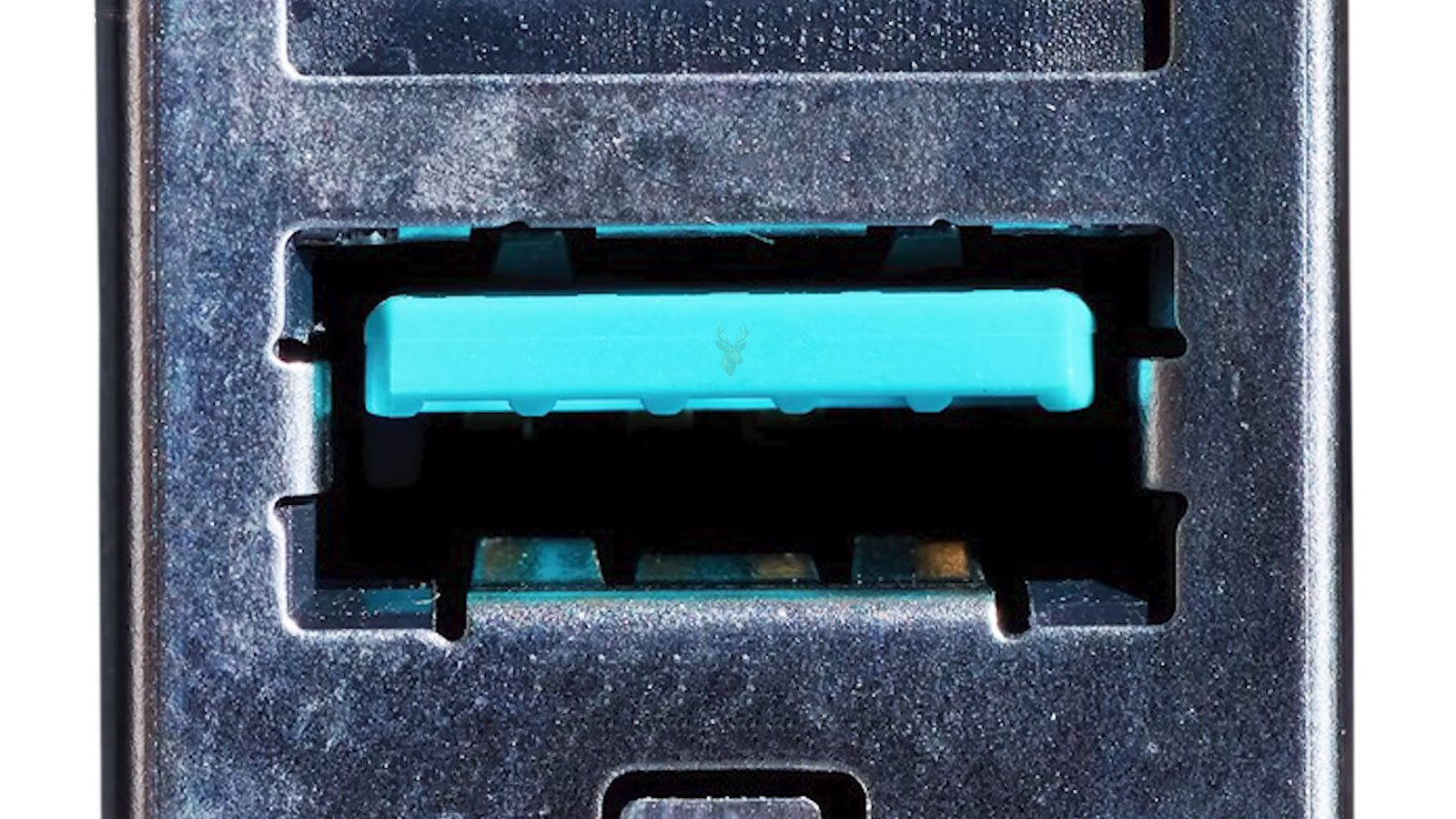
How USB Power Delivery Allows Devices to Communicate Before Charging
USB-C connectors are now used to charge laptops, tablets, smartphones, monitors, docking stations, and many other electronic devices. Although the connector itself appears simple, modern USB-C charging often relies on a communication standard called USB Power Delivery, commonly abbreviated as USB PD.
Unlike older charging methods that supplied a fixed amount of power, USB Power Delivery allows the connected devices to exchange information before significant electrical power is delivered. This negotiation helps both devices determine a charging level that is safe and supported by the hardware involved.
What USB Power Delivery Is
USB Power Delivery is a communication protocol built into many USB-C devices that allows a power source and a receiving device to negotiate charging requirements. Instead of assuming one voltage or current fits every situation, both devices agree on the most appropriate power level.
This negotiation makes it possible for a small smartphone, a tablet, and a high-performance laptop to use the same connector while receiving very different amounts of electrical power.
USB Power Delivery is based on communication first and power second.
USB-C and USB Power Delivery Are Not the Same Thing
Many people assume that every USB-C connector automatically supports USB Power Delivery, but this is not always the case. USB-C defines the physical connector, while USB Power Delivery defines an optional charging communication standard.
A device may include a USB-C port that supports data transfer without supporting high-power charging. Likewise, some USB-C ports provide charging but only at limited power levels.
| Technology | Purpose |
|---|---|
| USB-C | Physical connector and cable design |
| USB Power Delivery | Negotiates charging voltage and current |
| USB Data Standards | Control data transfer performance |
Communication Begins Immediately After Connection
As soon as a compatible cable is connected, the power source and receiving device begin exchanging information. They identify their capabilities before higher charging levels become available.
If either device does not support a requested charging level, both sides automatically select another level that is supported by the connection.
Both Devices Advertise Their Capabilities
The charger reports the voltages and power levels it can safely provide, while the receiving device reports what it is capable of accepting. The final charging level is based on the overlap between those supported capabilities.
This process happens automatically and normally completes within moments of connecting the cable.
Negotiation Helps Protect Connected Hardware
Because charging levels are negotiated instead of assumed, USB Power Delivery reduces the likelihood of incompatible voltage being supplied to supported devices. Rather than forcing maximum power immediately, charging begins only after both sides agree on an appropriate operating level.
This controlled approach improves compatibility across many different manufacturers and device types.
Power Delivery Supports Multiple Voltage Levels
Different devices require different amounts of electrical power. Small accessories may need only a modest charging level, while larger laptops require substantially more power during operation.
USB Power Delivery supports several standardized voltage and current combinations so compatible devices can receive the amount of power appropriate for their design.
| Device Type | Typical Power Requirement |
|---|---|
| Wireless accessories | Low power |
| Smartphones | Moderate power |
| Tablets | Higher charging requirements |
| Ultrabooks | High power requirements |
| Performance laptops | May require the highest supported USB PD levels |
Higher Power Does Not Mean Faster Charging for Every Device
A charger capable of supplying more power does not automatically force a device to charge faster. The receiving device determines how much power it will actually accept during the negotiation process.
If a laptop is designed to accept 65 watts, connecting it to a charger capable of delivering considerably more power does not normally increase its charging speed beyond the device’s own design limits.
The Cable Can Also Affect Charging Capability
USB-C cables are not all built to the same specifications. Some support only basic charging, while others are designed to safely carry substantially higher amounts of electrical power.
If the cable cannot safely support the requested charging level, the negotiation process may select a lower power profile even when both devices are capable of more.
The charger, cable, and receiving device all influence the final charging level.
Electronically Marked Cables Help Identify Their Capabilities
Many higher-power USB-C cables include electronic identification circuitry that reports the cable’s supported capabilities during the negotiation process. This allows compatible devices to determine whether higher charging levels can be used safely.
Without accurate cable information, charging equipment may intentionally limit power to protect both the cable and the connected devices.
USB Power Delivery Continues Monitoring the Connection
Negotiation is not always a one-time event. As battery levels, workloads, and power requirements change, compatible devices can continue communicating to adjust charging behavior while remaining within safe operating limits.
This flexibility allows many modern laptops and mobile devices to balance charging performance, battery protection, and power consumption during everyday use.
USB Power Delivery Allows One Charger to Support Many Devices
Before USB Power Delivery became widely available, many electronic devices required proprietary chargers that supplied a specific voltage and connector type. This often meant carrying separate chargers for laptops, tablets, smartphones, and other portable equipment.
USB Power Delivery helps simplify charging by allowing many compatible devices to use standardized USB-C power adapters. Although power requirements still vary between products, the negotiation process enables one charger to safely support multiple categories of equipment when sufficient power is available.
Charging Requirements Can Change While a Device Is Running
A laptop performing basic office work consumes far less power than the same system rendering video, compiling software, or running demanding applications. USB Power Delivery allows compatible devices to adjust their charging behavior as power requirements change during operation.
This dynamic communication helps maintain stable charging without permanently operating at the highest possible power level.
USB Power Delivery is designed to adapt to changing power requirements instead of using a single fixed charging profile.
Battery Charging and System Operation Share Available Power
When a laptop is connected to external power, some of the available energy operates the computer while the remaining power charges the battery. If the workload increases significantly, more power may be directed toward operating the system, leaving less available for battery charging.
This explains why battery charging may slow during demanding tasks even though the charger remains connected.
A Lower-Power Charger May Keep a Laptop Running Without Fully Charging It
If a charger supplies less power than the computer requires under heavy workloads, the laptop may continue operating while the battery charges very slowly or gradually loses charge.
This situation does not necessarily indicate a hardware problem. Instead, the connected charger may simply provide less power than the computer is consuming.
| Charging Situation | Possible Result |
|---|---|
| Charger exceeds device requirements | Device draws only the power it needs |
| Charger matches requirements | Normal charging and operation |
| Charger provides less power | Reduced charging speed or battery drain during heavy use |
| Non-compatible charger | Limited charging or no charging support |
Docking Stations Also Participate in Power Delivery Negotiation
Many USB-C docking stations provide charging while simultaneously supporting external monitors, Ethernet, storage devices, audio hardware, and USB peripherals. These docks negotiate power with the connected computer just as a dedicated charger would.
If the dock’s power adapter cannot provide sufficient power for every connected device, charging performance may be reduced depending on the overall workload.
External Monitors Can Supply Charging Through USB-C
Many modern computer monitors include USB-C connections capable of delivering power to compatible laptops. In these situations, one cable can often provide video, USB data, and charging simultaneously.
The available charging power depends on the monitor’s supported USB Power Delivery capabilities rather than simply the presence of a USB-C connector.
Not Every USB-C Port Supports Charging in Both Directions
Some USB-C ports only receive power, while others only provide power to connected accessories. Certain devices support both roles depending on their hardware design and intended purpose.
Because USB-C hardware varies considerably between manufacturers, reviewing device specifications remains important when purchasing chargers, docking stations, or accessories.
USB Power Delivery Helps Reduce Proprietary Charging Standards
As USB Power Delivery has become more widely adopted, many manufacturers have moved away from proprietary charging connectors for laptops and mobile devices. This allows compatible equipment from different brands to share standardized charging accessories more easily.
Although some manufacturers continue offering proprietary charging solutions for specific products, USB Power Delivery has significantly increased cross-device compatibility.
A standardized charging protocol allows compatible devices from many manufacturers to communicate using a common language.
Fast Charging Depends on Multiple Components Working Together
Successful fast charging requires more than a powerful charger. The charger, cable, receiving device, charging circuitry, battery management system, and USB Power Delivery support must all work together to achieve higher charging speeds.
If any part of the charging chain supports only lower power levels, the overall charging performance adjusts accordingly.
Temperature Can Affect Charging Performance
Modern charging systems continuously monitor battery temperature to help protect battery health. When temperatures become unusually high or low, charging speed may be reduced until operating conditions return to an acceptable range.
This behavior is a normal safety feature found in many portable computers and mobile devices.
Battery Age Also Influences Charging Behavior
As rechargeable batteries age, their charging characteristics gradually change. Battery management systems may reduce charging rates under certain conditions to help maintain stability and extend battery life.
Users may notice that an older device charges differently than it did when it was new, even though the USB Power Delivery negotiation process continues to function normally.
| Component | Role During USB Power Delivery |
|---|---|
| Power Adapter | Advertises available power profiles |
| USB-C Cable | Reports supported current capability |
| Receiving Device | Selects an appropriate charging profile |
| Battery Management System | Controls charging safely |
| USB PD Controller | Coordinates communication between devices |
USB Power Delivery Continues to Evolve
As newer versions of the USB Power Delivery specification are introduced, additional power levels, improved efficiency, and broader compatibility become available for supported devices. Manufacturers continue refining chargers, cables, and charging controllers to support increasingly demanding portable computers and accessories.
Although users rarely see the negotiation process taking place, it has become one of the most important technologies behind the convenience of modern USB-C charging.
USB Power Delivery Helps Protect Connected Equipment
One of the primary advantages of USB Power Delivery is that charging begins only after compatible devices communicate their capabilities. Instead of immediately supplying the highest available power, the charger waits until an appropriate charging profile has been selected.
This controlled negotiation helps improve compatibility across a wide range of laptops, tablets, smartphones, docking stations, and accessories while reducing the possibility of unsupported charging configurations.
Modern USB-C charging depends on communication as much as electrical power.
Power Delivery Does Not Determine Data Transfer Speed
A USB-C connection may support high-speed charging while offering only basic data transfer capabilities, or it may provide extremely fast data communication with relatively modest charging performance. These capabilities are defined by separate USB standards.
For this reason, two USB-C ports that appear identical can support very different combinations of charging, video output, and data transfer.
Portable Power Banks Often Support USB Power Delivery
Many modern USB-C power banks include USB Power Delivery to charge compatible laptops, tablets, and smartphones while away from an electrical outlet. Just like wall chargers, these portable battery packs negotiate charging levels before delivering higher power.
The available charging performance depends on the power bank’s specifications, remaining battery capacity, supported USB Power Delivery version, and the capabilities of the connected device.
Business Environments Benefit From Standardized Charging
Organizations that deploy large numbers of laptops often benefit from standardized USB-C charging because fewer charger models may be required across multiple departments. Employees can also move between compatible workstations more easily when docking stations and chargers follow the same charging standard.
Although organizations should still verify compatibility for individual computer models, standardized charging can simplify equipment management and reduce the number of proprietary adapters kept in inventory.
| Environment | Benefit of USB Power Delivery |
|---|---|
| Home Office | Fewer chargers for multiple compatible devices |
| Business Office | Simplified charger and docking station deployment |
| Travel | Reduced number of charging accessories to carry |
| Educational Settings | Improved compatibility across shared equipment |
| Remote Work | Consistent charging between home and office setups |
Firmware Can Influence Charging Compatibility
Some laptops, docking stations, and USB-C accessories receive firmware updates that improve charging compatibility, device recognition, or overall USB Power Delivery behavior. These updates may resolve communication issues discovered after the hardware was originally released.
Because charging depends on communication between multiple devices, firmware improvements can occasionally enhance compatibility without requiring new hardware.
Damaged Connectors Can Interrupt Power Negotiation
A worn, contaminated, or physically damaged USB-C connector may interfere with the communication required before higher charging levels become available. In some situations, the device may fall back to slower charging or fail to charge altogether.
Carefully inspecting connectors for debris, bent contacts, or visible damage can help identify physical problems that affect charging reliability.
Quality Chargers and Cables Improve Long-Term Reliability
Although USB Power Delivery is a standardized protocol, the quality of chargers and cables still plays an important role in long-term performance. Equipment manufactured to appropriate specifications is more likely to provide stable communication, reliable charging, and consistent operation over time.
Choosing accessories designed for the intended power level helps maintain dependable charging for compatible computers and mobile devices.
Common Reasons USB Power Delivery May Not Perform as Expected
- The charger cannot provide enough power for the connected device.
- The USB-C cable supports only lower charging levels.
- The device does not support USB Power Delivery.
- A docking station has limited available power.
- The battery management system temporarily reduces charging because of temperature.
- A damaged connector interrupts communication.
- Firmware compatibility issues affect negotiation.
Understanding USB Power Delivery Makes Modern Charging Easier to Understand
Many charging behaviors that appear unusual, such as slower charging during heavy workloads, different charging speeds with different cables, or one charger working better than another are often the result of USB Power Delivery negotiating the safest and most appropriate charging profile for the connected equipment.
Recognizing that chargers, cables, and receiving devices all participate in this negotiation helps explain why identical-looking USB-C connections can behave very differently.
USB Power Delivery in Everyday Charging
USB Power Delivery has transformed USB-C from a simple connector into a flexible charging system capable of supporting everything from small accessories to high-performance laptops. By allowing compatible devices to negotiate voltage and current before significant power is delivered, USB PD improves safety, compatibility, and convenience across a wide variety of electronic equipment.
Although the negotiation process happens automatically and usually goes unnoticed, it plays a central role in modern charging technology. Understanding how USB Power Delivery works helps explain why chargers, cables, docking stations, and connected devices must all work together to provide reliable and efficient charging throughout everyday computer use.











