
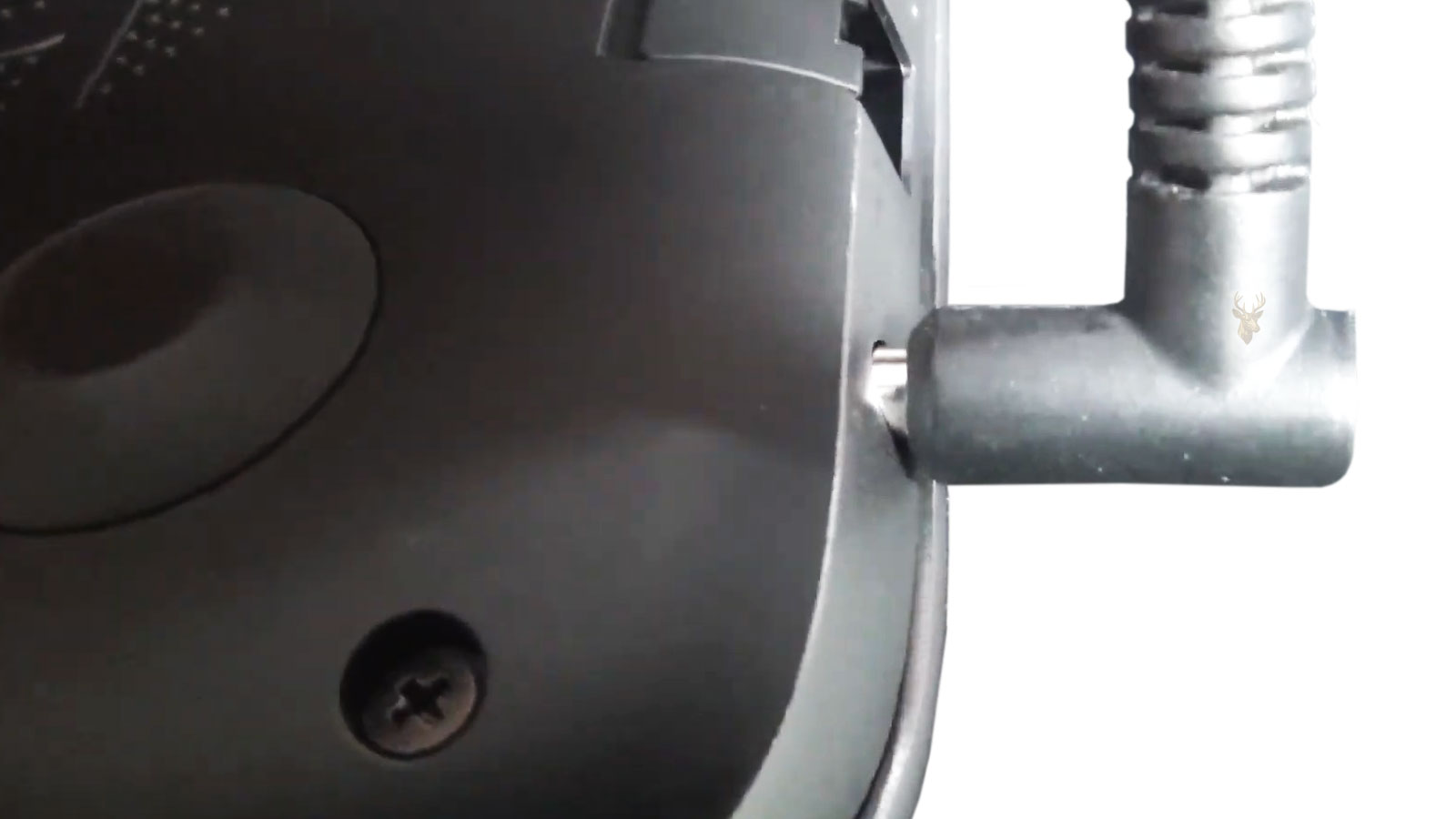
A Loose Charging Connector Is Often the Beginning of a Larger Problem
A laptop that charges only when the power plug is held at a certain angle is showing one of the most common signs of a developing charging connector problem. At first, the interruption may happen only occasionally, but over time the connection often becomes increasingly unreliable until the battery can no longer charge consistently.
Many users assume the charger itself has failed because moving the cable restores charging temporarily. While a damaged power adapter is certainly one possibility, the charging connector inside the laptop, often called the DC jack or charging port, is frequently responsible for the intermittent connection.
The charging connector is subjected to thousands of insertions, removals, and small movements throughout the life of the computer. Every time the cable is bumped, twisted, or pulled sideways, small mechanical forces are transferred into the connector and its mounting structure. These forces gradually accumulate, particularly on laptops that travel frequently.
An intermittent charging connection is usually a mechanical problem before it becomes a complete electrical failure.
Ignoring these early warning signs often allows the damage to progress. What begins as an occasional charging interruption can eventually affect the connector, internal wiring, motherboard solder joints, or even the charging circuitry if the loose connection produces excessive electrical resistance.
Why Charging Connectors Become Loose
The charging connector is designed to withstand normal daily use, but repeated mechanical stress eventually causes wear. Simply plugging in the charger does not usually create problems. Instead, the damage often develops while the cable remains connected and experiences sideways pressure during normal use.
A power cable stretched across a desk, caught on a chair, stepped on, or pulled while someone walks past can transfer significant force into the connector. Even if the connector survives each individual incident, repeated stress can gradually loosen mounting points or wear the internal contact surfaces.
Portable computers are particularly susceptible because they are frequently moved while the charger remains connected. Lifting the laptop by the charging cable, storing it with the adapter still attached, or carrying it before disconnecting the power cord increases unnecessary strain on the connector.
The exact design also varies between manufacturers. Some charging ports are mounted directly to the motherboard, while others are connected through a short cable assembly secured separately inside the chassis. Although both designs can develop mechanical wear, the repair approach differs depending on how the connector is installed.
The Symptoms Usually Develop Gradually
Charging connector problems rarely appear without warning. Initially, charging may stop briefly if the cable moves. Later, the connector may feel noticeably loose, the charging indicator may flicker, or the battery may alternate repeatedly between charging and battery power while the plug remains inserted.
Some laptops begin displaying messages indicating that the power adapter has disconnected even though the plug remains physically inserted. Others simply stop charging without any warning whenever slight movement occurs near the connector.
Intermittent charging should never be considered normal.
A connection that works only when pressure is applied usually indicates that part of the charging system is no longer maintaining proper mechanical or electrical contact.
Because these symptoms often come and go, they are easy to overlook. However, addressing the problem while the connector is only beginning to loosen can help prevent additional damage to nearby components and reduce the complexity of the eventual repair.
As the connector continues to loosen, the electrical contact becomes less stable. Small interruptions in the power flow may occur even though the charging plug appears fully inserted. Each interruption can produce tiny electrical arcs or increased resistance at the contact points, generating additional heat that accelerates wear.
These interruptions are usually brief at first. The battery may continue charging after the plug shifts slightly, only to disconnect again with the next movement of the cable. Over time, the periods of reliable charging often become shorter while the frequency of interruptions increases.
Loose Connectors Can Damage More Than the Port
The charging connector serves as the entry point for electrical power entering the laptop. If the connector no longer remains firmly supported, the movement can be transferred to nearby solder joints, internal cables, mounting brackets, or the motherboard itself, depending on the design of the computer.
On laptops where the charging jack is soldered directly to the motherboard, repeated movement may eventually crack the solder joints or weaken the copper pads beneath them. In cable-connected designs, the connector housing, retaining bracket, or cable assembly may instead absorb much of the stress.
As the connection deteriorates, the charging circuitry may also experience unstable input voltage. Modern laptops include protective circuits that help manage these conditions, but repeated interruptions can still prevent normal charging or cause the system to switch repeatedly between battery and external power.
A loose charging connector often affects the surrounding hardware long before the connector itself completely fails.
Movement Provides Valuable Diagnostic Clues
The way the laptop responds when the charging cable is gently moved can help identify the nature of the problem. If charging immediately starts and stops as the connector shifts, the issue is frequently mechanical. However, the exact source of the movement must still be identified before any repair is attempted.
In some cases, the plug itself has become worn after years of use. In others, the internal contacts inside the charging connector have loosened. A damaged cable near the power adapter plug can produce nearly identical symptoms, making inspection of the entire charging system important.
Some charging ports may feel physically loose inside the laptop enclosure. Others remain firmly mounted but have worn internal contacts that no longer grip the plug securely. Distinguishing between these conditions helps determine which component actually requires replacement.
The amount of movement matters.
A slight amount of normal manufacturing tolerance is different from a connector that visibly shifts inside the chassis or loses electrical contact whenever the cable is touched.
Physical Inspection Can Reveal Hidden Damage
External inspection often reveals valuable information before the laptop is opened. The charging port should sit squarely within its opening without appearing recessed, tilted, or partially separated from the surrounding case. Damage around the plastic housing may indicate that previous impacts or excessive force have affected the mounting structure.
The charger plug should also be examined for bent contacts, worn insulation, cracked strain relief, or evidence of overheating. Dark discoloration, melted plastic, or an unusual burning odor may suggest that excessive resistance has developed at the connection.
Once the laptop is opened, additional inspection may include checking mounting screws, retaining brackets, solder joints, internal cables, and nearby motherboard components for signs of movement or stress. Identifying the complete extent of the damage helps prevent replacing one part while overlooking another contributing factor.
Different Connector Designs Require Different Repairs
Not every charging connector is repaired in the same manner. Some laptops use a separate DC jack assembly that can be replaced independently of the motherboard. Others require careful desoldering and installation of a new connector because the charging port forms part of the motherboard itself.
| Connector Design | Typical Repair Approach |
|---|---|
| Motherboard-mounted DC jack | Inspection of solder joints and connector replacement if necessary |
| Cable-connected charging jack | Replacement of the complete connector cable assembly |
| Bracket-mounted connector | Inspection of brackets, screws, and mounting points |
| USB-C charging connector | Evaluation of the port, internal contacts, and motherboard design |
| Magnetic charging connector | Inspection of connector alignment and contact condition |
Determining which design is present before beginning repairs reduces unnecessary disassembly and helps ensure that all affected components receive proper inspection. A loose charging connector is often the visible symptom of a larger mechanical issue that has developed gradually through everyday use.
Once the loose connection has been identified, the repair should address both the failed component and the reason it became unstable. Replacing a charging jack without correcting a broken bracket, cracked case opening, damaged cable, or worn charger plug may allow the same problem to return.
The surrounding area should also be checked for signs of heat, discoloration, loosened hardware, or damage to the motherboard. A connector that has been moving for a long time may have affected more than one part of the charging path.
Temporary Cable Positioning Is Not a Reliable Solution
Holding the charger at a particular angle may restore power for a short time, but it usually increases stress on the connector. The pressure required to maintain contact is transferred into the same weakened area that caused the interruption.
Users sometimes secure the cable with tape, place an object under the plug, or wrap the cord around the laptop to keep it from moving. These methods may appear to stabilize charging, but they can create constant sideways force and accelerate damage to the port or motherboard.
A connection that requires pressure to work is already showing that normal contact has been lost.
Temporary positioning can also hide the progression of the problem. The laptop may continue charging until the remaining contact surface finally wears away or a solder joint separates completely.
Heat and Discoloration Require Immediate Attention
A loose electrical connection can create resistance, and resistance produces heat. The charger plug or port may feel unusually warm, especially after the laptop has been charging for an extended period.
Darkened plastic, a melted connector edge, a burnt odor, or visible marks on the plug indicate that the connection has deteriorated beyond simple mechanical looseness. Continued use under these conditions can damage the adapter, connector, motherboard, or surrounding case material.
Heat-related damage may also change the shape of the connector. Once the plastic housing deforms, even a new charger may no longer fit correctly or maintain even contact with the internal terminals.
A hot charging connector should not be ignored.
Unusual heat, visible melting, or a burning smell can indicate an unstable high-resistance connection that should be disconnected and inspected before further use.
USB-C Charging Ports Can Fail Differently
USB-C charging has become common in modern laptops, but the smaller connector does not eliminate mechanical wear. USB-C ports contain multiple closely spaced contacts and are frequently soldered directly to the motherboard.
A loose USB-C port may still support certain functions while failing to charge reliably. For example, data transfer or video output may continue even though the power-delivery contacts no longer maintain a stable connection.
Debris packed inside the port can also prevent the plug from inserting fully. This can create symptoms that resemble internal connector damage. Careful inspection is necessary because aggressive cleaning tools can bend contacts or push contamination deeper into the port.
When a USB-C port is physically damaged, replacement may require microsoldering because the connector can have numerous small surface-mounted pins and structural anchor points. Damage to nearby traces or pads can make the repair more involved than replacing the connector alone.
The Charger Must Be Tested Alongside the Laptop
A worn charger plug can contribute to the same symptoms as a loose laptop port. The metal contact surfaces may become damaged, the cable may break internally near the strain relief, or the plug may no longer fit securely after repeated use.
Testing with a known-compatible adapter can help separate charger failure from laptop connector failure. However, compatibility includes more than matching the physical shape. The voltage, wattage, polarity, and communication requirements must also be correct for the laptop.
Some manufacturers use identification circuits that allow the laptop to recognize the adapter. A damaged center pin, communication contact, or cable may allow the laptop to receive power while refusing to charge the battery or operate at full performance.
| Test Result | Possible Meaning |
|---|---|
| Problem remains with another compatible charger | Laptop connector or internal charging circuit may be damaged |
| Original charger fails on another compatible laptop | Adapter plug or cable may be defective |
| Charging changes when the plug moves | Mechanical wear or unstable electrical contact |
| Port becomes unusually hot | High resistance or damaged contact surfaces |
| Laptop recognizes power but will not charge | Adapter identification or charging-control problem |
Evaluating the charger and the laptop together prevents unnecessary replacement of one component while the actual fault remains elsewhere in the charging system.
Repair Quality Depends on Strong Mechanical Support
A replacement charging connector must be secured as firmly as the original. In motherboard-mounted designs, electrical solder joints alone should not be expected to absorb repeated cable movement. Structural tabs, anchor points, brackets, and the surrounding chassis all help support the connector.
If copper pads have lifted from the motherboard, simply placing the connector back in position may not restore long-term reliability. The damaged traces and structural supports may require additional repair before the port can withstand normal use.
Cable-connected jacks should be routed through their original guides and secured with the correct brackets or screws. Improvised routing can place tension on the connector cable or allow it to move each time the charger is inserted.
The case opening should also align correctly with the port. A cracked or shifted enclosure can push the plug sideways even after a new connector has been installed.
Testing Should Include Movement and Load
After repair, the laptop should be tested while charging and while operating under a normal workload. A connector may appear functional when the computer is idle but become unstable when the laptop draws more power.
The charging indicator should remain steady while the cable is gently moved within the normal range allowed by the connector. The port should not shift inside the chassis, and the plug should remain secure without requiring pressure.
Battery charging, adapter recognition, system performance, and connector temperature should all be observed. Any repeated switching between battery and external power suggests that the connection is still unstable.
The repair should also be checked after the laptop has warmed during normal use. Heat can reveal marginal solder joints or contact problems that may not appear immediately after startup.
Reducing Future Stress on the Connector
Charging connector wear cannot always be prevented, but everyday habits can reduce unnecessary stress. The cable should be disconnected before the laptop is moved, and the plug should be removed by holding the connector rather than pulling on the cord.
The charger cable should have enough slack to avoid sideways tension. Routing it away from walkways, chair legs, and areas where it can be snagged reduces the chance of sudden impacts.
Using the laptop on a stable surface also helps. A computer balanced on a bed, sofa, or lap may shift frequently while the rigid charger plug remains connected, transferring movement into the port.
- Disconnect the charger before carrying the laptop.
- Remove the plug by gripping the connector rather than the cable.
- Avoid bending the cable sharply near the plug.
- Keep enough cable slack to prevent constant sideways pressure.
- Inspect intermittent charging before the connection fails completely.
A loose laptop charger connector usually develops through repeated mechanical stress rather than a single ordinary insertion. Early symptoms include charging interruptions, a plug that feels unstable, flickering indicators, and power that returns only when the cable is repositioned.
The visible port may be only one part of the problem. Worn charger plugs, cracked solder joints, broken brackets, damaged case openings, and stressed internal cables can all contribute to an unreliable connection.
Temporary cable positioning may keep the laptop running briefly, but it can increase pressure on already weakened components. Proper diagnosis, secure mechanical repair, compatible charger testing, and complete load testing provide a more dependable solution before the charging system fails entirely.











