
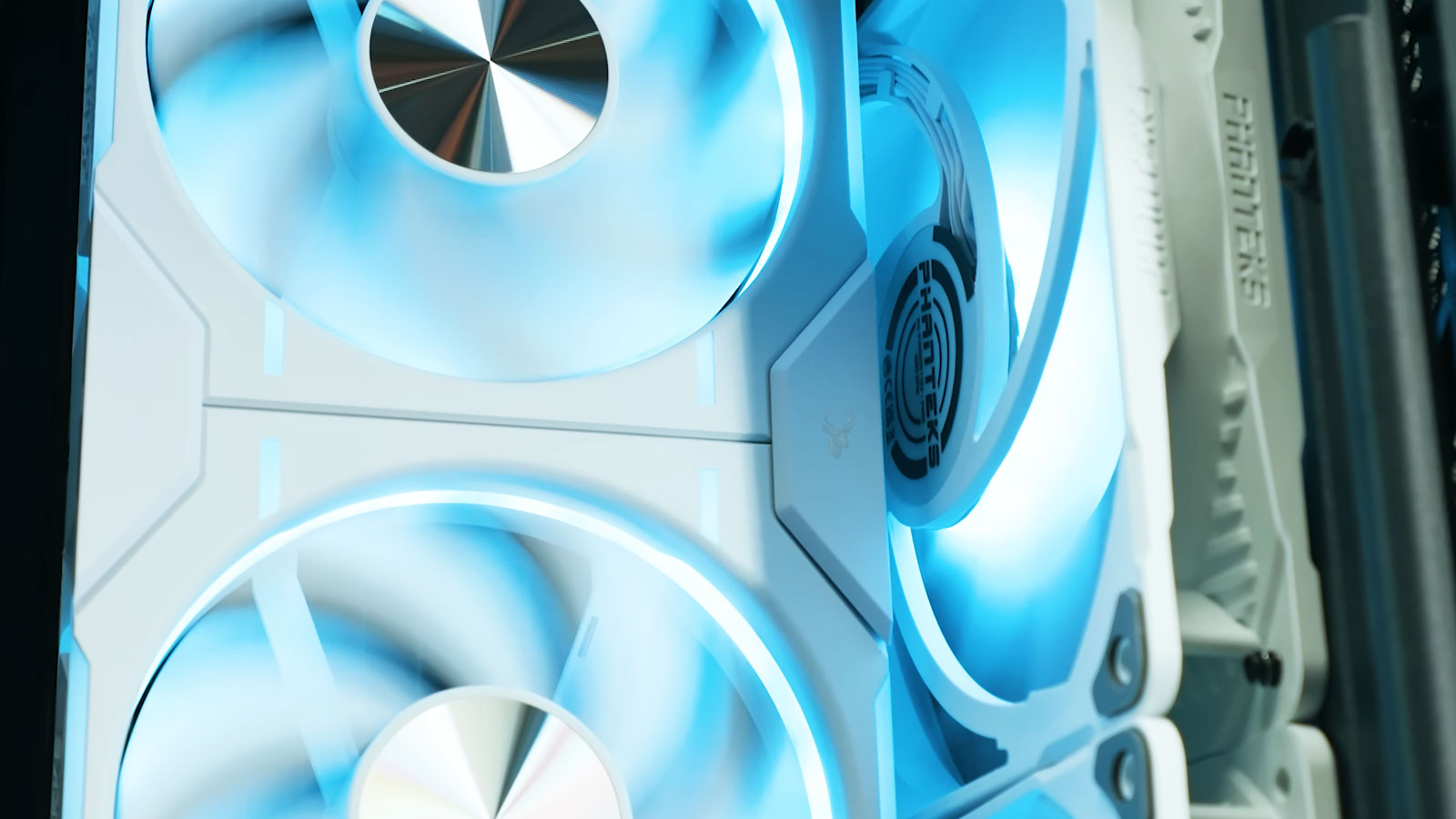
Airflow Begins With the Computer Case
When people think about computer cooling, they often focus on the processor cooler, graphics card, or case fans. While those components play an important role, none of them operate independently. The computer case itself determines how air enters, travels through the system, and eventually leaves the enclosure. Two computers using the same processor and identical cooling fans can perform differently simply because their cases move air in different ways.
Modern computer cases are designed around airflow paths rather than empty space. Openings, vents, fan locations, drive cages, filters, and internal layout all influence how efficiently cool air reaches heat-producing components. The objective is not simply to install more fans, but to guide fresh air where it is needed while allowing heated air to escape with as little resistance as possible.
As processors and graphics hardware have become more powerful, case airflow has become an increasingly important part of overall system design. Components that generate hundreds of watts of heat depend on a continuous movement of air. Restricting that movement forces cooling fans to work harder and can reduce the effectiveness of the entire cooling system.
Good cooling is created by controlled airflow, not simply by adding more fans.
This explains why two desktop computers with similar hardware may operate at noticeably different temperatures. The difference may have less to do with the individual cooling components and more to do with how the case directs the air around them.
The Path Air Takes Matters
Cool air entering a computer does not automatically reach every component equally. It follows the path of least resistance, moving through openings that allow it to travel freely. Internal obstructions can redirect that flow, creating areas where warm air lingers instead of being carried away.
Large graphics cards, storage cages, power supply shrouds, bundles of cables, and oversized cooling towers can all influence the movement of air. Manufacturers account for these obstacles by positioning intake and exhaust locations where they encourage a predictable airflow pattern through the enclosure.
In many tower computers, fresh air enters through the front or lower portion of the case while warmer air exits through the rear and upper sections. This arrangement works with the natural tendency of heated air to rise, but fan placement remains the primary force moving air through the system.
If that airflow path becomes interrupted, certain components may receive less cooling even though every fan is still operating normally. Air that circulates repeatedly within the case instead of exiting efficiently can gradually increase internal temperatures.
Different Case Designs Serve Different Priorities
Not every computer case is designed with the same objective. Some emphasize maximum airflow for high-performance hardware, while others prioritize quiet operation, compact dimensions, appearance, or protection against dust. These priorities influence the shape and layout of the enclosure.
- High-airflow cases often use large mesh front panels and multiple fan mounting locations.
- Quiet-focused cases may use sound-dampening panels with more restricted air openings.
- Compact cases balance cooling with limited internal space.
- Workstation cases frequently emphasize stable airflow across many continuously operating components.
- Gaming cases often provide additional space for large graphics cards and advanced cooling hardware.
None of these designs is universally better than the others. Each represents a compromise between cooling efficiency, noise level, appearance, available space, maintenance requirements, and the type of hardware expected to be installed.
Consider two desktop computers with identical processors.
One is installed inside a compact decorative case with limited ventilation, while the other uses a larger enclosure with unrestricted front airflow. Even with the same processor cooler, the second computer may maintain lower operating temperatures because fresh air reaches the cooling components more efficiently.
Understanding the purpose behind these different airflow designs helps explain why computer cases vary so much in appearance. Their external shape reflects the way engineers intend air to move through the system, making the enclosure itself an active part of the computer’s cooling strategy rather than simply a box that holds the hardware.
Airflow design is influenced by more than the visible fan locations. The size of the ventilation openings, the distance between components, the placement of filters, and even the shape of the front panel all affect how easily fresh air can enter the enclosure. A case that appears nearly identical to another model may cool differently because of subtle internal design changes.
Engineers attempt to create a smooth path for air to travel across the components that generate the most heat. The processor, graphics card, voltage regulation circuitry, storage devices, and memory all benefit when cool air reaches them before it has already been warmed by another part of the system.
Intake and Exhaust Must Work Together
Every cooling system depends on balance. Intake fans bring cooler outside air into the case, while exhaust fans remove heated air. If either side of that process becomes restricted, airflow throughout the enclosure becomes less efficient.
Too little intake can force the computer to recycle warm internal air. Too little exhaust allows heat to accumulate because fresh air has nowhere to go after passing through the system. The goal is continuous movement rather than simply increasing the number of fans.
This balance also influences internal air pressure. Some cases are designed to operate with slightly positive pressure, where more air enters than leaves through powered exhaust fans. Others operate closer to neutral or slightly negative pressure depending on the intended cooling strategy.
Effective cooling depends on controlled air movement from intake to exhaust, not on airflow in random directions.
When fans work against one another, turbulence develops inside the enclosure. Instead of creating a smooth stream of cooling air, multiple fans may circulate heated air repeatedly through the same area. The result can be higher temperatures despite greater fan noise.
Front Panels Can Restrict Airflow
The front panel is often the largest source of intake air. Cases that use wide mesh openings generally allow fresh air to reach the intake fans with relatively little resistance. Decorative solid panels, narrow side vents, or thick dust filters reduce that airflow to varying degrees.
This does not necessarily indicate poor design. Some manufacturers intentionally restrict airflow slightly to reduce noise or improve the appearance of the enclosure. The compromise is that cooling fans may need to operate at higher speeds to achieve similar temperatures.
Modern cases frequently combine several design goals. Hidden side openings, ventilated bottom panels, removable filters, and carefully shaped front channels allow air to enter while maintaining a clean external appearance. The effectiveness of these features depends on how well they match the cooling requirements of the installed hardware.
Adding larger ventilation openings is not always the complete solution.
Air must continue moving efficiently after entering the case. Large openings provide little benefit if internal obstructions immediately disrupt the intended airflow path.
Internal Components Influence Air Movement
Hardware placement changes how air travels through the enclosure. Large graphics cards can block airflow toward storage devices. Tall processor coolers may redirect air around nearby memory modules. Drive cages, cable bundles, expansion cards, and liquid cooling radiators all alter the available space through which air can flow.
Modern case layouts often reduce these restrictions by relocating storage drives behind the motherboard tray, hiding power supply cables beneath shrouds, and providing dedicated cable-routing channels. These features improve both appearance and airflow by reducing unnecessary obstructions.
The position of the power supply also plays a role. Older desktop cases commonly placed the power supply near the top of the enclosure, where it helped remove warm air. Many current designs mount it at the bottom, allowing the power supply to draw its own cooling air independently while leaving the main airflow dedicated to the processor and graphics hardware.
| Case Feature | Primary Purpose |
|---|---|
| Mesh front panel | Increase unrestricted intake airflow. |
| Dust filter | Reduce debris entering the computer. |
| Cable management channels | Reduce airflow obstruction. |
| Power supply shroud | Separate cables and isolate power supply airflow. |
| Top ventilation | Provide additional exhaust options for rising heat. |
These features demonstrate that airflow design involves the entire enclosure rather than a single cooling component. Every opening, bracket, panel, and mounting location contributes to how efficiently heat can be removed from the system.
Cooling Requirements Change With the Installed Hardware
A case that provides excellent cooling for an office computer may struggle with a workstation or gaming system containing significantly more powerful components. Higher-performance processors and graphics cards generate considerably more heat, requiring larger airflow volumes and more efficient heat removal.
For this reason, case manufacturers often publish recommended fan configurations based on the intended use of the enclosure. A basic office computer may perform well with only a single intake and exhaust fan, while a high-performance workstation may benefit from several additional cooling locations depending on its internal hardware.
Rather than copying another system’s fan arrangement, the most effective airflow configuration is usually the one that matches the thermal demands of the specific computer while maintaining an unobstructed path from intake to exhaust.
Airflow performance can change after a computer has been assembled. Dust accumulates, filters become restricted, cables shift, and new components may alter the original cooling path. A configuration that worked well when the computer was new may become less effective after several years of use or after major hardware upgrades.
This is one reason case temperature should be evaluated as part of routine maintenance. Cleaning visible dust from the exterior is helpful, but the intake filters, heatsinks, fan blades, and narrow ventilation channels must also remain open enough for air to move through them.
Dust Filters Trade Some Airflow for Cleaner Components
Dust filters are positioned over intake openings to capture debris before it enters the computer. They reduce the amount of dust that reaches heatsinks, circuit boards, fans, and storage devices, but every filter also creates some resistance to airflow.
A clean filter usually causes only a manageable restriction. As dust builds across its surface, the openings become smaller and the intake fans must work harder to pull air into the case. The computer may become louder while receiving less fresh air than before.
Fine filters can capture smaller particles but may require more frequent cleaning. Coarser filters allow air to pass more easily but may permit additional dust to enter. Manufacturers choose between these designs according to the expected use of the enclosure and the amount of ventilation available elsewhere.
A dust filter protects the cooling system only when it is cleaned often enough to continue passing air.
Filter placement also affects maintenance. Removable magnetic or sliding filters are easier to clean than panels that require the case to be opened. A well-designed filter system encourages regular maintenance because the user can reach the filters without disturbing internal components.
Positive and Negative Pressure Affect Dust Entry
When intake fans move slightly more air than exhaust fans, the case operates with positive pressure. The excess air leaves through small openings around panels, expansion slots, and cable passages. Because most incoming air is drawn through filtered intakes, positive pressure can reduce the amount of unfiltered dust entering through gaps.
Negative pressure occurs when exhaust fans remove more air than the intake fans supply. Replacement air is then pulled into the enclosure through every available opening. This can provide strong heat removal in some layouts, but it may also increase dust accumulation if those openings are not filtered.
Perfect pressure balance is difficult to calculate from fan specifications alone. Filters, radiators, fan speed, panel restrictions, and internal resistance all change the actual amount of air being moved. Two fans with the same advertised airflow may perform differently after installation.
The pressure relationship can also change as filters become dirty. A system that begins with positive pressure may gradually move toward neutral or negative pressure as the intake side becomes restricted. Cleaning the filters can restore the original airflow behavior without requiring any hardware changes.
Dust patterns can provide clues about the pressure inside a case.
Heavy dust around unfiltered panel gaps may indicate that air is being pulled inward through those openings. Dust concentrated mainly on the intake filters suggests that the designed intake path is handling most of the incoming air.
More Fans Do Not Always Produce Better Cooling
Adding fans can improve cooling when the existing system lacks enough intake or exhaust capacity. However, additional fans provide diminishing benefits once the case already has a stable airflow path. Poorly positioned fans can also create turbulence or interfere with the cooling pattern of nearby components.
A side-panel fan aimed directly at a graphics card may lower its temperature in one case but disturb the front-to-rear airflow in another. A powerful top fan may remove heat effectively, or it may pull fresh intake air out of the enclosure before that air reaches the processor cooler.
Fan direction must be verified during installation. The frame usually includes small arrows indicating the direction of blade rotation and airflow. Without those markings, the open side generally draws air in, while the side containing the support struts usually exhausts it.
Installing one fan backward can create a local airflow conflict. The fan may still spin normally and appear functional, but it can work against the rest of the cooling system. This may increase noise and reduce the amount of air passing through the intended path.
| Airflow Problem | Possible Effect |
|---|---|
| Blocked front intake | Reduced fresh air for the processor and graphics card |
| Dirty intake filter | Higher fan speeds with weaker airflow |
| Reversed fan direction | Conflicting air movement and turbulence |
| Excessive exhaust capacity | More dust pulled through unfiltered openings |
| Cables across the intake path | Uneven airflow around internal components |
Liquid Cooling Still Depends on Case Airflow
Liquid cooling transfers heat from a processor or graphics component to a radiator, but the heat must still be released into the surrounding air. Fans move air through the radiator fins, and the case must provide a path for that heated air to leave the enclosure.
Radiator placement changes the cooling balance. A front-mounted radiator may draw cool outside air through the radiator, improving the temperature of the liquid-cooled component while warming the air entering the rest of the case. A top-mounted exhaust radiator uses warmer internal air but removes the radiator heat directly from the enclosure.
Neither arrangement is automatically correct for every computer. The preferred position depends on the case layout, the components producing heat, radiator size, fan direction, and whether processor or graphics temperature is the greater concern.
Radiators also create more airflow resistance than an open ventilation panel. Fans designed for higher static pressure are often used because they can continue moving air through dense fins and filters more effectively than fans intended only for unrestricted airflow.
Compact Cases Require More Careful Planning
Small computer cases have less internal air volume and place heat-producing components closer together. A graphics card may sit only a short distance from the power supply, side panel, or storage devices. This makes fan position and component orientation especially important.
Compact systems may use ventilation openings on several sides because a traditional front-to-rear airflow path is not practical. Some graphics cards draw air directly through a side panel, while processor coolers exhaust toward the top or rear. Each component may depend on a different opening in the enclosure.
Blocking one vent by placing the computer against a wall, inside a cabinet, or on thick carpet can therefore have a greater effect on a compact system than on a large tower. The case needs enough surrounding clearance to use the airflow paths built into its design.
Component selection is equally important. A high-power graphics card that physically fits inside a small case may still exceed what the enclosure can cool quietly. Compatibility involves thermal requirements as well as dimensions and electrical connections.
Airflow Testing Reveals What the Case Design Is Actually Doing
Visual inspection can identify blocked vents, reversed fans, and obvious cable restrictions, but temperature testing shows whether the complete airflow system is working effectively. Processor, graphics, storage, and motherboard temperatures should be observed during idle operation and sustained workloads.
Removing a side panel can provide a useful diagnostic comparison. If temperatures improve significantly with the panel removed, the enclosed system may not be receiving enough fresh air or exhausting heat efficiently. The open-panel test does not identify the exact cause, but it can show that case airflow is contributing to the problem.
A minor temperature change may indicate that the original case airflow is already adequate. A large improvement may point toward restrictive panels, dirty filters, insufficient fan capacity, or an airflow path that does not match the installed hardware.
The final configuration should also be evaluated for noise. Extremely high fan speeds may achieve lower temperatures while making the computer unpleasant to use. A well-planned case design can often maintain safe temperatures with slower, quieter airflow.
Computer cases use different airflow designs because computers are built for different environments, hardware configurations, noise expectations, and maintenance requirements. Mesh panels, filtered intakes, separate power supply chambers, compact ventilation paths, and radiator mounting locations each solve a different cooling problem.
The most effective design is not necessarily the case with the greatest number of openings or fans. Cooling depends on whether air can enter easily, pass across the components that need it, and leave without being trapped or redirected unnecessarily.
Keeping filters clean, preserving the intended fan direction, maintaining clear ventilation space, and matching the enclosure to the heat produced by the hardware can help the case continue performing as part of the cooling system rather than becoming an obstacle to it.











