
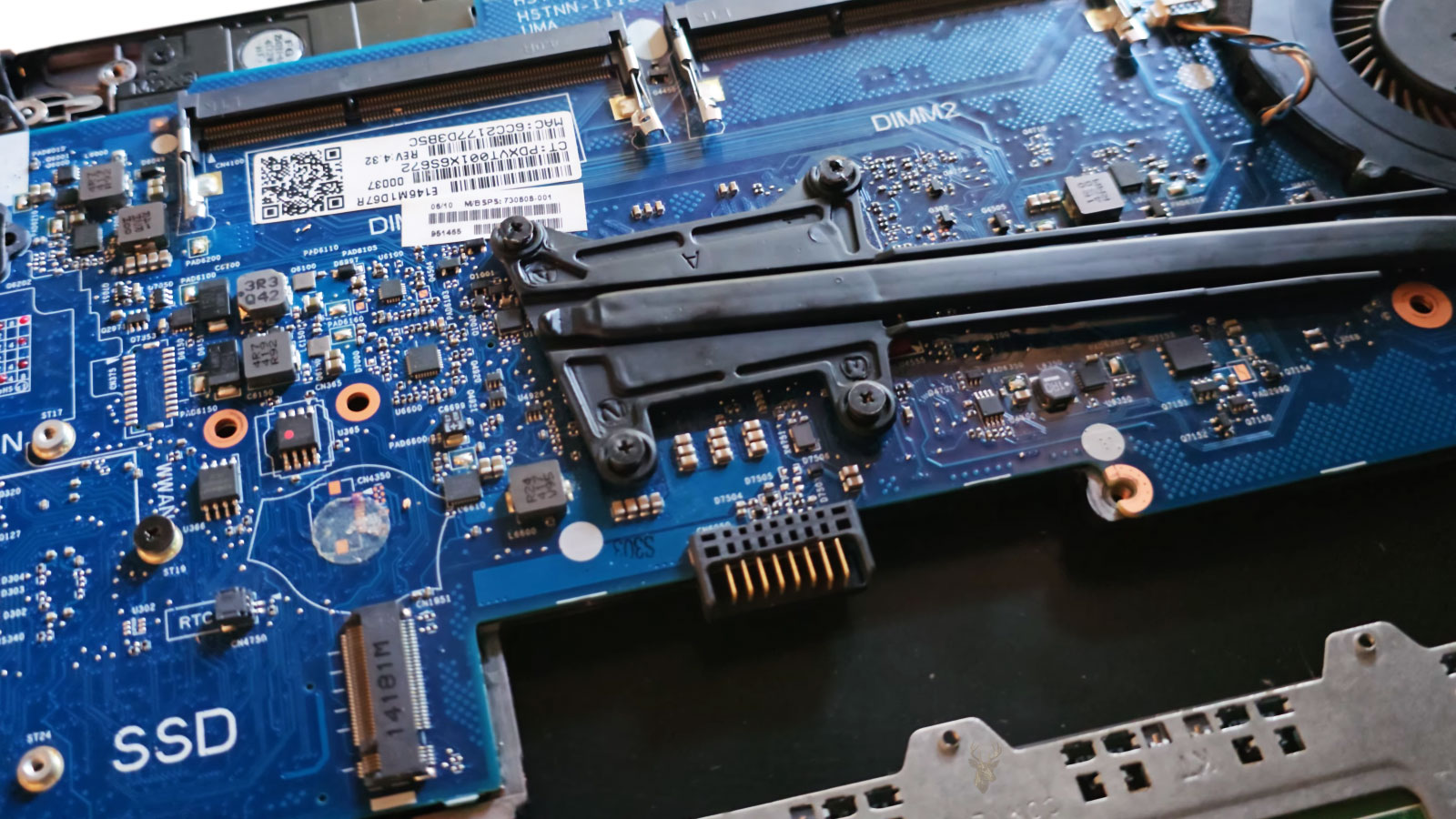
A Healthy Battery Cannot Work Through an Unstable Connection
A laptop battery can hold a normal charge and still fail to power the computer reliably. Between the battery cells and the motherboard is an internal connection that must carry power continuously while also allowing the system to monitor charging, temperature, and battery condition.
If that connection becomes loose, damaged, contaminated, or partially separated, the laptop may behave as though the battery itself has failed. It can shut down when moved, switch unexpectedly between battery and charger power, or refuse to detect the battery even though the cells remain usable.
These symptoms can be intermittent, which makes the problem difficult to identify. The computer may operate normally on a desk and fail only after the case is lifted, the screen angle changes, or pressure is applied near the battery compartment.
The Battery Connection Is More Than Two Power Wires
Modern internal laptop batteries usually connect through a small multipin cable or a connector built directly into the battery assembly. The connection carries positive and negative power, but it may also include communication lines used by the battery management system.
Through those additional contacts, the laptop can receive information about charge level, temperature, voltage, battery identity, and remaining capacity. A problem affecting one contact may produce different symptoms from a complete loss of electrical connection.
| Connection function | Possible symptom when interrupted |
|---|---|
| Main battery power | The laptop shuts down immediately when the charger is removed. |
| Charging path | The battery is detected but does not gain charge. |
| Battery communication | Windows reports an unknown battery level or no battery present. |
| Temperature monitoring | Charging may stop as a protective response. |
| Connector ground | Power becomes unstable or disappears intermittently. |
This is why battery-related troubleshooting should not focus only on the battery cells. The cable, connector, motherboard socket, and nearby circuitry are all part of the same power system.
Movement Can Reveal a Weak Internal Connection
A secure connector should remain stable while the laptop is carried or repositioned. When a plug is not fully seated, a cable has become damaged, or the connector housing has loosened, ordinary movement can briefly interrupt the electrical path.
The interruption may last only a fraction of a second, but that is enough to shut down a computer running exclusively from the battery. If the charger is connected at the time, the laptop may remain on while Windows briefly changes the power icon or reports that the battery has disconnected.
A laptop that loses power only when moved may have a mechanical connection problem rather than a battery that cannot store energy.
The exact movement that triggers the problem can provide useful diagnostic information. Lifting one corner, pressing near the palm rest, opening the display, or carrying the computer from one surface to another can flex different areas of the chassis.
Case Flexing Can Place Stress on the Battery Cable
Laptop cases are designed to support internal components, but thin enclosures can flex slightly during normal handling. Missing screws, broken mounting points, damaged hinges, or a separated bottom cover can allow more movement than the design intended.
If the battery cable passes through an area that flexes, repeated movement can pull on the connector or weaken individual conductors inside the cable. The external insulation may still look normal even when an internal wire is partially broken.
- The laptop shuts down when lifted from one side.
- The battery icon changes when pressure is applied near the bottom cover.
- Charging begins and stops when the screen is opened or closed.
- The battery appears after restarting but disappears again later.
- The computer works more reliably when it remains completely still.
These patterns do not prove that the battery connector is responsible, but they suggest that physical movement should be considered during diagnosis.
A Connector Can Look Inserted Without Being Fully Seated
Some internal battery plugs fit tightly and require even pressure across the entire connector. A plug can appear to be installed while remaining slightly raised on one side. This may allow certain contacts to connect while others remain unreliable.
The problem can occur after battery replacement, keyboard service, cooling-system cleaning, or any repair that requires disconnecting the battery. If the cable is pulled by its wires rather than the connector body, the plug or individual terminals can also be damaged.
A partially seated connection may work long enough for the laptop to pass an initial power test. The fault becomes visible later when the computer is moved, warmed by normal use, or subjected to slight case pressure.
Connector Damage May Follow an Incorrect Battery Removal
Internal laptop batteries are not removed in the same way on every model. Some connectors slide horizontally, some lift vertically, and others use locking tabs or cable retainers. Applying force in the wrong direction can crack the socket or pull it away from the motherboard.
A damaged socket may continue making partial contact, especially when the bottom cover holds the cable in a certain position. Once the cover is removed or the laptop flexes, the connection can become unstable.
Small cracks around the connector may be difficult to see without magnification. The plastic housing can remain in place while solder joints underneath have separated from the board.
Battery Detection and Battery Power Are Separate Clues
Windows can sometimes display battery information even when the battery cannot deliver reliable operating power. The communication contacts may remain connected while the main power contacts are weak or damaged.
The opposite can also occur. A laptop may briefly operate from the battery while failing to report an accurate percentage because the communication portion of the connector is interrupted.
For this reason, seeing a battery icon does not confirm that every part of the internal connection is functioning correctly. Detection, charging, communication, and power delivery should be evaluated as related but distinct functions.
A Swollen Battery Can Disturb Its Own Connection
As a lithium-ion battery swells, its physical dimensions change. The expanding battery can press against the bottom cover, touch nearby cables, or shift the position of its connector. In some designs, that pressure can place additional strain on the battery cable or motherboard socket.
Swelling may also make the touchpad difficult to click, separate the case, or create a raised area around the keyboard or palm rest. These physical changes should not be treated as ordinary cosmetic wear.
A swollen battery should not be pressed back into position or secured by tightening the case screws. Continued pressure can damage the enclosure and increase the risk associated with an already deteriorated battery.
Intermittent Power Loss Requires Careful Observation
Because the failure may disappear while the laptop is being examined, the circumstances surrounding each shutdown matter. Whether the charger was connected, how much charge was reported, and whether the computer had just been moved can help distinguish a connector problem from a depleted battery or a system crash.
A battery connector fault is only one possible cause of sudden power loss, but it deserves consideration when the symptoms respond to movement or when the problem began after internal service. Careful observation can prevent a functional battery from being replaced without correcting the unstable connection beneath it.
Battery Percentage Changes Can Point to Communication Problems
A battery percentage that jumps suddenly from one value to another may indicate more than worn battery cells. The laptop relies on communication between the battery management system and the motherboard to estimate remaining charge. If that communication becomes unstable, Windows may display incomplete or inconsistent information.
The percentage may freeze, disappear, drop sharply, or return after the computer is restarted. In some cases, the battery icon changes between charging, not charging, and no battery detected even though the laptop has not been unplugged.
These symptoms can also occur with a failing battery, so they should be compared with the way the computer behaves physically. If the readings change when the laptop is moved or pressure is applied to the case, the internal connection becomes more suspicious.
Charging Problems May Begin at the Battery Side of the Circuit
When a laptop refuses to charge, attention often goes directly to the charger or charging port. Those components are important, but the charging path continues through the motherboard and into the battery connector.
A damaged contact can allow the laptop to run from the charger while preventing the battery from accepting power. The system may report that the charger is connected, but the battery percentage remains unchanged or slowly decreases.
If the communication contacts are affected instead, Windows may not recognize that the battery is present, causing charging to stop as a protective measure. The charger can be functioning normally while the battery side of the circuit remains incomplete.
Heat Can Make an Intermittent Connection Worse
Materials expand slightly as the laptop warms during use. A weak connector, cracked solder joint, or partially broken wire may maintain contact when the computer is cold and separate after internal temperatures rise.
This can create a delayed pattern in which the laptop starts normally, operates for a period of time, and then loses battery detection or shuts down. After cooling, the system may work again without any repair having occurred.
A connection that changes with temperature may appear random until the timing of the failure is compared with the laptop’s operating conditions.
Temperature-sensitive behavior is not unique to battery connectors, but it is a useful clue when combined with movement-related symptoms and recent internal service.
Battery Cables Can Be Pinched During Reassembly
After a laptop is opened, internal cables must be returned to their intended routing paths. A battery cable placed above a screw post, trapped beneath the bottom cover, or pressed against a sharp edge can become damaged over time.
The laptop may initially work because the conductors remain intact. Repeated pressure, vibration, and heat can eventually weaken the cable until the connection becomes intermittent.
- A cable is routed outside its original channel.
- The bottom cover presses directly against the connector.
- A screw traps or cuts into the cable insulation.
- The cable bends sharply near the plug.
- Adhesive or retaining tape is missing after service.
These assembly problems are especially important when the power issue begins soon after a battery replacement or another internal repair.
Connector Contamination Can Interfere With Low-Voltage Signals
Dust, liquid residue, corrosion, or cleaning material can interfere with the small contacts inside a battery connector. Main power contacts may still carry enough current for the laptop to operate while communication lines become unreliable.
Liquid exposure is particularly concerning because corrosion can continue developing after the surface appears dry. A laptop may function normally for days or weeks before battery detection or charging begins to fail.
Cleaning these connectors requires appropriate tools and careful inspection. Scraping, bending contacts, or applying excessive liquid can create additional damage.
Software Readings Must Be Compared With Physical Behavior
Battery health utilities can report cycle count, charge capacity, voltage, and other useful information. These readings help evaluate battery condition, but they do not always reveal a mechanical connection fault.
A battery may report normal capacity while the laptop shuts down whenever the chassis flexes. Conversely, software may show missing or inconsistent data because the communication contacts are unstable even though the battery cells remain healthy.
| Observation | What It May Suggest |
|---|---|
| Battery health appears normal, but shutdowns occur when moved | An intermittent physical connection may be present. |
| Battery percentage is missing or changes suddenly | Communication contacts may be unstable. |
| The laptop runs from the charger but will not charge | The charging path or battery connector may be interrupted. |
| The battery works after reseating the cable | The original connection may not have been fully secure. |
| The problem worsens as the laptop warms | Heat may be affecting a weak connector or solder joint. |
Testing Requires More Than Removing the Charger
A basic battery test often involves unplugging the charger and confirming that the laptop stays on. While useful, that test may not reveal an intermittent connection that fails only under certain conditions.
A more complete evaluation compares behavior while the laptop is stationary, gently repositioned, warmed through normal use, and operated at different charge levels. The goal is not to force the case or stress the battery, but to determine whether ordinary handling changes the power state.
Any test involving a swollen battery, exposed wiring, heat damage, or a visibly broken connector should stop immediately. Those conditions require careful service rather than repeated movement.
Reseating the Connector Is Not Always a Complete Repair
Disconnecting and reconnecting the battery may temporarily restore normal operation. This can confirm that the connection was involved, but it does not prove that the problem has been fully corrected.
If the socket is cracked, a terminal is loose, or a wire is damaged internally, the problem can return after movement or temperature changes. A connector that repeatedly works loose may also indicate missing retainers, case damage, or an incorrectly routed cable.
A lasting repair requires identifying why the connection became unstable rather than relying only on temporary improvement after reseating.
A Replacement Battery Can Still Show the Same Symptoms
When a new battery produces the same shutdowns, detection failures, or charging interruptions as the original battery, the fault may lie elsewhere in the power path. The cable, motherboard connector, charging circuit, or case structure may be responsible.
This is why replacing the battery without testing the connection can lead to unnecessary cost and confusion. Two batteries can appear defective when both are being connected through the same unstable interface.
Comparing symptoms before and after replacement is valuable. If nothing changes, the diagnosis should expand beyond the battery pack itself.
Detailed Symptom Notes Can Shorten the Diagnosis
Intermittent power problems are easier to investigate when the circumstances are documented. A brief record of what happened before each shutdown can reveal patterns that are not obvious during a single inspection.
- Record whether the charger was connected.
- Note the battery percentage shown before the failure.
- Describe whether the laptop was moved, lifted, or opened.
- Observe whether the battery icon changed first.
- Record whether the computer restarted immediately or remained unresponsive.
- Note any recent battery replacement or internal service.
These details help separate a battery connector problem from overheating, software crashes, charger failure, or other causes of sudden shutdowns.
The Final Diagnosis Should Consider the Entire Power Path
An intermittent battery connection can imitate several other laptop problems. Sudden shutdowns may resemble motherboard failure, charging interruptions may suggest a defective adapter, and disappearing battery information may appear to be a Windows reporting error.
A complete diagnosis considers the battery, connector, cable, motherboard socket, charging circuit, and physical condition of the case. Focusing on only one part can lead to replacing a functional component while the real fault remains unchanged.
The strongest conclusions usually come from matching the electrical symptoms with the physical conditions that trigger them.
Shutdown Patterns Can Separate Battery Faults From System Crashes
A power interruption often produces a different pattern from a software crash. When the battery connection opens suddenly, the screen and indicator lights may turn off immediately without a warning message or controlled shutdown sequence.
A software failure may instead produce freezing, an error screen, automatic restart, or an entry in Windows logs. These differences are not absolute, but they help determine whether the computer lost electrical power or whether the operating system stopped responding.
| Observed event | Possible direction for diagnosis |
|---|---|
| Instant loss of all lights and display | Power delivery or connection failure may be involved. |
| Blue screen followed by a restart | Driver, memory, or operating system failure may be more likely. |
| The laptop remains on when the charger is connected | The battery power path deserves closer inspection. |
| The shutdown occurs only after movement | A loose connector, cable, or cracked socket may be present. |
| The system freezes before turning off | The problem may extend beyond a simple battery interruption. |
Careful observation prevents every unexpected shutdown from being placed into the same category.
Motherboard Sockets Can Fail Even When the Cable Looks Normal
The battery cable may appear undamaged while the motherboard socket beneath it has cracked solder joints or weakened mounting points. In this condition, the plug can fit securely but still move electrically when the board flexes.
These faults may be difficult to identify without magnification and electrical testing. Pressing on the connector may temporarily restore contact, but repeated pressure can worsen the damage or lift additional solder pads from the board.
A loose motherboard socket requires a different repair from a damaged battery cable. Replacing the battery alone will not correct a failure at the board connection.
Case Damage Can Allow the Problem to Return
A repaired connection may become unstable again when the surrounding case no longer supports the internal components properly. Broken screw posts, missing screws, separated hinges, and warped covers can allow the motherboard or battery to shift during ordinary use.
In these situations, repairing the connector without correcting the structural problem may provide only temporary improvement. The same movement that damaged the connection originally can continue placing stress on the repaired area.
- Confirm that all required case screws are present and correctly positioned.
- Inspect mounting points near the battery and motherboard.
- Check whether hinge movement causes the lower case to separate.
- Verify that the bottom cover closes without pressing on the battery cable.
- Address swelling or distortion before completing reassembly.
Reliable electrical operation often depends on restoring the physical support around the connection as well.
Intermittent Power Can Put Open Files at Risk
Every sudden loss of power creates a possibility that unsaved work will be lost. If the storage drive is writing data at the moment of shutdown, open documents, application files, or file system information can also become damaged.
Repeated shutdowns should not be treated as a minor inconvenience simply because the laptop starts again. The immediate power problem can eventually lead to secondary software or data issues that complicate the repair.
An intermittent connection is still a complete power failure during the instant that contact is lost.
Important files should be backed up before extended testing whenever the laptop is still stable enough to copy them safely.
Battery Safety Takes Priority Over Continued Testing
Some symptoms require the laptop to be powered down rather than tested repeatedly. Swelling, unusual heat, chemical odor, damaged insulation, visible corrosion, or a connector that has overheated can indicate a safety concern.
A battery showing these conditions should not be pressed, punctured, bent, or repeatedly reconnected. Tightening the case to force a swollen battery back into position can increase pressure on both the cells and nearby components.
The need to confirm an intermittent fault never outweighs the need to handle a damaged lithium-ion battery cautiously.
A Temporary Improvement Should Be Verified Under Normal Use
After a connector is reseated or repaired, the laptop should be observed under the same ordinary conditions that previously caused the failure. A brief stationary test may not be enough to confirm that the problem is resolved.
The system can be checked while charging, operating from the battery, warming through normal use, and being repositioned carefully. The purpose is to confirm stable behavior without applying excessive pressure or deliberately flexing the case.
If the battery remains detected, the charge level updates normally, and the computer no longer loses power during routine handling, the repair has stronger evidence of reliability.
Replacement Decisions Should Follow the Evidence
A battery should be replaced when its cells are worn, swollen, internally defective, or unable to provide adequate operating time. A cable should be replaced when its conductors, insulation, or terminals are damaged. A motherboard connector may require repair when the socket or solder joints have separated.
These components can fail individually or together. Choosing the correct repair depends on identifying which part cannot maintain stable power rather than replacing the most familiar component first.
A new battery cannot compensate for a loose socket, and a repaired connector cannot restore cells that no longer hold a useful charge.
Stable Battery Power Depends on a Secure Mechanical Connection
Laptop battery problems are often discussed in terms of capacity, age, and charging cycles, but the physical connection is equally important. The battery must remain securely connected while the computer is carried, opened, warmed, and used in different positions.
When movement changes battery detection or causes immediate shutdowns, the connector, cable, socket, and surrounding case structure deserve careful inspection. These symptoms can reveal a mechanical fault that software battery reports alone may not detect.
Reliable Power Requires More Than a Charged Battery
A laptop battery can be electrically healthy yet function unreliably when its connection to the motherboard is unstable. Loose plugs, damaged cables, cracked sockets, swelling, contamination, and case flex can all interrupt the path between stored energy and the computer.
Evaluating the complete power path helps prevent unnecessary battery replacement and reduces the risk of repeated shutdowns, lost work, and additional internal damage. A secure connection allows the battery, charging system, and operating system to work together as intended.











