
Deletion Works Differently on Solid-State Storage
Deleting a file does not produce the same result on every type of storage device. On a traditional hard drive, the operating system usually removes the file’s directory entry and marks its occupied space as available. The magnetic data may remain in place until another file overwrites those sectors. This delay can create an opportunity for recovery software to reconstruct the deleted information.
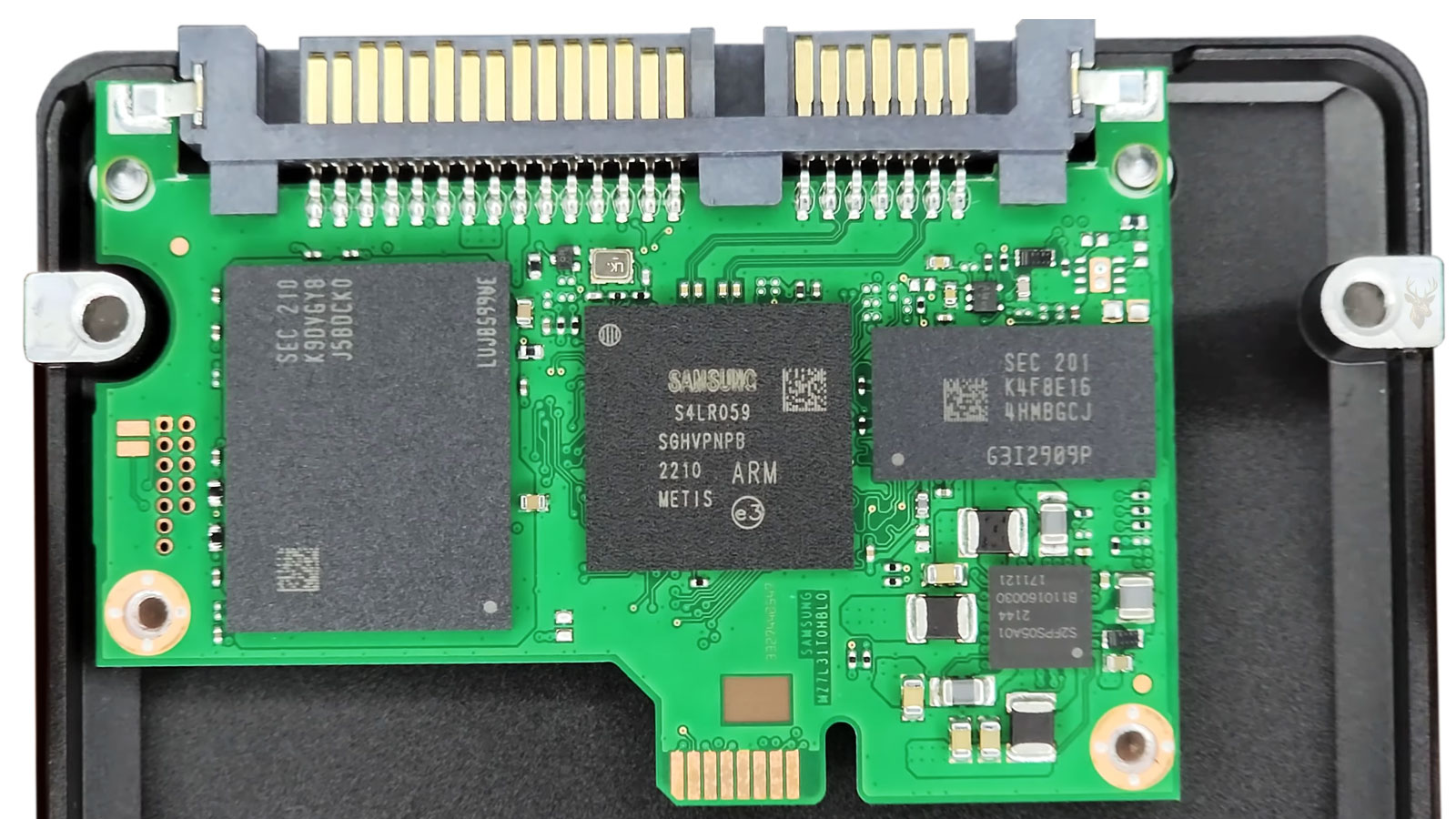
A solid-state drive manages unused space differently. SSDs store information in flash-memory cells that must be erased before new data can be written to them. To keep future write operations efficient, modern operating systems can notify the SSD when certain blocks no longer contain needed information. That notification is commonly known as the TRIM command.
Once the SSD receives this notice, its controller may begin preparing the affected flash blocks for reuse. As a result, deleted data that would remain recoverable for some time on a hard drive may disappear quickly from an SSD, even when the user has not intentionally saved another file over the same location.
Why Flash Memory Must Be Erased Before It Is Rewritten
Hard drives can overwrite information directly within individual sectors. Flash memory operates under a different limitation. An SSD can write data to empty memory pages, but it generally cannot replace existing information in a used page until a larger group of pages has been erased.
These pages are organized into erase blocks. If only part of a block contains obsolete information, the controller may need to preserve the valid pages, erase the entire block, and then write the retained information back elsewhere. This process requires more work than writing to storage space that has already been cleared.
| Storage Operation | Traditional Hard Drive | Solid-State Drive |
|---|---|---|
| Writing to unused space | Data is written to available magnetic sectors. | Data is written to empty flash-memory pages. |
| Replacing existing data | Individual sectors can be overwritten directly. | The affected flash block may need to be erased first. |
| Deleting a file | Its sectors are normally marked available. | The operating system may also send a TRIM notice. |
| Preparing space for reuse | Usually occurs when new data overwrites old sectors. | May occur earlier through controller cleanup. |
The SSD controller attempts to perform this cleanup before the space is urgently needed. Preparing blocks in advance helps reduce delays when the operating system later writes new information to the drive.
What the TRIM Command Actually Communicates
TRIM is not a request to locate and erase one recognizable document by name. The operating system translates file-system activity into ranges of logical storage addresses and tells the SSD that the information associated with those addresses is no longer required.
The SSD controller can then treat those locations as invalid during its internal maintenance. The timing of the physical erasure is controlled by the drive rather than by the user. Some blocks may be processed quickly, while others may remain temporarily untouched until the controller performs garbage collection or another internal operation.
- The user deletes a file or formats supported storage space.
- The file system marks the associated logical locations as available.
- The operating system sends a TRIM notification for eligible locations.
- The SSD controller records that the former contents are no longer needed.
- Internal cleanup may erase or reorganize the affected flash blocks.
This sequence explains why a deleted file can become inaccessible before the drive appears to have reused its former capacity. The controller does not need to wait for another visible file to occupy the same logical location before preparing the underlying cells for future use.
Logical Addresses Do Not Reveal the Permanent Physical Location
An operating system communicates with an SSD through logical block addresses. These addresses give Windows, macOS, or another operating system a consistent way to locate stored information. Internally, however, the SSD controller may place the data in different physical flash cells over time.
This translation is handled by firmware within the drive. It allows the SSD to distribute writes, avoid defective cells, reserve spare capacity, and reorganize data without requiring the operating system to track every physical movement.
For data recovery, this additional layer creates an important limitation. Reading a logical address after deletion does not guarantee access to the flash cells that once held the file. The controller may return zeros, report empty space, or direct the request to a location that no longer contains the original information.
Garbage Collection Can Continue Without an Active File Copy
People often assume that deleted data remains safe from change as long as they stop copying files to the drive. That precaution is still sensible, but an SSD may perform internal work that is not visible as an ordinary file-writing operation.
Garbage collection consolidates valid pages and frees erase blocks for later use. When a block contains both current and obsolete information, the controller can move the valid pages, erase the original block, and add the cleared capacity to its available space. Data marked invalid through TRIM does not need to be preserved during this process.
| Controller Activity | Purpose | Effect on Deleted Data |
|---|---|---|
| Garbage collection | Combines valid information and releases reusable blocks. | Invalid pages may be discarded during block erasure. |
| Wear leveling | Distributes writes across flash cells. | Physical placement can change without visible file movement. |
| Bad-block management | Removes unreliable flash areas from normal use. | Former locations may be remapped or made inaccessible. |
| Background preparation | Keeps erased blocks ready for future writes. | Trimmed information may be cleared before new files are saved. |
The controller’s ability to perform these operations is one reason SSD deletion cannot be evaluated only by checking how much new information the user has written afterward.
A Deleted Entry May Remain Even When Its Contents Are Gone
File-recovery software may still locate a deleted filename, folder reference, timestamp, or file-system record after TRIM has affected the underlying data. This can create the impression that the complete file is recoverable when only its descriptive information remains.
The file system and the file contents are separate parts of the recovery problem. Directory records describe where a file was believed to exist, but the data stored at those locations may already have been cleared or made unavailable by the SSD controller.
- A filename can appear in scan results while the recovered file is empty.
- The original folder structure may be visible even though documents will not open.
- A reported file size may reflect old metadata rather than readable contents.
- Preview images can fail because the referenced storage pages were erased.
- Recovered files may contain zeros or unrelated data instead of the original information.
For this reason, the number of filenames found during a scan does not accurately measure the amount of usable data that can be restored from a trimmed SSD.
TRIM Support Depends on the Entire Storage Path
An SSD may support TRIM while the command is unavailable in a particular installation. The operating system, file system, storage driver, controller mode, enclosure, and connection method must all pass the command correctly.
An internally installed SSD using a supported interface may receive TRIM normally, while the same drive connected through an older USB adapter may not. Certain RAID configurations, outdated drivers, virtual storage layers, and unsupported operating systems can also change whether deletion notices reach the drive.
This variation means that two apparently similar deletion cases may produce different recovery results. One SSD may have processed the deleted ranges, while another may still contain recoverable information because TRIM was disabled, unsupported, or never delivered through the storage connection.
Formatting an SSD Does Not Always Produce the Same Recovery Conditions
The word “format” can describe several different operations, and the recovery outcome depends on what the operating system actually performed. A quick format may rebuild file-system structures without writing new user data across every storage location. On a traditional hard drive, this can leave substantial portions of the former contents physically intact.
On an SSD, however, the formatting process may also cause large ranges of logical blocks to be reported as unused. If those ranges are passed to the drive through TRIM, the controller can begin treating the former contents as disposable even though the format itself did not visibly overwrite the entire device.
| Storage Event | What Changes Immediately | Possible SSD Recovery Effect |
|---|---|---|
| Single-file deletion | The file entry and its occupied ranges are released. | TRIM may target only the ranges formerly assigned to that file. |
| Folder deletion | Multiple file records and data ranges become available. | A larger collection of blocks may be marked invalid. |
| Quick format | New file-system structures replace the old organization. | Large portions of the volume may be submitted for cleanup. |
| Partition deletion | The partition definition is removed from the partition table. | TRIM behavior depends on the operating system and storage path. |
| Secure erase command | The drive is instructed to reset accessible user storage. | Conventional file recovery is generally not expected to succeed. |
Because formatting tools behave differently, the label shown to the user is not enough to determine what remains recoverable. The operating system version, file system, drive interface, and controller response all influence the final condition of the deleted data.
Power State Can Influence When Internal Cleanup Occurs
TRIM tells the SSD which logical ranges are no longer needed, but it does not guarantee that every affected flash block is erased at the exact moment the deletion occurs. The controller may postpone part of the cleanup until the drive is idle, until free space becomes limited, or until its firmware schedules maintenance.
This creates a narrow and unpredictable distinction between information that has been marked for removal and information that has already been physically erased. A drive that remains powered and connected may continue processing invalid blocks even while the computer appears inactive.
- Background garbage collection may run during periods of low activity.
- The controller may consolidate valid pages before erasing a mixed block.
- Queued cleanup can continue after the operating system finishes deleting files.
- Restarting the computer may allow normal storage maintenance to resume.
- Leaving the SSD powered in another system can expose it to additional controller activity.
For this reason, repeatedly starting the computer to “check whether the files are still there” can reduce the remaining recovery opportunity. Each startup may allow the operating system, applications, and SSD firmware to perform additional work.
Installing Recovery Software on the Same SSD Creates Two Separate Risks
Installing a recovery program on the affected drive is risky on any storage device because the installation writes new files, creates folders, updates system records, and may use temporary space. On an SSD, those writes are only one part of the concern.
The operating system may also continue issuing TRIM commands while the computer remains in normal use. Downloading the software, opening a web browser, creating an installer cache, updating antivirus definitions, and launching the scan can all generate storage activity before the recovery process begins.
| Action Performed on the Affected SSD | Why It Can Reduce Recovery Potential |
|---|---|
| Downloading recovery software | Creates browser cache, temporary data, and the downloaded installer. |
| Installing the program | Writes application files, registry changes, logs, and support components. |
| Running a normal system update | May produce extensive writes and restart-related storage activity. |
| Saving scan results to the same drive | Uses free space that may correspond to formerly deleted data. |
| Continuing ordinary work | Generates documents, caches, synchronization files, and application databases. |
A safer approach is to stop using the affected system and perform any examination from another storage environment. Even then, the SSD controller may already have processed the deleted blocks before the drive was removed or powered down.
Cloning an SSD Preserves What the Controller Still Exposes
Creating a sector-by-sector image is a standard method for reducing further handling of unstable or damaged storage media. The image captures the logical data that the source device makes available at the time of acquisition and allows later analysis to occur without repeatedly reading the original drive.
With a trimmed SSD, however, imaging cannot restore information that the controller no longer returns. If deleted ranges now read as zeros or inaccessible logical space, the image will contain that same result. The imaging process preserves the current visible state of the SSD, not an earlier version of the flash memory.
- The recovery system requests data from each accessible logical address.
- The SSD controller translates those requests to its internal flash mapping.
- Valid readable data is returned and copied into the image.
- Trimmed or cleared ranges may return zeros or another empty-state response.
- Analysis software examines the completed image rather than the original device.
Imaging remains important because it protects the current evidence from additional operating-system writes and reduces repeated access to a failing drive. It should not be mistaken for a method of bypassing TRIM or retrieving flash cells hidden by the controller.
Deleted Files and a Failed SSD Present Different Recovery Problems
An SSD that works normally after files were deleted presents a logical recovery case. The drive responds to commands, the controller is active, and the main question is whether the former data remains available through the logical address space.
A failed SSD presents a hardware or firmware problem. The computer may not detect the drive, the reported capacity may be incorrect, the controller may stop responding, or the device may disconnect during reads. In such cases, the immediate obstacle is gaining stable access to the existing information rather than reconstructing a deleted file-system entry.
| Case Type | Primary Obstacle | Typical Limitation |
|---|---|---|
| Recently deleted files | TRIM and controller cleanup | The original data may no longer be exposed. |
| Accidental format | Loss of file-system organization and possible large-scale TRIM | Metadata and contents may disappear at different rates. |
| Unrecognized SSD | Controller, firmware, electrical, or interface failure | The device may not provide usable logical access. |
| Intermittent SSD | Unstable communication or degrading components | Repeated reads may cause further interruptions or loss of access. |
| Physically damaged SSD | Broken board, damaged power circuitry, or failed flash components | Specialized hardware work may be required before imaging. |
The presence of a hardware failure does not reverse TRIM. If files were deleted before the SSD stopped working, any blocks already cleared remain unavailable even if specialists later restore communication with the drive.
Hardware-Level Access Does Not Guarantee Access to Earlier Flash Contents
Traditional flash-recovery methods sometimes involve reading memory chips outside the normal operation of the device and reconstructing the stored information. Modern SSDs make this process considerably more difficult because the raw flash data may be distributed, transformed, corrected, and encrypted by the controller.
Wear leveling means that consecutive logical sectors may not be stored next to one another physically. Error-correction information is required to interpret the flash pages accurately, and controller metadata is needed to determine which physical pages represent the current version of each logical block.
- Data may be divided among several flash-memory packages.
- Wear-leveling tables may change the physical location of logical information.
- Error-correction codes may be necessary to reconstruct readable pages.
- Internal compression can alter how user data appears in raw memory.
- Controller-managed encryption may make chip contents unusable without the original hardware state.
- Obsolete and current versions of pages may coexist in raw flash storage.
Even when a laboratory can read the flash chips, identifying a deleted file requires more than locating recognizable bytes. The data must be corrected, reordered, decrypted when applicable, and connected to the proper file-system structures. If the relevant pages were erased during garbage collection, no reconstruction method can recreate their original contents from the SSD itself.
Encryption Can Add Another Boundary Between the Scan and the File
Many SSDs and operating systems use some form of encryption. This may include full-drive encryption configured by the user, hardware encryption implemented by the storage device, or automatic encryption tied to the computer’s security hardware.
When encryption is active, raw storage data does not necessarily contain recognizable documents, photographs, or database records. Recovery depends on obtaining the correct decryption key and preserving the structures that connect encrypted blocks to the original file system.
TRIM can make this situation more restrictive. If the encrypted blocks belonging to a deleted file are cleared, possession of the decryption key does not restore them. The key can decode available encrypted data, but it cannot regenerate encrypted sectors that the controller has already discarded.
Recovery Results Should Be Judged by Openable Content, Not File Counts
A scan may report thousands of deleted entries, especially after a format or the loss of a large folder. The number appears encouraging, but it may include duplicate records, temporary files, damaged entries, old metadata, and filenames whose contents have been cleared.
Meaningful evaluation requires testing whether the recovered files contain valid information. Documents should open and display their expected pages, archives should pass integrity checks, photographs should render beyond a small preview, and databases should be examined for internal consistency.
- Confirm that recovered files have more than a valid name and extension.
- Open representative files from every important folder or file type.
- Check whether large files contain data throughout their full length.
- Compare dates and sizes with known originals when references are available.
- Inspect documents for blank pages, corruption, or unrelated embedded data.
- Save all recovered material to a different physical storage device.
A smaller collection of verified, readable files is more valuable than a large directory of entries that cannot be opened. This distinction is particularly important with SSD recovery because file-system traces may survive after the underlying content has been removed.
Enterprise Storage Features Can Change Recovery Expectations
Not every SSD operates as an individual drive connected directly to a personal computer. Business workstations, servers, and virtualized environments may store information through storage arrays, enterprise controllers, or virtual disks that introduce additional layers between the operating system and the physical flash memory.
These layers can influence how deletion requests are handled. Some storage platforms delay or manage TRIM differently, while others perform their own optimization routines before information reaches the underlying SSDs. As a result, two systems using similar solid-state drives may not present identical recovery conditions after a file has been deleted.
Understanding the complete storage path is often more informative than identifying the SSD model alone. Recovery planning may depend on how the storage platform manages logical blocks, snapshots, and background maintenance rather than on the characteristics of the flash memory itself.
Cloud Synchronization Can Affect Deleted Files Independently of TRIM
Many computers automatically synchronize folders with cloud storage services. When a synchronized file is deleted locally, the storage provider may also receive instructions to remove or relocate that file according to the service’s synchronization rules.
This process is separate from the SSD’s handling of deleted storage blocks. One concerns file synchronization between devices, while the other concerns how the local flash storage prepares unused memory for future writing. Because they operate independently, both processes may influence the overall recovery situation.
| Technology | Primary Purpose | Relation to Recovery |
|---|---|---|
| TRIM | Marks unused logical storage ranges. | Affects how the SSD manages deleted flash blocks. |
| Cloud synchronization | Keeps files consistent across devices. | May remove or relocate synchronized copies. |
| Recycle Bin | Provides temporary deletion before permanent removal. | Works at the file-system level rather than inside the SSD controller. |
| Version history | Preserves earlier revisions when supported. | May provide another source for previous document versions. |
Separating these technologies avoids confusion when evaluating a deletion event. A missing file may involve cloud synchronization, SSD cleanup, user actions, or a combination of several independent processes.
Not Every Deleted File Disappears at the Same Rate
TRIM does not guarantee that every deleted document becomes unrecoverable immediately. Internal controller activity varies between manufacturers, firmware versions, storage workloads, available free space, and the timing of background maintenance. Some logical areas may remain unchanged temporarily, while others may be processed much sooner.
Because these decisions occur inside the SSD controller, users cannot reliably predict how long particular deleted information will remain available. Recovery results therefore depend on the actual state of the drive rather than on a fixed amount of elapsed time.
- Available free space can influence controller maintenance activity.
- Firmware algorithms differ between SSD manufacturers.
- Storage workloads may change internal cleanup priorities.
- Background maintenance is not always visible to the operating system.
- Two identical deletion events may produce different recovery outcomes.
Recovery Success Depends on Several Independent Factors
Successful recovery from a solid-state drive cannot be predicted by examining only one detail. The type of deletion, SSD firmware behavior, operating system support, storage configuration, encryption, controller condition, and later computer activity all contribute to the final result.
| Recovery Factor | Why It Matters |
|---|---|
| How the file was removed | Different deletion methods affect different storage structures. |
| TRIM availability | Determines whether unused logical ranges are reported to the SSD. |
| Controller maintenance | Background cleanup can remove invalid flash pages. |
| Encryption status | Controls whether readable data requires cryptographic keys. |
| Hardware condition | Physical failures can prevent normal access to stored information. |
| Subsequent computer activity | Additional writes and maintenance may further reduce recovery opportunities. |
No single factor determines the outcome by itself. Instead, recovery depends on the interaction of several independent technologies working together inside the storage subsystem.
Common Misunderstandings About TRIM
Solid-state storage has existed long enough that many explanations of TRIM circulate online. Some are based on early SSD behavior, while others oversimplify how modern controllers manage flash memory. Separating common assumptions from established storage concepts helps set realistic expectations.
- Misunderstanding: TRIM instantly erases every deleted file.
Clarification: It informs the SSD which logical ranges are no longer needed; the controller decides when physical cleanup occurs. - Misunderstanding: Every SSD behaves identically after deletion.
Clarification: Firmware design, controller behavior, and storage configuration differ among devices. - Misunderstanding: Seeing recovered filenames guarantees usable files.
Clarification: File-system records can remain after the original contents have been cleared. - Misunderstanding: Turning the computer back on cannot affect recovery.
Clarification: Normal operating-system and controller activity may continue after startup. - Misunderstanding: TRIM alone determines recovery success.
Clarification: Hardware condition, encryption, storage architecture, and later activity also influence the outcome.
Understanding TRIM Helps Explain Modern SSD Recovery Limits
Solid-state drives introduced storage technologies that differ fundamentally from magnetic hard drives. Features such as flash-memory management, logical address translation, wear leveling, garbage collection, and TRIM allow SSDs to deliver fast performance while extending the usable life of their memory cells. Those same technologies also change what can realistically be recovered after files have been deleted.
Rather than viewing file deletion as a single event, it is more accurate to understand it as a sequence involving the operating system, the file system, the storage interface, and the SSD controller. Each layer contributes to what remains accessible after a document, folder, or partition is removed.
Recognizing these relationships provides a clearer understanding of why recovery results differ so greatly between traditional hard drives and modern solid-state storage. It also explains why recovery decisions should be based on the specific storage environment involved instead of assuming that every deleted SSD file remains available for the same amount of time.











