
Knowing Which Computer Needs Attention
A small office may begin with only two or three computers, making it easy to identify each machine by location or by the person who normally uses it. One computer may simply be called “the front desk PC,” while another is known as “Maria’s laptop” or “the computer in accounting.” This informal approach often works until employees change desks, equipment is replaced, or several machines of the same model are installed.
As the office grows, vague descriptions can create confusion during repairs, software installations, security reviews, and remote support sessions. A request stating that “the Dell computer is not working” may refer to several nearly identical systems. Without a dependable way to identify the correct device, technicians and office managers may spend unnecessary time confirming serial numbers, physical locations, or user assignments before the actual problem can be addressed.
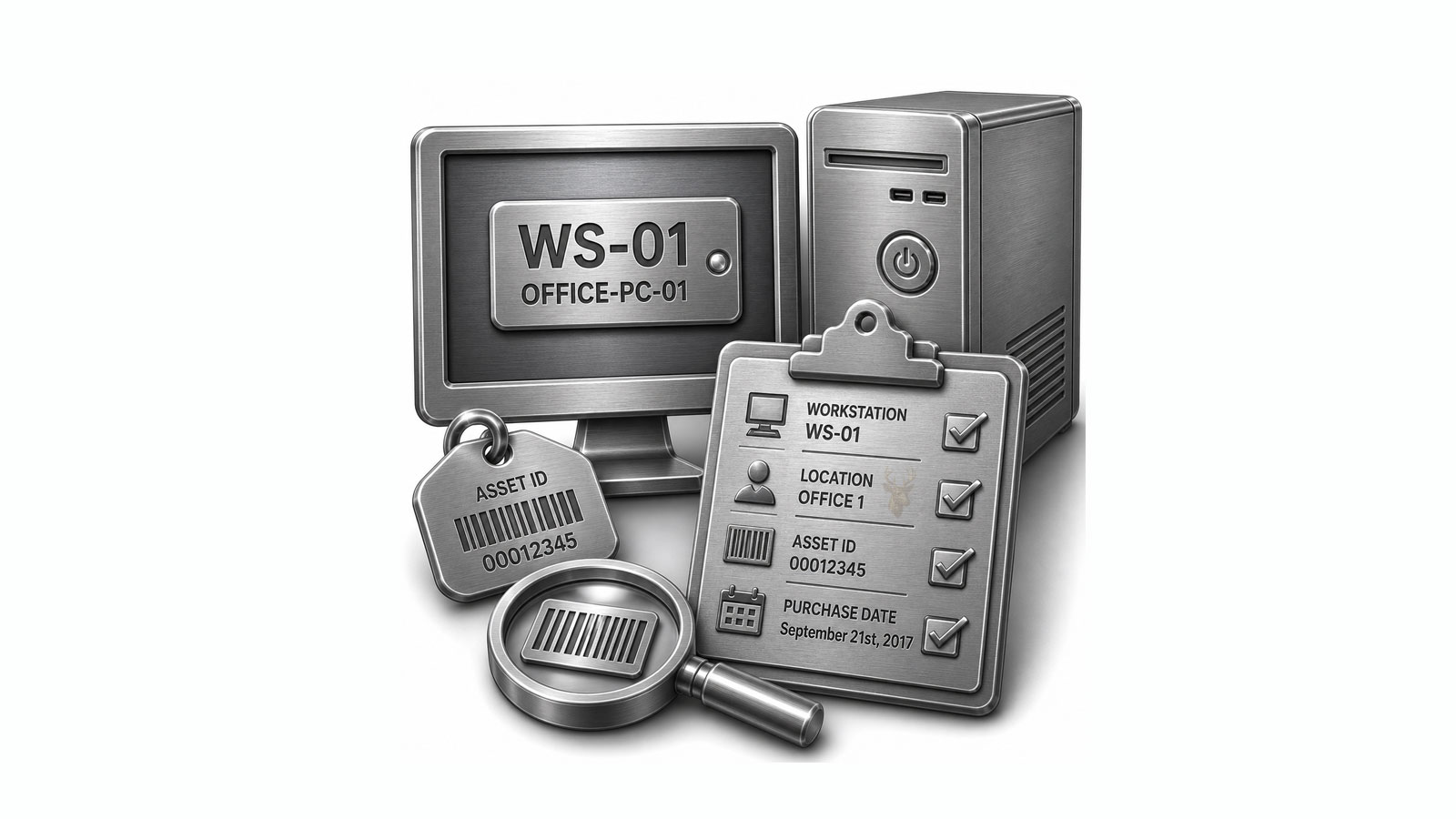
A consistent workstation naming system and a basic asset record solve different parts of this problem. The computer name provides a recognizable identity on the network, while the asset record stores details that may not be visible during ordinary use. Together, they create a practical reference for managing computers throughout their service life.
A Computer Name Should Communicate Something Useful
Every Windows computer is assigned a device name. That name may appear in network lists, administrative tools, backup software, security consoles, remote-support applications, and shared-resource permissions. Automatically generated names can be unique, but they are rarely memorable. A label such as DESKTOP-7J4K2P provides little help when several computers must be compared quickly.
A planned naming convention replaces random identifiers with a short, repeatable structure. The exact format can vary, but it should help staff distinguish one system from another without exposing unnecessary personal or confidential information.
- Location: identifies the office, floor, room, or work area.
- Department: indicates whether the computer belongs to accounting, reception, sales, or another function.
- Device type: distinguishes desktops, laptops, workstations, or shared systems.
- Sequence number: keeps names unique when several similar devices exist.
- Role: identifies a specialized purpose such as shipping, scheduling, or point-of-sale work.
A name such as ACC-DT-03 could identify the third accounting desktop, while REC-LT-02 might identify the second reception laptop. The meaning is clear to anyone familiar with the convention, yet the format remains short enough to use in support notes and administrative tools.
Useful Naming Structures for Different Office Layouts
No single naming structure is appropriate for every organization. A one-location office may benefit from department-based names, while a company with several branches may need the location included first. The best format is the one that remains understandable as computers are added, reassigned, and replaced.
| Naming Structure | Example | Suitable Use |
|---|---|---|
| Department + device + number | SALES-DT-04 | Small office with clearly defined departments |
| Location + department + number | MIA-ACC-02 | Business operating from several offices |
| Room + device + number | CONF-LT-01 | Shared computers assigned to rooms |
| Function + number | SHIP-03 | Systems dedicated to a particular task |
| Asset number only | PC-0147 | Organizations using a centralized inventory system |
Whichever format is selected, it should be documented before large numbers of devices are renamed. Changing the pattern repeatedly can create mismatches between network names, inventory records, backup jobs, and older support notes.
Names Based Only on Employees Can Become Misleading
Assigning a computer the name of its current user may appear convenient, but the identity can become inaccurate as soon as the machine is transferred. An employee may leave the company, move to another department, receive a replacement computer, or begin using multiple devices. The original name may then remain attached to hardware that no longer belongs to that person.
User-based names can also introduce avoidable privacy concerns when device names are visible on shared networks or in administrative reports. A neutral identifier based on location, department, function, or asset number usually remains useful for a longer period.
The assigned employee can still be recorded in the asset inventory, where that information can be updated without changing the computer’s technical identity every time responsibilities shift.
The Device Name Is Not a Complete Asset Record
A workstation name identifies the computer, but it does not describe what is inside the machine, when it was purchased, or whether it remains under warranty. Those details belong in an asset record that can be reviewed without physically opening the computer or searching through old invoices.
Even a simple spreadsheet can provide a useful starting point when the office does not require specialized inventory software. Each row represents one device, and each column stores a specific piece of information.
- Assign a unique asset number that will remain with the machine.
- Record the current workstation name used by the operating system.
- Enter the manufacturer, model, and serial number.
- Document the purchase date and warranty expiration when available.
- Identify the assigned employee, department, and physical location.
- Note important hardware details such as processor, memory, and storage capacity.
- Record major repairs, upgrades, or reassignment dates.
The asset number should remain stable even when the device name, location, or assigned employee changes. This gives the organization one permanent reference that can connect purchase records, repair notes, and eventual disposal documentation.
Physical Labels Connect the Record to the Machine
An inventory entry is more useful when the corresponding computer can be identified quickly. A small asset label placed on the case, underside of a laptop, or another accessible surface allows staff to report the correct number without entering Windows or locating the manufacturer’s serial label.
The label does not need to display every recorded detail. In most offices, a durable tag containing the company name and a unique asset number is sufficient. Sensitive information, employee names, passwords, and network addresses should not be printed on the exterior of the equipment.
Consistent labeling becomes especially valuable when a computer will not start. The asset number can still be read from the case and matched to the office record, giving the technician access to the device history even when the operating system is unavailable.
Asset Records Become Valuable During Repairs and Replacements
When a computer develops a problem, a reliable asset record provides context before troubleshooting begins. The technician can confirm the model, approximate age, installed hardware, previous repairs, and warranty status without relying entirely on the memory of the person using the machine.
This history can influence the repair decision. A relatively new workstation with a recent storage upgrade may justify a different approach from an older system that has already received several major repairs. The record does not make the decision automatically, but it provides facts that help the office compare repair cost, remaining service life, and replacement timing.
Accurate records also reduce the chance of ordering an incorrect part. Two computers may look identical from the outside while using different motherboard revisions, storage interfaces, memory types, or power adapters. The model and serial information stored in the inventory helps separate those machines before parts are purchased.
The Inventory Should Reflect Changes Throughout the Device Life Cycle
An asset list becomes unreliable when it records only the condition of a computer on the day it was purchased. Office equipment changes over time. Memory may be expanded, storage may be replaced, a laptop may be reassigned, or a desktop may move from one department to another.
Updating the record after each significant change keeps the inventory useful for support, budgeting, and future planning.
| Device Event | Information to Update |
|---|---|
| New equipment received | Asset number, serial number, purchase date, warranty, and original specifications |
| Assigned to an employee | User, department, location, and issue date |
| Hardware upgraded | New component, capacity, installation date, and technician notes |
| Computer repaired | Reported problem, work completed, replaced parts, and service date |
| Moved within the office | New room, desk, department, or network role |
| Removed from service | Retirement date, data-handling status, and disposal method |
These updates do not need to become lengthy reports. A short, consistent entry is usually enough to preserve the history of the device and explain why its current configuration differs from the original purchase information.
Names Must Remain Unique After Equipment Is Retired
Retiring an old computer creates a naming decision that is easy to overlook. Reusing its workstation name immediately for a replacement may seem convenient, but old records can remain in backup systems, remote-management tools, antivirus consoles, network logs, or directory services.
If both the retired and replacement systems appear under the same name in historical reports, it may become difficult to determine which computer generated a warning, received an update, or experienced a particular failure. A technician reviewing older information could mistakenly associate an event with the new machine.
Some offices avoid this confusion by assigning a new sequence number to every replacement. Others preserve the functional portion of the name while adding a generation or year identifier. Whichever method is chosen, the asset record should clearly connect the retired computer with the system that replaced it.
- Do not delete the retired device from the inventory immediately.
- Mark its status as retired, stored, recycled, or transferred.
- Record the date it left active service.
- Assign the replacement its own permanent asset number.
- Document whether the old workstation name was reused or discontinued.
Workstation Names Can Affect Network Resources
Renaming a computer changes more than the label shown in the operating system. Depending on the office environment, the original name may be referenced by shared folders, printer assignments, backup schedules, security software, remote-access tools, or administrative scripts.
A computer that is renamed without reviewing these connections may temporarily disappear from management systems or fail to receive a scheduled task. Shared resources that were addressed by the old computer name may also become unavailable until their settings are updated.
Before changing an established workstation name, the office should identify which services recognize the device by name and which recognize it by another identifier. This distinction is especially important when the computer performs a specialized function or hosts a shared resource used by other employees.
| Office Resource | Possible Effect of Renaming |
|---|---|
| Shared folders | Existing shortcuts may continue pointing to the former computer name. |
| Network printers | Shared printer paths may need to be recreated or updated. |
| Backup software | The renamed system may appear as a new device or lose its assigned policy. |
| Remote-management tools | Inventory entries may duplicate until the agent reports the new identity. |
| Administrative scripts | Commands using the former name may fail to reach the computer. |
| Security consoles | Historical alerts may remain associated with the previous device name. |
A Useful Inventory Separates Permanent and Changeable Details
Not every piece of information in an asset record changes at the same rate. Some details remain tied to the physical device for its entire life, while others may change several times. Separating these fields makes the inventory easier to maintain and reduces the chance that an update will overwrite important historical information.
Permanent details generally include the asset number, manufacturer serial number, original purchase date, and original model. Changeable details include the employee assignment, department, location, workstation name, operating system version, memory capacity, and storage configuration.
Repair history should be added as dated entries rather than replacing earlier notes. A sequence of records can reveal whether a computer has experienced repeated failures, received multiple upgrades, or moved through several departments before retirement.
- Keep the asset number unchanged for the life of the device.
- Preserve the original purchase and model information.
- Update current assignment fields whenever the computer moves.
- Add dated repair and upgrade notes instead of deleting older entries.
- Use a status field to show whether the device is active, stored, retired, or disposed.
Duplicate Entries Can Be More Harmful Than Missing Details
When several people maintain an inventory without a clear process, the same computer may be entered more than once. One record may use the workstation name, another may use the serial number, and a third may describe the system by employee or location. These duplicates can make the office appear to own more equipment than it actually has.
Duplicate records also create uncertainty about which entry is current. A repair may be documented under one version while a later reassignment is recorded under another. When the office attempts to count active computers, review warranties, or plan replacements, the conflicting entries must first be reconciled.
Using the asset number as the primary reference helps prevent this problem. Before adding a new record, the person maintaining the inventory should search for the serial number, workstation name, and asset tag to confirm that the device has not already been entered.
Periodic Reviews Keep the List Connected to the Real Office
Even a carefully created inventory will gradually become inaccurate if it is never compared with the equipment actually in use. Computers may be placed in storage, moved between rooms, taken home for remote work, or replaced without the record being updated.
A periodic review does not require a complicated audit. The office can compare each physical asset label with the inventory, confirm its present user and location, and note any differences. Systems listed as active but not found should be investigated, while unrecorded equipment should be added before the review is completed.
- Confirm that every active computer has a readable asset label.
- Compare the workstation name with the inventory entry.
- Verify the assigned employee, department, and physical location.
- Check whether recent hardware upgrades were documented.
- Identify computers that are stored but still marked as active.
- Confirm that retired equipment has a recorded disposition status.
These reviews turn the inventory into a current operational record rather than a historical list that no longer reflects the office. The more consistently the information is maintained, the more useful it becomes during support calls, security checks, budgeting decisions, and equipment replacement planning.
Portable Computers Require Assignment and Return Records
Desktop computers usually remain in a predictable location, but laptops may move between the office, an employee’s home, customer locations, conferences, and temporary workspaces. An inventory that lists only the department or usual user may not show where a portable computer is currently located.
A basic checkout record creates a history of temporary assignments. It identifies who received the equipment, when it left the office, which accessories were included, and when it was expected to return. This record is useful for shared laptops, presentation computers, temporary replacements, and devices issued while another system is being repaired.
| Checkout Detail | Reason for Recording It |
|---|---|
| Asset number | Identifies the exact computer rather than relying on its appearance or model. |
| Employee receiving it | Establishes who is responsible for the equipment during the assignment. |
| Date issued | Shows when the computer left its normal location. |
| Expected return date | Helps distinguish an active loan from an overdue device. |
| Included accessories | Documents chargers, docking stations, adapters, cases, and external devices. |
| Condition at issue | Provides a reference for visible wear or existing damage. |
The return entry should confirm that the same computer and accessories came back. Any damage, missing items, or changes in operating condition can then be documented while the assignment is still recent.
Accurate Identification Speeds Up the Response to a Missing Device
When a laptop is misplaced or stolen, the first questions often concern its serial number, assigned user, operating system, storage encryption, and last known location. Searching through invoices after the loss wastes valuable time and may produce incomplete information.
A current asset record allows the office to identify the missing computer immediately. The serial number can be provided in a police or insurance report, while the workstation name and management details can help administrators recognize the correct device in security and remote-access systems.
- Confirm the permanent asset number and manufacturer serial number.
- Identify the employee who last possessed the computer.
- Record the date, time, and location where it was last known to be present.
- Determine whether full-drive encryption was enabled.
- Review which business accounts or saved credentials may have been accessible.
- Change the inventory status from active to missing or stolen.
- Preserve all incident notes instead of deleting the original assignment record.
The inventory itself does not secure the lost computer, but it prevents uncertainty about which machine is involved. That accuracy supports faster decisions about password changes, remote lock procedures, account access, insurance documentation, and replacement equipment.
Accessories Can Be Tracked Without Treating Every Cable as a Computer
Asset tracking can become unnecessarily complicated when every inexpensive mouse, cable, or keyboard receives an individual record. At the same time, ignoring all accessories can make it difficult to account for costly docking stations, specialized adapters, external drives, monitors, and replacement chargers.
A practical policy separates ordinary consumable accessories from equipment worth identifying individually. Low-cost items can be listed as part of a workstation package, while higher-value or portable accessories can receive their own asset numbers.
| Tracking Method | Examples |
|---|---|
| Included with workstation record | Standard keyboard, mouse, power cable, and ordinary laptop bag |
| Separate asset record | High-value monitor, docking station, external storage device, or specialized scanner |
| Quantity-based supply record | Common adapters, inexpensive cables, replacement mice, and basic headsets |
| Checkout record | Portable projector, presentation kit, loaner charger, or shared conference equipment |
This distinction keeps the inventory detailed enough to be useful without allowing it to become overloaded with items that do not need individual histories.
Retirement Requires More Than Changing the Status Field
A computer should not disappear from the asset list simply because it is no longer used. The retirement process should document what happened to the machine, whether business data was removed, and where the equipment went afterward.
Deleting the record too early removes the history that connects the asset number to purchase information, repair notes, assigned users, and storage devices. Keeping the entry with a retired status preserves that history without causing the machine to be counted among active equipment.
- Confirm that the computer is no longer assigned to an employee or department.
- Record the final workstation name, asset number, model, and serial number.
- Identify any storage devices removed for reuse or separate destruction.
- Document the method used to erase or physically destroy business data.
- Remove the computer from active backup, security, and remote-management systems.
- Record whether the device was recycled, donated, sold, returned, or retained for parts.
- Enter the retirement and disposal dates as separate events when they are different.
A machine may remain in storage for weeks or months before disposal. Recording both events prevents equipment awaiting recycling from being mistaken for an active spare or an unidentified computer.
One Person Should Be Responsible for the Accuracy of the Record
An inventory maintained by several people without defined responsibility often develops inconsistent abbreviations, incomplete entries, and conflicting status changes. Employees may assume that someone else recorded a new computer, updated a reassignment, or marked a retired device correctly.
The office does not need a full-time inventory manager, but it should designate a person or role that controls the structure of the record. Others can provide information, while the responsible person confirms that entries follow the same naming rules and contain the required fields.
Access should also be limited appropriately. Employees may need to report an asset number or verify their assigned equipment, but not everyone needs permission to delete records, change serial numbers, or alter retirement history.
A Small Inventory Can Begin with a Manageable Set of Fields
Some organizations postpone asset tracking because they assume the first inventory must contain every technical detail. Beginning with too many fields can make the project difficult to complete and harder to maintain. A concise record that remains current is more valuable than an elaborate database filled with outdated information.
A practical starting record can contain the asset number, workstation name, manufacturer, model, serial number, assigned user, department, location, purchase date, warranty date, and current status. Repair notes, hardware details, software assignments, and checkout history can be added as the office develops a consistent maintenance routine.
The most important principle is that each physical computer has one permanent identity and one authoritative record. Workstation names may change, employees may move, and hardware may be upgraded, but the asset number continues linking those events to the same machine.
Clear Identification Turns Equipment Lists into Working Office Records
Workstation naming and asset tracking are most effective when they support everyday decisions rather than existing only for occasional accounting reviews. A recognizable computer name helps staff and technicians discuss the correct system, while the permanent asset record preserves the information that cannot fit inside that name.
When the two are maintained together, the office can identify equipment during repairs, trace temporary assignments, respond to missing devices, plan replacements, and document responsible retirement. The result is not merely a list of computers. It is a reliable history of where each system has been, how it has changed, and whether it still belongs in active service.











