
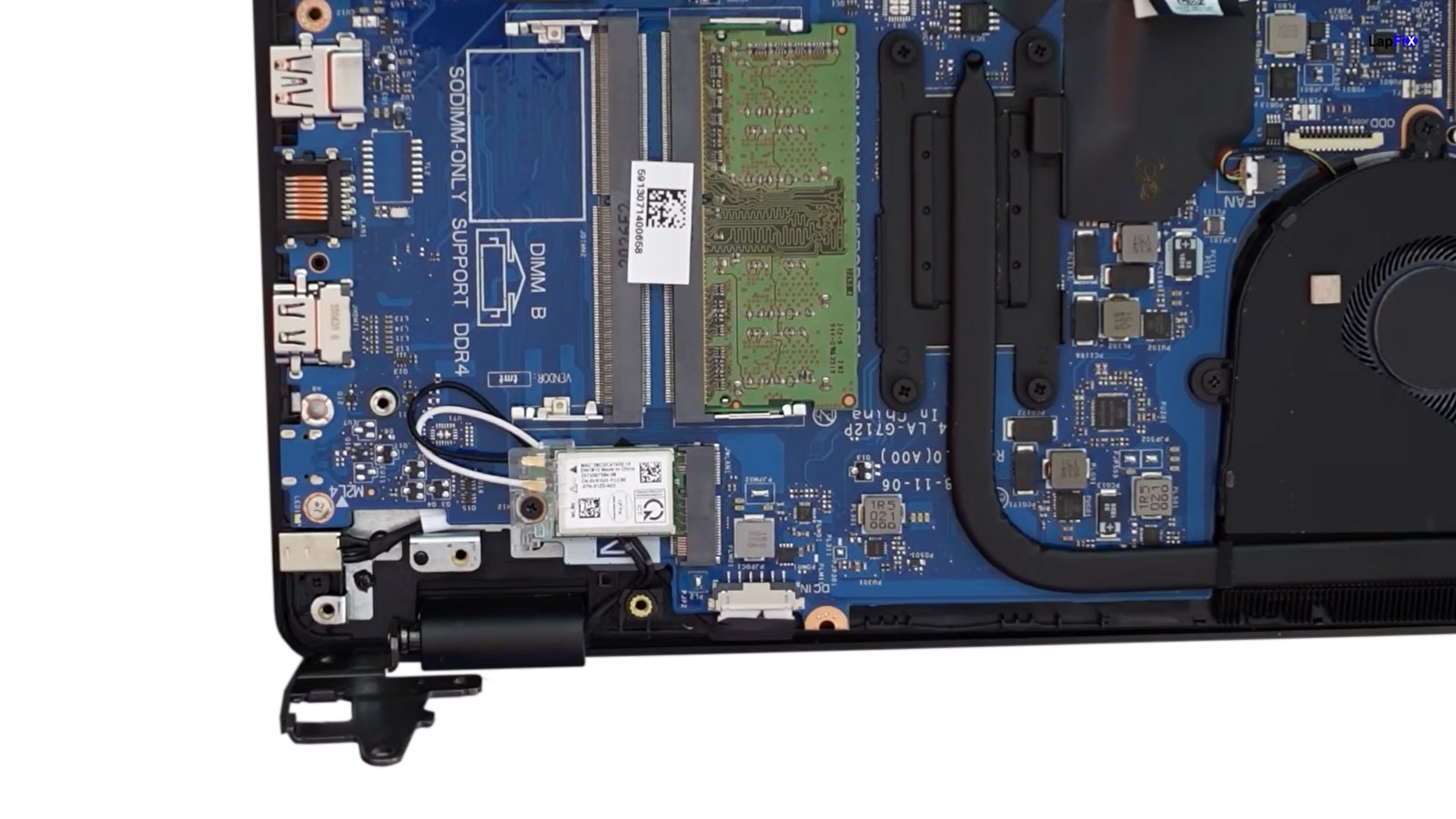
How a Small Power Connector Can Interrupt an Entire Laptop
A laptop charging port is used every time the power adapter is connected or removed. Although the connector appears simple from the outside, it must maintain a stable electrical connection while supporting repeated movement, cable weight, transportation, and years of everyday use. When that connection begins deteriorating, the laptop may charge intermittently, lose power when the cable moves, or stop recognizing the adapter completely.
Charging-port problems are often confused with defective batteries and failed power adapters because all three can produce similar symptoms. A laptop that does not charge may have a damaged external charger, a worn connector, broken internal wiring, failed solder joints, or a problem deeper inside the motherboard’s charging circuit.
Recognizing how the charging connection works helps explain why replacing the battery or charger does not always resolve the problem. The visible port is only one part of a larger electrical path that carries power from the wall outlet into the laptop.
What the Charging Port Actually Does
The charging port provides the physical connection between the AC adapter and the laptop’s internal power system. Electrical power enters through the connector and then travels toward protection circuits, charging components, the battery, and the voltage regulators that supply the motherboard.
Some laptop charging ports are soldered directly to the motherboard. Others connect through a short cable or separate daughterboard. The design affects how the port fails and whether the repair involves replacing a cable assembly, repairing solder connections, or correcting damage on the motherboard itself.
- Receives power from the AC adapter.
- Maintains electrical contact while the laptop is in use.
- Transfers power toward the charging circuit.
- May include an identification or communication contact.
- Provides mechanical support for the adapter plug.
Because the port performs both an electrical and mechanical function, damage to either part can interrupt normal charging.
Repeated Connection Gradually Creates Wear
Every insertion and removal of the charger places a small amount of mechanical stress on the charging port. Under normal conditions, the connector is designed to tolerate many years of use. Wear develops faster when the plug is inserted at an angle, removed by pulling the cable, or left under sideways pressure while the laptop is operating.
Over time, internal contacts may lose tension, the connector housing may loosen, or the port may begin moving inside the enclosure. The connection may still work, but only when the plug is held in a particular position.
- The charger must be angled before charging begins.
- Charging stops when the cable is touched.
- The connector feels looser than it did previously.
- The charging light turns on and off repeatedly.
- The laptop switches between battery and adapter power.
These symptoms often appear gradually and may continue for weeks or months before the connection fails completely.
Sideways Pressure Is a Common Cause of Damage
A charger cable extending from the side or rear of a laptop can place leverage on the connector when it is pulled, stepped on, caught around furniture, or pressed against a wall. Even when the force is not strong enough to break the port immediately, repeated sideways pressure can weaken the mounting points over time.
Using the laptop on a bed or couch may also bend the connector when the computer shifts position. A plug that remains under constant pressure acts like a small lever against the internal port and surrounding enclosure.
Protecting the connector from sideways movement is one of the simplest ways to reduce charging-port wear during everyday use.
Drops and Impacts Can Transfer Force Through the Plug
A laptop that falls while the charger is connected may suffer more damage than one that falls without anything attached. The adapter plug can transfer the impact directly into the charging port, cracking the connector, breaking its internal support, damaging the surrounding plastic, or separating solder joints from the motherboard.
The laptop may continue charging afterward, but the connection can become intermittent because the damage is only partial. In other cases, the port may be pushed inward or become visibly misaligned immediately after the impact.
| Observed Condition | Possible Damage |
|---|---|
| Port moves inside the case | Broken mounting support or enclosure damage |
| Charging works only at an angle | Worn contact, cracked connection, or damaged plug |
| Port appears pushed inward | Impact damage or broken bracket |
| No charging after a fall | Port, cable, motherboard, or adapter damage |
| Visible cracking around the connector | Enclosure and internal support damage |
Solder Joints Can Crack Under Repeated Stress
Charging ports mounted directly to the motherboard rely on solder joints to provide both electrical connection and mechanical support. Repeated movement, cable pressure, impacts, and normal heating and cooling cycles may gradually weaken these joints.
A cracked solder joint may maintain contact while the laptop is stationary and disconnect when the plug moves slightly. Because the separation can be extremely small, the connector may look normal from the outside even though the electrical path is unstable.
Continuing to use a loose connection may increase heat around the damaged area and place additional stress on the surrounding circuit-board pads. Early attention can sometimes prevent a localized connection problem from becoming more extensive motherboard damage.
Some Charging Ports Use a Separate Cable
Not every charging connector is soldered directly to the main motherboard. Some laptops place the port on a short cable or separate circuit board that connects internally to the motherboard. This design allows the connector assembly to be replaced without performing soldering work on the main board.
However, the cable, internal plug, mounting bracket, and small circuit board can still fail. A loose internal connection or damaged cable may create the same intermittent symptoms as a worn external charging port.
Identifying the laptop’s internal design is therefore important before determining which part actually requires repair or replacement.
The Adapter Plug Can Wear Along With the Port
The charging port is only one half of the connection. The plug at the end of the AC adapter experiences the same repeated insertions, removals, twisting, and accidental impacts. As both components wear together, determining which one is responsible for an intermittent charging problem becomes increasingly important.
A bent plug, damaged center pin, cracked insulation, or stretched connector can interrupt power even when the charging port itself remains in good condition. Likewise, a perfectly functioning charger may still fail to deliver stable power if the laptop’s internal connector has become loose or damaged.
- Bent or damaged adapter plug.
- Loose center contact.
- Frayed cable near the connector.
- Cracked outer insulation.
- Heat damage around the plug.
Because the charger and charging port function as a single electrical connection, evaluating both components together often produces a more accurate diagnosis than examining either one individually.
Heat Can Damage Electrical Contacts
A stable electrical connection generates very little heat. When the connector becomes loose or partially damaged, electrical resistance may increase at the point of contact. As current continues flowing through that restricted connection, localized heating can gradually develop.
Repeated heating may discolor the connector, weaken surrounding plastic, or further reduce the quality of the electrical contact. In severe situations, the charging connector or motherboard pads may suffer permanent damage if the condition continues unchecked.
| Observation | Possible Explanation |
|---|---|
| Connector feels unusually warm | Increased electrical resistance. |
| Burn marks near the port | Excessive localized heating. |
| Plastic appears discolored | Repeated overheating. |
| Burning odor during charging | Electrical damage requiring inspection. |
| Charging becomes increasingly unreliable | Progressive connector deterioration. |
Some Manufacturers Include Identification Pins
Not every laptop charging connector transfers only electrical power. Some manufacturers include an additional identification contact that allows the computer to recognize the connected adapter. If this communication path is interrupted, the laptop may refuse to charge the battery even though electrical power is still reaching the computer.
This design explains why certain laptops can operate from the adapter while displaying messages that the charger cannot be identified or that battery charging has been limited. The charging port, adapter, identification circuitry, or motherboard may all contribute to this type of symptom.
Because these systems involve both electrical power and communication signals, replacing the battery alone rarely resolves the underlying cause.
Battery Problems Can Resemble Charging-Port Failure
A battery reaching the end of its service life can create symptoms that appear similar to a damaged charging connector. The laptop may report that it is plugged in but not charging, operate only while connected to the adapter, or shut down shortly after the power cable is removed.
These observations do not necessarily indicate that the charging port has failed. The battery, charging circuit, power adapter, and connector all interact as part of the same electrical system, making careful testing essential before replacing components.
- Battery no longer accepts a charge.
- Laptop runs only while plugged in.
- Charging percentage never increases.
- Battery drains unusually quickly.
- Battery health has declined over time.
The Motherboard Charging Circuit May Be Responsible
Even when both the charger and charging port are functioning correctly, the internal charging circuit on the motherboard may prevent the battery from charging properly. Modern laptops contain protective components, charging controllers, power-management circuits, and voltage regulation stages that operate together before electrical energy reaches the battery.
A fault within this circuitry may produce symptoms almost identical to those caused by a damaged connector. The laptop may recognize the adapter intermittently, refuse to charge, or operate only from battery power despite the charger being connected.
This is one reason charging problems should not automatically be blamed on the visible connector. Several components along the same electrical path can produce nearly identical behavior.
Following the Complete Power Path
Accurate diagnosis follows the electrical path from the wall outlet to the battery rather than focusing immediately on one suspected component. Each section of the power system can be evaluated individually while comparing its behavior with the symptoms reported by the user.
- Confirm the AC adapter is supplying stable output.
- Inspect the adapter plug and charging connector.
- Evaluate whether movement affects the electrical connection.
- Verify that the motherboard receives input power.
- Observe charging-circuit operation.
- Assess battery condition and charging response.
Working through the complete power path helps distinguish a worn connector from adapter problems, battery deterioration, or motherboard faults without relying on assumptions.











