
Why Motherboards Fail and Why They Are Often Misdiagnosed
The motherboard is often described as the heart of a laptop because nearly every major component communicates through it. The processor, memory, storage devices, display, keyboard, battery, charging circuit, and wireless hardware all depend on the motherboard to exchange information and distribute electrical power correctly. When a fault develops on the motherboard, the symptoms can resemble dozens of completely different problems.
For that reason, motherboard failures are among the most misunderstood computer problems. A laptop that refuses to turn on does not automatically have a defective motherboard. Likewise, a motherboard problem may appear to be a battery issue, a charging problem, defective memory, a failed screen, or even a software issue.
Understanding how these failures develop helps explain why careful diagnosis is often far more important than immediately replacing expensive parts.
What Does the Motherboard Actually Do?
The motherboard serves as the central circuit board that connects nearly every internal device. Besides providing communication pathways between components, it distributes carefully regulated voltages throughout the system, allowing each circuit to receive the electrical power required for proper operation.
Modern laptop motherboards contain thousands of electronic components working together. Tiny integrated circuits, voltage regulators, capacitors, resistors, MOSFETs, inductors, and connectors all perform specialized tasks. Although many of these components are physically small, the failure of a single part may prevent the entire computer from operating.
- Distributes electrical power.
- Coordinates communication between hardware components.
- Controls the startup sequence.
- Manages charging functions.
- Provides connections for storage, memory, display, keyboard, and external devices.
- Monitors temperatures and system protection circuits.
Because so many systems depend on the motherboard simultaneously, symptoms often overlap with completely unrelated hardware failures.
Common Symptoms of Motherboard Problems
Motherboard failures do not always produce dramatic warning signs. Some develop gradually while others occur suddenly after a power surge, liquid spill, physical impact, or electrical component failure. In many situations the laptop simply appears to stop working without any obvious explanation.
The same symptom may have several possible causes, which is why experienced technicians rarely diagnose a motherboard failure based on a single observation.
- The laptop shows no signs of power.
- Power lights illuminate but the display remains black.
- The charging indicator behaves abnormally.
- The computer turns on briefly and immediately shuts off.
- Random freezing occurs even after reinstalling Windows.
- USB ports or other hardware suddenly stop functioning.
- The battery is no longer recognized correctly.
- The cooling fan starts but the laptop never completes startup.
Why Motherboards Fail
Electronic components naturally experience wear throughout years of operation, but laptops are also exposed to heat, transportation, accidental drops, liquid spills, dust, and unstable electrical conditions. Unlike desktop computers, nearly every component inside a laptop is packed into a compact enclosure where temperatures fluctuate continuously during normal use.
These operating conditions place constant stress on solder joints, power components, charging circuits, and connectors. Most motherboards continue operating reliably for many years, but eventually one or more components may begin operating outside their intended specifications.
| Cause | Possible Effect |
|---|---|
| Excessive heat | Component degradation over time |
| Liquid damage | Corrosion and electrical short circuits |
| Power surges | Damage to charging or power circuits |
| Physical impact | Cracked solder joints or damaged connectors |
| Normal aging | Gradual electronic component wear |
Not Every “Dead Laptop” Has a Bad Motherboard
One of the biggest misconceptions in computer repair is assuming that a laptop which no longer powers on automatically requires motherboard replacement. In reality, several components can produce identical symptoms, including defective batteries, damaged charging ports, failed power adapters, memory problems, display failures, or even a faulty power button.
Systematic diagnosis separates these possibilities before conclusions are reached. Replacing a motherboard simply because the laptop will not turn on can become one of the most expensive mistakes in computer repair if the actual problem lies elsewhere.
Power Problems Do Not Always Mean Motherboard Failure
One of the first questions during diagnosis is whether electrical power is actually reaching the motherboard. A laptop that appears completely dead may have a defective AC adapter, a damaged charging connector, an internal fuse that has opened, or a battery that no longer accepts a charge. Until these possibilities are evaluated, concluding that the motherboard itself has failed would be premature.
Professional diagnosis usually follows the path that electrical power takes through the laptop. Beginning at the charger, power passes through the charging connector and protection circuitry before reaching various voltage regulators distributed across the motherboard. If power is interrupted anywhere along this path, the laptop may appear completely inoperative even though most of the motherboard remains fully functional.
This methodical approach helps identify the actual point where the electrical path stops instead of replacing major assemblies based solely on visible symptoms.
Voltage Rails Work Together
Modern laptop motherboards do not operate from a single voltage. Instead, they generate multiple regulated voltage rails that supply different sections of the computer. Some circuits remain active whenever the charger is connected, while others become active only after the power button is pressed and the startup sequence begins.
If one essential voltage rail fails to appear, the startup process may stop immediately. The laptop might illuminate a charging LED, spin the cooling fan briefly, or display no visible activity at all depending on which circuit has been affected.
- Standby power circuits.
- Processor power supplies.
- Memory voltage regulators.
- Graphics power circuits.
- Storage device power.
- Display backlight power.
Although these circuits perform different functions, they depend on one another during startup. Diagnosing the sequence correctly often reveals why the computer stops at a particular stage.
Liquid Damage Is Often Progressive
Many people expect liquid damage to cause immediate failure, but that is not always the case. A laptop may continue operating normally after a spill and only begin developing problems days or weeks later as corrosion slowly affects exposed electronic components.
Corrosion increases electrical resistance, weakens solder joints, and may eventually create unwanted electrical paths between nearby conductors. Depending on the affected area, the symptoms can range from charging problems and keyboard failures to complete loss of power.
- Intermittent charging.
- Random shutdowns.
- Keyboard keys that stop responding.
- USB ports functioning inconsistently.
- Failure to power on after previously working normally.
Because corrosion continues developing over time, early inspection after a spill often improves the chances of preventing additional damage.
Heat Gradually Weakens Electronic Components
Heat is one of the greatest long-term stresses placed on laptop motherboards. Every time the computer is turned on, electronic components expand slightly as they warm and contract again when they cool. Over thousands of heating and cooling cycles, this constant movement contributes to normal aging.
Excessive operating temperatures accelerate this process. Dust accumulation, blocked air vents, deteriorated thermal compound, and failing cooling fans may allow temperatures to rise beyond normal operating conditions, placing additional stress on power components and solder joints.
While heat alone does not guarantee motherboard failure, reducing unnecessary operating temperatures contributes to longer component life throughout the computer.
Intermittent Problems Can Be the Most Difficult to Diagnose
Some motherboard faults appear only occasionally. A laptop may start successfully several times before refusing to power on, or it may freeze unpredictably after operating normally for hours. These intermittent failures are often more challenging to diagnose than complete failures because the symptoms cannot always be reproduced on demand.
Temperature changes, slight board movement, aging solder joints, or marginal electronic components may all contribute to intermittent behavior. Careful observation often provides valuable clues regarding when the problem occurs and what conditions trigger it.
| Observed Symptom | Possible Explanation |
|---|---|
| Works only after cooling down | Heat-sensitive electronic component |
| Starts after several attempts | Intermittent power circuit |
| Random freezing | Motherboard, memory, or processor instability |
| Charging stops unexpectedly | Charging circuit or connector issue |
| No display while power LEDs remain on | Display circuitry or motherboard initialization problem |
Diagnosis Before Replacement
Replacing a laptop motherboard is often one of the most expensive hardware repairs. Before making that decision, experienced technicians generally confirm that supporting components such as memory modules, storage devices, displays, batteries, power adapters, and charging connectors are operating correctly. Eliminating these possibilities helps ensure that replacement parts are recommended only when truly necessary.
A careful diagnostic process frequently identifies problems that can be corrected without replacing the entire motherboard. Taking the time to understand the source of the failure often leads to a more practical and cost-effective repair.
Can Every Motherboard Be Repaired?
Not every motherboard failure requires complete replacement. The appropriate solution depends entirely on which component has failed and how extensive the damage has become. Some problems involve damaged charging circuits, failed power components, broken connectors, or other localized electronic faults that may be repairable. Others involve severe physical damage, extensive corrosion, multiple failed circuits, or processor-related failures that may make replacement the more practical option.
Because every motherboard is different, the condition of the board should be evaluated before deciding whether repair or replacement offers the better long-term solution. Replacing an entire motherboard without understanding the actual failure may unnecessarily increase repair costs.
The Importance of Careful Diagnosis
One of the biggest advantages of systematic diagnosis is avoiding unnecessary repairs. Two laptops may display identical symptoms while requiring completely different solutions. A computer that appears completely dead could have a damaged charging connector, while another with the same behavior may have a failed power-management circuit. Looking only at the symptoms rarely tells the complete story.
Following the electrical path through the laptop, measuring voltages, inspecting components, and eliminating other possible causes allows the actual fault to be identified with much greater confidence. This process often saves both time and unnecessary expense.
When Small Components Create Big Problems
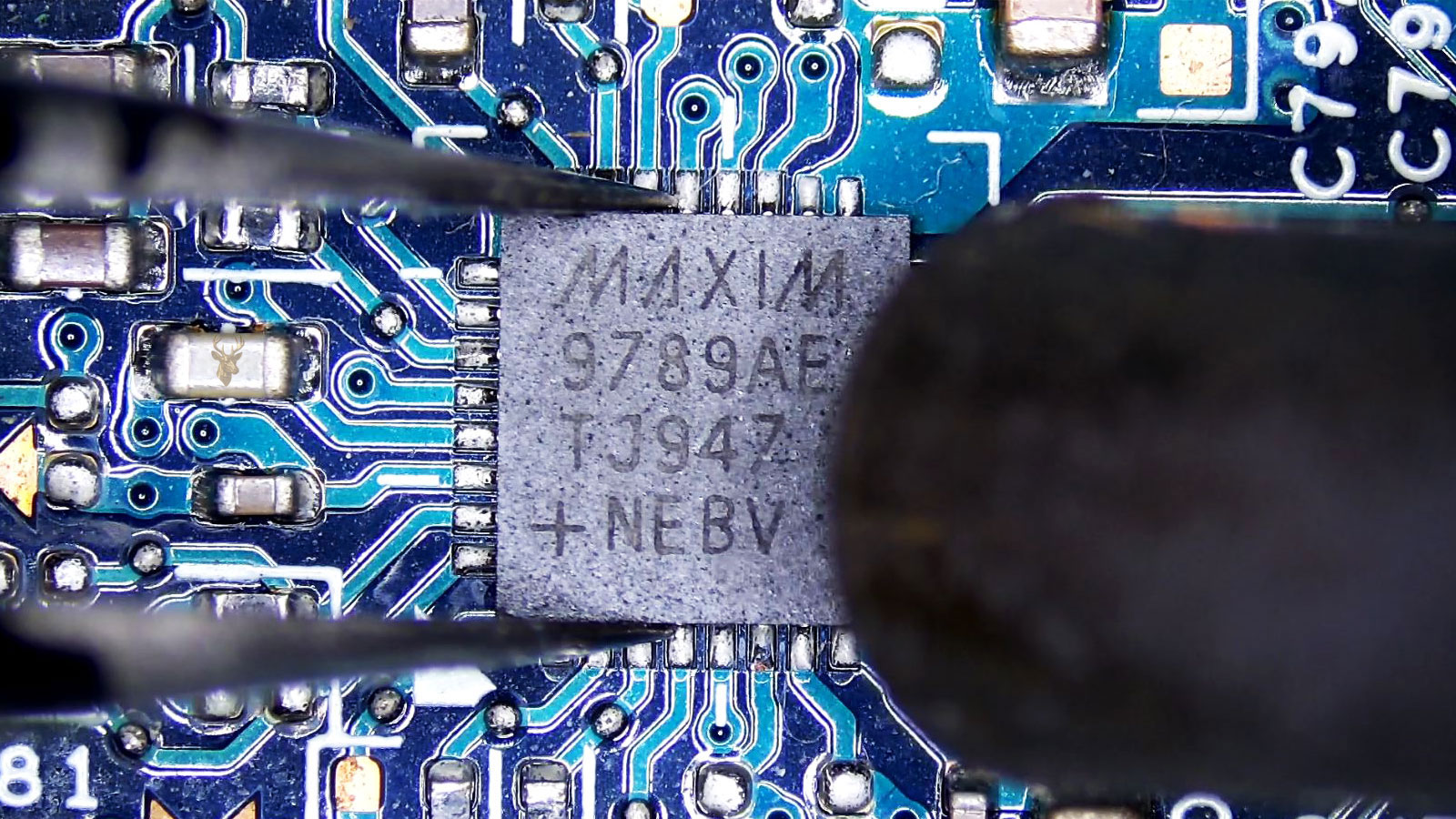
Many motherboard failures originate from components that are physically very small. Modern laptop circuit boards contain tiny power-management integrated circuits, MOSFETs, capacitors, coils, resistors, filters, and protective devices working together to control voltage throughout the system. The failure of a single component can interrupt the startup sequence or prevent an entire section of the motherboard from operating correctly.
Because these components are measured in millimeters rather than inches, diagnosis often requires magnification, specialized measuring equipment, and careful inspection techniques that are very different from ordinary computer troubleshooting.
Readers interested in learning more about repairing individual electronic components can also explore our Microsoldering page, which explains how localized circuit-level repairs differ from replacing complete assemblies.
Protecting Your Laptop From Motherboard Damage
Although electronic components naturally age, several everyday habits can reduce unnecessary stress on a laptop motherboard and help extend its useful life.
- Keep air vents free of dust and obstructions.
- Avoid using the laptop on soft surfaces that restrict airflow.
- Disconnect the charger by holding the connector instead of pulling the cable.
- Keep liquids away from the keyboard and ventilation openings.
- Protect the computer from impacts during transportation.
- Address overheating or charging problems before they become more serious.
- Use a compatible power adapter designed for the laptop model.
Understanding the Bigger Picture
Laptop motherboard failures are often viewed as mysterious because the symptoms rarely point directly to the actual cause. A computer that will not power on, repeatedly freezes, refuses to charge, or displays no video may involve several different systems working together rather than a single defective component.
Taking the time to diagnose the problem systematically provides a clearer understanding of what has actually failed before repair decisions are made. In many situations, identifying the source of the fault is just as important as the repair itself.
Understanding how the motherboard interacts with the rest of the laptop also makes it easier to recognize why symptoms can overlap and why replacing parts based on assumptions often leads to unnecessary expense. A careful, methodical approach remains one of the most effective ways to restore reliable operation while avoiding repairs that the computer may never have needed.











