
Computer Repair Silver Bluff Estates
Computer Repair for Silver Bluff Estates Homes, Laptops, and Work Devices
Silver Bluff Estates has an established Miami neighborhood feel, with homes, apartments, and home offices where computers support work, school, family records, billing, projects, and daily communication. When a laptop, desktop, Mac, or workstation stops working correctly, the repair needs to focus on the device’s actual condition instead of quick assumptions.
Repair help is available for local customers dealing with power problems, screen damage, charging issues, overheating, storage failure, liquid exposure, performance trouble, and hardware faults that require deeper testing. The goal is to give each customer a clear explanation of what failed, what can be repaired, and what makes sense for the device.
Practical Support for Everyday Devices and Serious Failures
Some computer problems are simple on the surface but more serious once the device is opened and tested. A laptop that will not charge may have a damaged port or power circuit, a desktop that shuts down may have cooling or motherboard trouble, and a computer that will not boot may still contain recoverable files that need careful handling.
Customers in the area can get help with PC repair, Mac repair, laptop hardware repair, desktop troubleshooting, data recovery, upgrades, and advanced diagnostics. Each repair is approached with attention to the symptoms, the value of the computer, and the information stored inside.
A Clear Path From First Check to Final Result
A good repair process should make the problem easier to understand, not more confusing. Before parts are recommended or major work begins, the device is inspected, the reported symptoms are reviewed, and the most likely failure points are tested so the repair direction is based on evidence.
Confirm the Symptoms
The first step is to check what the computer is actually doing: no power, no image, startup failure, fan noise, charging trouble, random shutdowns, missing data, overheating, or software instability. This keeps the repair focused on the real problem instead of guessing from one visible symptom.
Test the Most Important Components
Power, display, battery, storage, memory, cooling, ports, operating system health, and board behavior are reviewed as needed. A proper inspection helps separate a failed part from a deeper issue such as liquid damage, a shorted circuit, a failing drive, or a motherboard problem.
Complete the Repair and Verify Stability
After the approved repair is completed, the device is tested again for startup, charging, display, keyboard response, temperature, storage health, and overall reliability. The final check helps confirm that the computer is ready to return to regular use.
Complete Hardware, Data, Mac, PC, and System Repair
Many computer problems need more than a basic cleanup or quick reset. Modern computers can fail at the screen, storage, power, cooling, charging, keyboard, logic board, operating system, or motherboard level, so the right repair category depends on where the failure is found.
Motherboard and Logic Board Repair
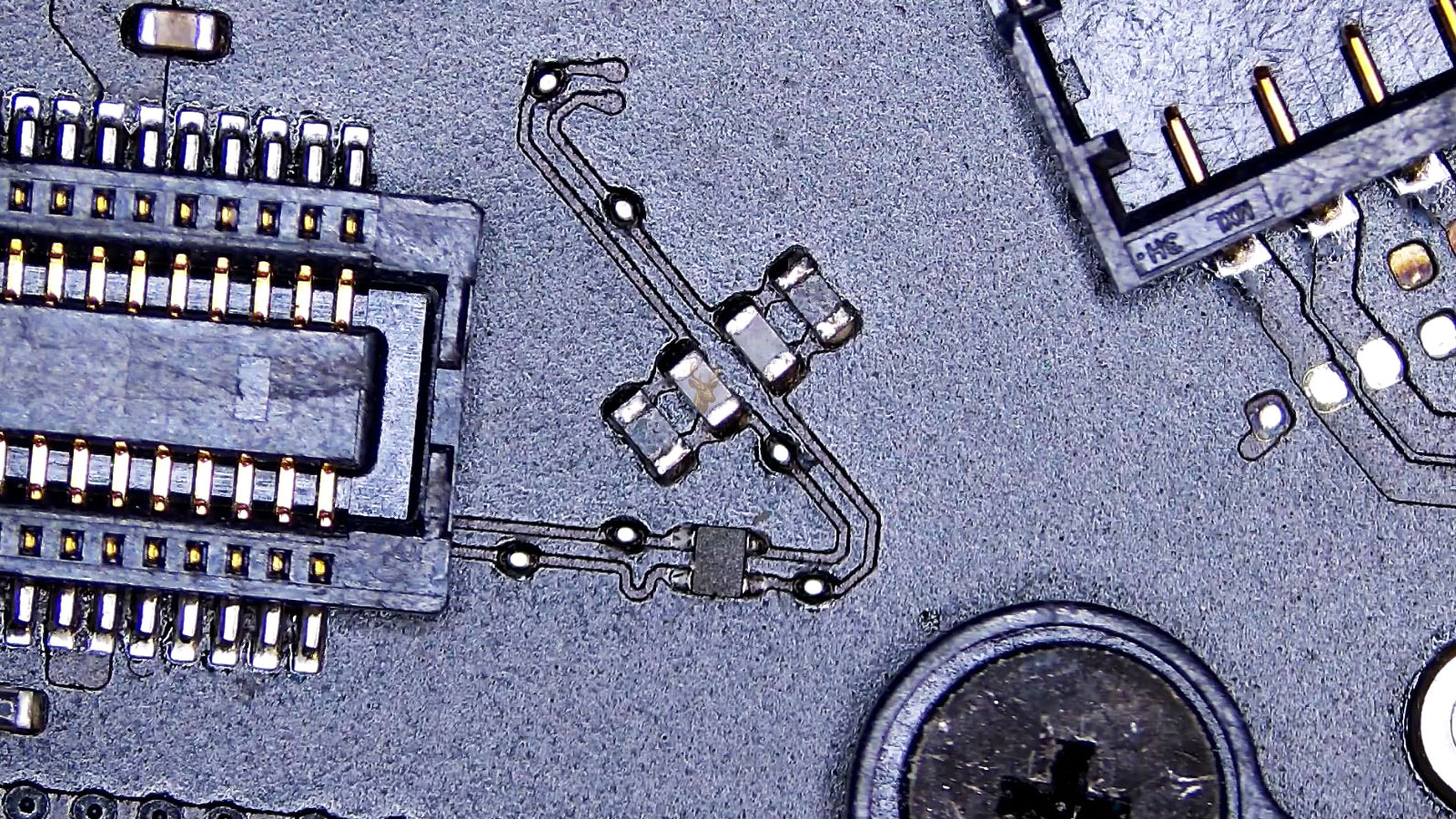
Board-level problems can cause no power, no charging, no display, random shutdowns, liquid damage symptoms, and short circuits. Advanced testing helps locate component failures that are not solved by basic part replacement.
Laptop Screen, Hinge, and Frame Repair
Cracked displays, broken hinges, damaged bezels, loose frames, and lid damage can make a laptop difficult or unsafe to use. These repairs restore the structure and display assembly so the device opens, closes, and works properly again.
MacBook Hardware Service
MacBook repairs may involve display failure, battery swelling, keyboard trouble, trackpad issues, charging problems, liquid exposure, storage faults, or logic board damage. Each case is tested to determine whether the issue needs a part replacement, cleaning, or board work.
Data Recovery and Drive Failure Support
Failing hard drives, damaged SSDs, corrupted systems, and non-booting computers can put important files at risk. Recovery support focuses on preserving documents, photos, business records, school files, and project folders before the storage problem becomes worse.
Desktop, Workstation, and Gaming PC Repair
Desktop systems can be tested for power supply failure, graphics card problems, cooling issues, RAM errors, motherboard faults, BIOS trouble, and storage instability. Repairs can also support custom builds, rebuilds, upgrades, and performance stability under heavier use.
System Repair, Malware Cleanup, and Performance Recovery
Software problems are handled carefully when a computer is infected, unstable, extremely slow, stuck during startup, or showing repeated system errors. Support can include operating system repair, malware removal, driver correction, startup repair, browser cleanup, and performance tuning.
Warning Signs That Should Not Be Ignored
Computer failures often give warning signs before the device stops working completely. Around residential blocks, home offices, and nearby places such as the Mini Park on SW 24 Street, a dependable computer may be needed throughout the day, so early symptoms should be checked before they become larger repair or data problems.
The Computer Powers On With a Blank Screen
A black display, dim image, flickering screen, or laptop that turns on without video can point to an LCD issue, display cable problem, graphics failure, backlight fault, or board-level damage. Testing helps confirm whether the failure is in the screen assembly or deeper inside the computer.
Charging Works Only at Certain Angles
A loose charger connection, USB-C port failure, damaged DC jack, weak battery, or power circuit issue can make charging unreliable. If the battery percentage does not move or the cable has to be held in place, the charging system should be inspected.
Startup Fails or Important Files Seem Missing
Boot loops, recovery messages, clicking drives, unreadable SSDs, blue screen errors, and missing folders can point to storage failure or file system damage. Repeated restart attempts can make recovery harder when the data is important.
Heat, Fan Noise, or Sudden Shutdowns Keep Happening
Overheating may come from dust buildup, a failing fan, dried thermal compound, blocked vents, graphics load, or cooling parts that no longer move heat properly. Loud fans, freezes, burning smells, and shutdowns under load are signs the hardware is under stress.
Liquid Reached the Keyboard, Ports, or Case
Water, coffee, soda, and other spills can reach the keyboard, trackpad, charging area, battery connection, ports, or motherboard. Even when the computer still turns on, corrosion can continue spreading and create new failures later.
Pop-Ups, Redirects, or Fake Alerts Keep Appearing
Repeated pop-ups, browser redirects, suspicious extensions, fake antivirus alerts, unknown programs, and security warnings can point to malware, adware, corrupted settings, or a compromised system. Proper cleanup checks more than the one visible warning.
Careful Handling for Devices, Parts, and Important Data
Computers used for work, family records, school projects, client files, and daily communication need careful repair handling. Each device is approached with a repair-first mindset: confirm the symptoms, inspect the hardware, protect important data when possible, and avoid unnecessary part replacement before the real failure is identified.
What to Expect During the Repair
The device is reviewed for visible damage, reported symptoms, power behavior, storage health, display response, and signs of liquid exposure or overheating when needed. Customers receive a clear explanation of the findings, the likely repair direction, and the practical options before moving forward with work on the computer.
Computer Pickup and Repair Service
Pickup can help when a device is too heavy, too fragile, or too unreliable to move without risk. A damaged desktop tower, a laptop with a broken screen, a MacBook affected by liquid, or a computer that will not power on can be collected for proper inspection instead of being handled repeatedly at home.
Pickup Help for Laptops, Desktops, Macs, and Workstations
Pickup service is useful when a desktop tower is too heavy to move, a laptop cannot stay powered on, a MacBook has internal damage, or important files need attention before more troubleshooting is attempted at home. Devices from the 33133 and 33145 ZIP code areas can be checked for hardware failure, storage issues, display problems, charging trouble, overheating, and data recovery needs.
Serving Residential Blocks Around SW 22nd Avenue and SW 27th Avenue
Repair support covers Silver Bluff Estates residences and nearby local streets, including areas around SW 22nd Avenue, SW 23rd Terrace, SW 25th Street, and SW 27th Avenue. Each device is received with attention to the reported symptoms, the condition of the hardware, and the importance of the data, so the repair path can be handled with the right level of care from the beginning.
Common Repair Questions
Before bringing in a device, many customers want to know whether the problem is worth repairing, whether files can be protected, and whether the issue is hardware, software, or both. These answers cover common situations for laptops, Macs, desktops, gaming systems, and computers that are no longer dependable.
Do you repair MacBooks with charging, battery, or logic board problems?
Yes. MacBook repair can include battery replacement, USB-C charging issues, liquid damage inspection, keyboard problems, trackpad failure, display issues, and logic board diagnostics. When the problem is deeper than a basic part swap, the device can be tested for power circuit faults and board-level damage.
Can you recover files from a computer that will not start?
Data recovery is available for many computers that no longer boot, freeze during startup, show drive errors, or have failing storage. The device is checked carefully before repair work continues so important files, photos, documents, and business data are not put at unnecessary risk.
Do you fix gaming PCs and custom desktop computers?
Yes. Gaming PCs and custom desktops can be tested for power supply failure, graphics card problems, overheating, motherboard faults, RAM issues, BIOS errors, storage failure, and cooling problems. Repairs can also include upgrades, rebuilds, cable cleanup, and stability testing under heavier use.
Is liquid damage repair available for laptops and MacBooks?
Yes. Liquid damage should be inspected as soon as possible, even if the computer still turns on. Moisture and corrosion can continue spreading inside the device and may affect the keyboard, charging area, battery connection, ports, display circuit, or motherboard.
Can Silver Bluff Estates customers get help with pickup for repair?
Pickup may be helpful when the device is difficult to move, will not power on, has a damaged screen, or contains important files that need careful handling. Laptops, desktops, Macs, and workstations can be checked for the reported symptoms before the repair path is explained.
Do you only handle hardware repairs, or can software problems be fixed too?
Both hardware and software problems can be handled. Repairs may involve screen replacement, charging repair, motherboard diagnostics, drive replacement, or data recovery, but support is also available for malware cleanup, operating system issues, startup errors, driver problems, and performance recovery.
Computer Repair Support That Fits the Way People Use Their Devices
From older Miami homes to updated residences and work-from-home spaces, computers often carry the work, records, communication, photos, projects, and daily tasks that keep life moving. When a device becomes unreliable, the best next step is not to repeat the same troubleshooting over and over, but to have the problem reviewed with the right attention to the hardware, the software, and the data inside.
The repair experience should feel clear, careful, and useful from the first inspection to the final decision. Whether the answer is repair, recovery, a replacement part, an upgrade, or an honest recommendation not to invest more into the device, the focus stays on giving the customer a practical way forward.