
Computer Repair Pinecrest
Repair Help for the Computers Behind Daily Routines
Pinecrest has a quieter residential feel, but the village stays active through its schools, parks, community programs, family schedules, and local workspaces. Pinecrest Gardens at 11000 Red Road remains one of the area’s best-known landmarks, with its history tied to the former Parrot Jungle property and a landscape recognized on the National Register of Historic Places.
From homes near Red Road and Killian Drive to areas around Pinecrest Community Center, Suniland Park, Veterans Wayside Park, Evelyn Greer Park, and Coral Pine Park, computers are part of how people manage work, school, business records, creative projects, and household responsibilities. When a system develops power trouble, screen damage, charging failure, storage problems, or internal hardware issues, repair support needs to treat the machine like more than a basic device swap.
A Service Option for Damaged, Unstable, or Hard-to-Move Systems
Repair requests can involve MacBooks with display problems, Windows notebooks with broken hinges, desktop towers that will not power correctly, machines affected by liquid exposure, or systems with motherboard faults that require more than a basic checkup. The service focus is on finding the source of the failure and handling the computer with the care required for real internal repair.
For situations where the computer is too heavy, too fragile, or too important to carry around casually, pickup can be arranged as part of the repair process. Residents, home offices, and local businesses have a way to get professional computer repair started without treating serious hardware problems like an ordinary inconvenience.
How Serious Computer Problems Are Reviewed Before Repair Begins
A damaged or failing computer should be handled with a clear repair path instead of rushed assumptions. Whether the issue involves power failure, display damage, a broken hinge, charging trouble, liquid exposure, storage failure, or board-level behavior, the system is reviewed in stages so the repair direction is based on what is actually happening inside the machine.
Start With the Condition of the Machine
The first step is to look at the computer’s physical and functional condition, including power response, screen behavior, charging status, visible damage, liquid history, unusual sounds, and whether important files may be at risk. This creates a clearer picture before deeper inspection begins.
Trace the Failure to the Right Area
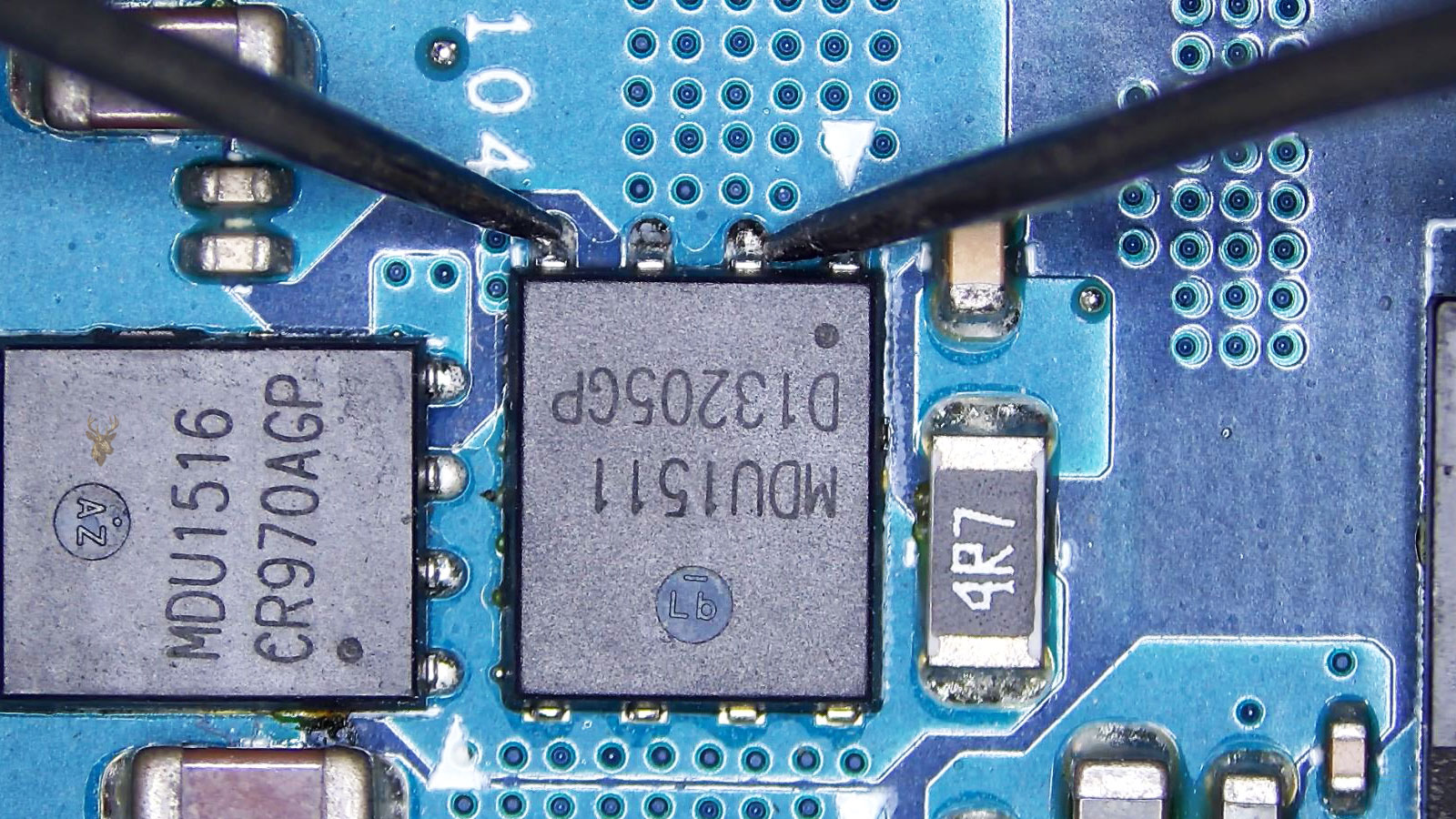
The issue is narrowed down by checking the areas most likely to be involved, such as the motherboard, charging circuit, display assembly, keyboard, battery, storage drive, cooling system, connectors, ports, or internal cables. This helps separate a simple replacement from a repair that may need component-level work.
Complete the Repair With Stability in Mind
Once the failure is identified, the repair is handled with attention to durability, safe operation, and normal everyday use. After the work is completed, the computer is checked for startup behavior, power stability, display function, charging response, temperature, file access, and overall reliability before it is ready to return.
Advanced Repair and Custom Computer Services
Customers often need more than basic troubleshooting when a computer has hardware damage, internal failure, display problems, storage issues, or performance demands that require a stronger system. These services focus on real repair work, careful component replacement, custom builds, and the kind of technical service needed when the computer is important for work, school, business, or specialized use.
Custom PC Builds for Specific Needs
Custom PC building is available for customers who need a system designed around specific goals, including business use, content creation, gaming, design work, office performance, storage capacity, cooling, or future upgrades. Each build can be planned around the customer’s preferred performance level, parts, budget, and long-term use.
All-in-One Computer Service and Drive Repair
All-in-one computers can develop storage problems, slow boot times, failed hard drives, overheating, and internal maintenance issues that are harder to service than standard desktops. Repair can include drive replacement, system restoration, internal cleaning, performance service, and careful handling of the compact internal layout.
Data Recovery for Failing Storage
When a hard drive or SSD begins to fail, the priority is protecting the files before the damage becomes worse. Data recovery service can help with systems that no longer boot, drives that make unusual noises, corrupted storage, missing files, or all-in-one computers where the drive needs to be removed and handled carefully.
MacBook Air LCD Screen Replacement
MacBook Air screen problems can include cracked LCD panels, dark displays, flickering images, lines across the screen, backlight failure, or display damage after impact. LCD screen replacement restores the visual function of the MacBook Air while protecting the surrounding housing, cables, and internal connections.
Laptop Broken Hinge Repair
Broken laptop hinges can damage the screen, frame, display cable, webcam wiring, palm rest, and top cover if the computer keeps being opened and closed. Hinge repair focuses on correcting the structural failure before the damage spreads and turns into a larger repair.
PC Motherboard and Laptop DC Jack Repair
Motherboard and DC jack problems can cause no power, charging failure, loose power connections, shutdowns, or systems that only work when the cable is held in a certain position. Repair is available for PC motherboard faults and laptop DC jack issues on both Mac and Windows systems when the failure requires internal service.
Symptoms That Point to Real Computer Repair Work
Some computer problems are early warnings that a part is failing, a connection is damaged, or the system is no longer safe to keep using normally. These signals can show up in custom PCs, all-in-one computers, MacBook Airs, business laptops, and desktops that need proper internal repair instead of basic software attention.
A Custom PC Runs Hot Under Normal Workloads
High temperatures during gaming, design work, video editing, or heavy office use can point to poor airflow, weak cooling, incorrect fan setup, dried thermal compound, dust buildup, or hardware that is not balanced for the way the computer is being used.
An All-in-One Computer Starts Clicking or Freezing
Clicking sounds, repeated freezing, slow loading, drive errors, or long delays before the desktop appears can be warning signs of a failing hard drive or internal storage problem. All-in-one systems should be checked carefully because the drive is inside a compact display-style enclosure.
A MacBook Air Display Shows Blotches or Pressure Marks
Dark spots, bright patches, color bleeding, pressure marks, or damaged areas inside the LCD can mean the screen panel has been stressed or cracked internally. Even when the outside glass looks acceptable, the display assembly may still need replacement.
The Laptop Base Cracks Near the Hinge Area
Cracks near the hinge screws, lifted plastic, separated corners, or resistance when opening the lid can signal structural hinge damage. This kind of failure can spread into the top cover, screen frame, display cable, or palm rest if the laptop keeps being forced open.
The Power Jack Moves Inside the Laptop
A loose DC jack, unstable charging connection, or power plug that has to be positioned a certain way may indicate a broken jack, damaged solder points, worn internal connector, or stress around the charging area. This should be repaired before the board or charging circuit is damaged further.
The Desktop Powers On but Never Reaches the BIOS
Fans may spin and lights may come on, but the computer may never post, show BIOS, or reach a usable startup screen. That behavior can point to motherboard failure, RAM issues, CPU power trouble, damaged graphics hardware, or a board-level fault that needs proper diagnostic work.
Detailed Handling for Computers That Need Real Shop Attention
A computer may need more than a surface-level inspection, especially when the issue involves a custom PC build, an all-in-one system, a damaged MacBook Air screen, a broken hinge, a loose DC jack, or a motherboard that is no longer responding correctly. Each repair starts by treating the machine as a complete system, not just a single symptom.
Internal parts are handled carefully so the repair process does not create new damage while the original problem is being traced. Displays, storage drives, charging ports, boards, hinges, batteries, cooling parts, cables, and connectors are reviewed based on the type of failure and the way the customer depends on the computer.
What Customers Should Expect During Service
The goal is to identify whether the repair calls for part replacement, board work, drive service, structural repair, screen replacement, or a custom hardware solution. For example, a failing all-in-one drive is handled differently from a cracked MacBook Air LCD, and a loose laptop power jack is approached differently from a desktop motherboard fault.
Residents, home offices, and local businesses can expect the service to focus on the machine’s condition, the customer’s files, and the long-term usefulness of the repair. The process is meant to be clear, careful, and professional from the first review through the point where the system is ready to be used again.
A Safer Way to Start Repair for Computers That Need Careful Transport
Some computers should not be carried around casually, especially when the screen is cracked, the hinge is separating, the power jack is loose, the battery is swollen, or the system is part of a larger home office or custom workstation setup. A pickup arrangement can help begin the repair process while reducing unnecessary handling of a fragile or important machine.
Service Reach Across Neighborhoods
Pickup coordination can support customers near Red Road, Kendall Drive, Old Cutler Road, Pinecrest Gardens, Suniland, and the residential streets around parks, schools, and local workspaces.
This can be especially useful when the computer is an all-in-one system, a desktop tower, a MacBook with display damage, or a laptop with a hinge problem that could get worse during transport. The goal is to help move the repair forward without adding avoidable stress to the computer.
Helpful for Home Offices, Families, and Local Professionals
Many computers are used for school schedules, remote work, billing, client files, creative projects, and business communication. When one of those systems fails, the repair needs to start in a way that fits the customer’s schedule and protects the machine from further damage.
A pickup option can be arranged when it is the better choice for the situation, whether the repair involves a custom PC, a damaged laptop, a failing all-in-one computer, a MacBook Air screen, a DC jack issue, or a motherboard problem that requires shop-level attention.
Questions Customers Ask Before Scheduling Hardware Repair
Customers often contact us when the computer problem involves physical damage, custom hardware needs, storage failure, charging trouble, display damage, or a machine that should be inspected inside the shop. These questions focus on the types of repairs this page covers, including custom PCs, all-in-one systems, MacBook Air screens, laptop hinges, motherboard repair, DC jack repair, and pickup coordination.
Can you build a custom PC based on the way I plan to use it?
Yes. A custom PC can be planned around the customer’s actual needs, such as gaming, office work, content creation, design software, storage capacity, quiet operation, cooling, future upgrades, or a specific budget. The goal is to build a system that fits the purpose instead of selling a generic computer that may not match the workload.
Do you repair all-in-one computers with failing hard drives?
Yes. All-in-one computers can be serviced when the hard drive is failing, the system is slow, the computer takes too long to start, or the drive needs to be replaced. Because these machines are built inside the display housing, they need careful disassembly, internal cleaning, storage testing, and proper reassembly.
Can files be recovered from an all-in-one computer that will not boot?
In many cases, data recovery may be possible if the storage drive is still readable or partially accessible. The computer and drive should be checked carefully before reinstalling the system, replacing parts, or continuing to power it on, because repeated failed starts can make a weak drive worse.
Do you replace MacBook Air LCD screens?
Yes. MacBook Air LCD screen replacement is available for cracked panels, lines on the display, dark images, flickering, backlight trouble, pressure marks, or screen damage after impact. The repair focuses on restoring the display while protecting the housing, cables, and surrounding internal connections.
Should a broken laptop hinge be repaired right away?
Yes. A broken hinge can damage the screen, display cable, webcam wiring, top cover, palm rest, and frame if the laptop continues to be opened and closed. Repairing the hinge early can prevent the problem from spreading into a more expensive structural or display repair.
Can you repair motherboard and DC jack problems on laptops and PCs?
Yes. Motherboard repair and DC jack repair are available for systems with charging problems, loose power connections, no-power behavior, intermittent shutdowns, damaged ports, or power issues that require internal inspection. This can apply to Windows laptops, desktop PCs, Mac systems, and computers with board-level or connector-related failures.
A Dependable Repair Path for Systems That Matter
A computer used in a home, office, studio, or family workspace can carry more responsibility than it appears from the outside. Custom PCs, all-in-one computers, MacBook Air screens, laptop hinges, charging jacks, motherboards, storage drives, and internal components all need the right repair approach when something fails, breaks, or starts acting unreliable.
Customers can request computer repair service for serious hardware problems, damaged laptops, failing desktops, screen replacement, data access concerns, DC jack issues, motherboard faults, and systems that need careful shop-level attention. When the computer is important to your work, school, business, or daily routine, there is a clear way to start the repair process professionally.