
Computer Repair Miami Beach
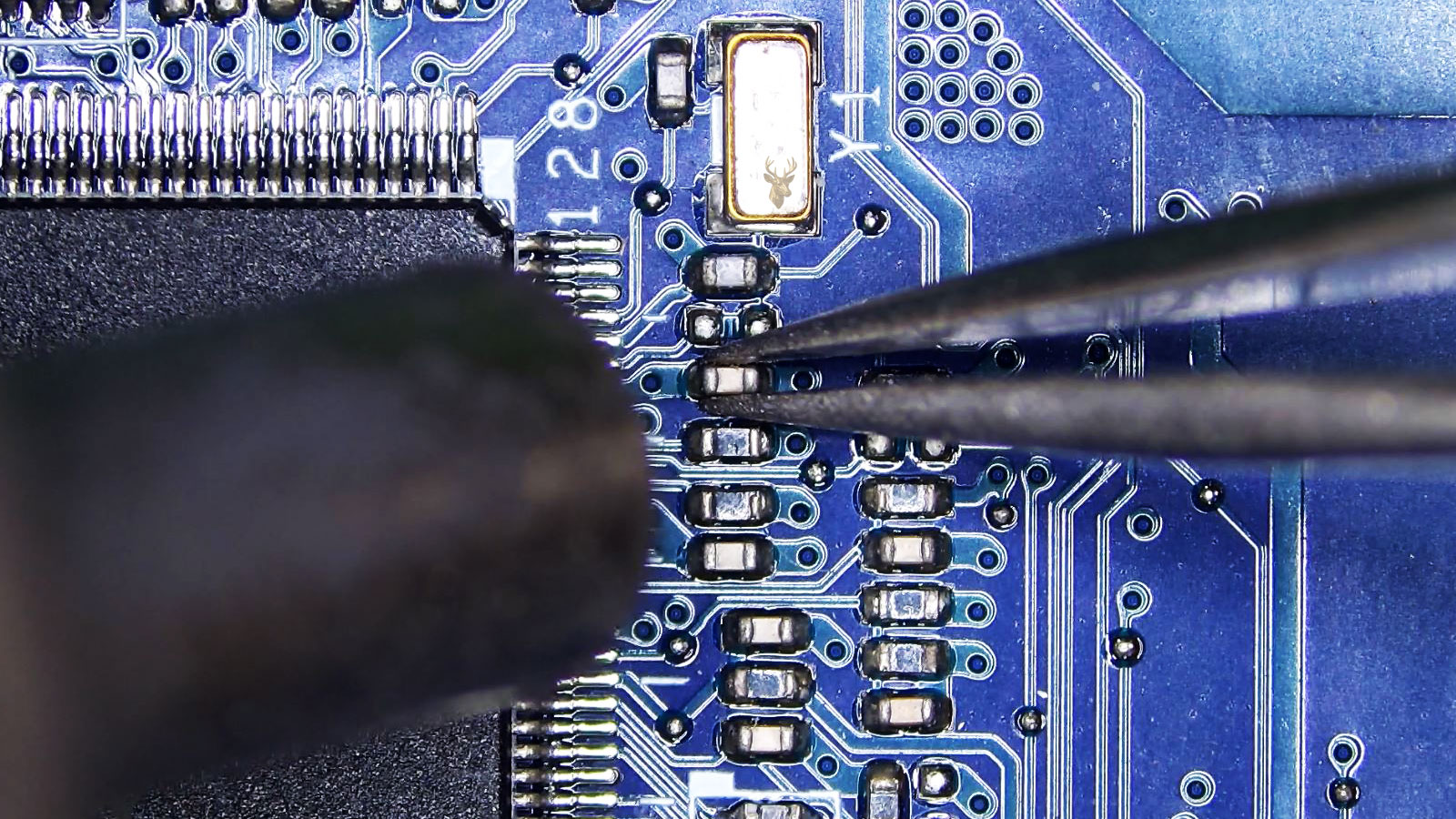
Repair Support for Condos, Hotels, Shops, Home Offices, and Beachside Workspaces
Miami Beach has a rhythm that is different from most places in Miami-Dade County. Computers are used inside oceanfront condos, boutique hotels, restaurants, retail shops, creative studios, front desks, vacation rentals, home offices, and small business spaces spread across South Beach, Mid Beach, and North Beach. A laptop may be used for remote work near Collins Avenue, a desktop may run a reservation desk close to Ocean Drive, and a Mac may hold photos, design files, music projects, business documents, or travel records that cannot be treated casually.
Repair needs can come from everyday use, constant travel, salt-air exposure, heavy charging, liquid spills, cracked screens, swollen batteries, damaged ports, overheating, failed storage, and board-level electrical faults. The goal is to look beyond the surface symptom and understand how the computer is actually being used, whether it supports a household, a hospitality space, a storefront, a student, a freelancer, or a business that depends on fast access to files and working equipment.
Built for a City With Historic Streets, High Foot Traffic, and Serious Daily Device Use
From the Art Deco blocks between 5th Street and 23rd Street to Lincoln Road, Española Way, South Pointe Park, Washington Avenue, and quieter residential sections farther north, the area brings together tourism, local living, nightlife, office work, hospitality, and creative production in a compact island setting. That mix creates many different repair situations, from a personal laptop with charging trouble to a business computer tied to customer records, point-of-sale equipment, printers, external drives, or cloud access.
Computer repair can include laptop repair, desktop service, Mac repair, data recovery, screen replacement, charging-port repair, battery replacement, liquid-damage inspection, hard drive and SSD replacement, cooling repair, Wi-Fi troubleshooting, motherboard diagnostics, and microsoldering when small board components or connectors fail. Each repair is handled around the condition of the machine, the value of the files, and the kind of work the computer needs to keep doing.
A Repair Process That Looks at the Machine, the Environment, and the Files Inside
Computer problems can come from more than normal age. A laptop carried through condos, hotels, cafés, coworking spaces, beach apartments, retail counters, and short-term rental offices can deal with travel wear, heat, humidity, salt air, crowded bags, repeated charging, and the occasional spill. A desktop or iMac used near Collins Avenue, Lincoln Road, Ocean Drive, North Beach, or a residential tower may also be tied to business records, creative files, reservations, schoolwork, photos, or customer communication.
The repair process starts by connecting the visible symptom to the way the computer lives day to day. A cracked screen, weak battery, corroded board area, loose USB-C port, unstable storage drive, loud fan, liquid-damaged keyboard, or failing display cable can each point in a different direction. Careful testing helps determine whether the issue is mechanical, electrical, storage-related, thermal, software-related, or connected to damage inside the computer that is not obvious from the outside.
The Outside Condition Is Checked Before the Computer Is Opened
The first review looks for clues around the case, hinges, screen frame, keyboard, vents, ports, charging area, screws, bottom cover, and signs of pressure or impact. Laptops that are moved often, plugged in often, and used in tight spaces can show physical wear that helps explain poor charging, overheating, flexing, or lost connection with external equipment.
Internal Testing Separates Part Failure from Board Damage
Once the symptoms are clear, the internal areas can be tested more precisely. A no-power issue may involve the charger, battery, charging circuit, power button board, DC jack, USB-C controller, or motherboard. A display problem may come from the screen, backlight circuit, cable, connector, graphics section, or liquid residue. Testing avoids guessing and helps identify the damaged area before replacing parts unnecessarily.
Data Safety Is Considered Before Deeper Repair Work Continues
Many computers hold important personal or business information, from travel documents and family photos to design files, invoices, booking details, music projects, and work folders. If the storage drive is unstable or the computer has liquid, power, or board-level damage, file access may need to be reviewed before repair work goes further. That helps protect the information inside while the hardware problem is being handled.
Hardware-Focused Computer Repair for Beachside Homes, Hotels, Shops, and Creative Setups
Computers often deal with a mix of conditions that can be rough on electronics. A laptop may move between a condo, a hotel lobby, a restaurant office, a boutique counter, a café table, and a travel bag in the same week. Desktops, Macs, and workstations may sit near busy front desks, creative spaces, retail equipment, external drives, cameras, printers, or customer records that need to stay available.
Service can focus on the real repair work behind those failures: damaged parts, worn ports, cracked assemblies, unstable boards, failing drives, corrosion, overheating, power issues, and computers that need careful file protection before hardware work begins. The repair category depends on the way the machine failed and the environment where it is used.
Salt-Air Corrosion and Internal Board Cleaning
Electronics used close to the ocean can develop residue, oxidation, and corrosion around connectors, chips, ports, keyboard layers, and small board components. A computer may still turn on while corrosion is already spreading inside. Service can include internal inspection, board cleaning, connector review, and testing to see whether corrosion has affected charging, display, keyboard, USB, audio, or power circuits.
MacBook and iMac Repair for Creative Workflows
Many users rely on Macs for photography, design, music, video, remote work, and business documents. Repair can cover MacBook screens, batteries, keyboards, trackpads, USB-C issues, storage problems, iMac startup faults, overheating, display trouble, and logic board symptoms. When project files matter, the repair should also consider data access before deeper hardware work continues.
Hotel, Rental, and Front Desk Computer Repair
Computers used in hospitality settings can support reservations, check-ins, invoices, guest messages, printers, scanners, payment-related equipment, and shared office tasks. When a front desk or rental office computer fails, the issue may involve the tower, laptop, monitor output, storage drive, network adapter, USB controller, power supply, or connected peripherals. Repair can focus on restoring the workstation that keeps the operation moving.
Travel-Worn Laptop Frame, Hinge, and Screen Assembly Repair
Laptops carried through condos, hotels, rideshares, airports, cafés, and beachside workspaces can develop cracked corners, loose hinges, separated bezels, damaged screens, bent lids, and broken mounting points. These problems are not just cosmetic. A failing hinge or frame can damage the display cable, webcam cable, antenna wires, and screen assembly if it keeps being opened and closed.
External Drive, Camera Card, and Photo Archive Recovery
Computers often hold travel photos, event media, client images, video files, scanned documents, and business archives stored on laptops, external drives, SSDs, hard drives, or memory cards. When files disappear, a drive clicks, a card asks to be formatted, or a computer no longer detects storage, recovery should be handled carefully to avoid making the damage worse.
Creator Desktop, Gaming PC, and High-Heat System Repair
Powerful desktops used for editing, gaming, streaming, rendering, design, and multi-monitor work can fail when cooling, graphics, power delivery, memory, or motherboard components become unstable. Service can inspect fans, heatsinks, thermal paste, GPU seating, power supplies, airflow, storage health, RAM, and board-level symptoms that appear when the system is under load.
Small Physical Clues That Can Turn Into Bigger Repair Problems
Computers can show failure signs in ways that are easy to dismiss at first. A laptop may still turn on, but the charger behaves differently after beachside travel. A desktop may work fine during light use, then fail during a long project. A Mac may open normally, but an external drive keeps disappearing while important photos or work files are being moved.
These signals should be taken seriously because they can point to hardware wear, moisture exposure, weak batteries, unstable storage, damaged power circuits, failing cooling parts, or connectors that are starting to break down. Catching the problem early can help protect the computer, the files inside, and the repair options available before the damage spreads.
White or Grainy Buildup Appears Around a Connector
A powdery or crusty residue near a charging slot, USB-C port, headphone jack, memory card slot, or metal seam can be a sign that salt air, moisture, or debris is affecting the connection. The computer may still work, but the connector can begin losing contact, shorting, or damaging the board area behind it if the buildup is ignored.
The Battery Drops Suddenly Even When It Looked Charged
If a laptop shows a healthy percentage and then falls quickly, shuts off without warning, or refuses to stay on away from the charger, the battery may have weak cells, a charging-control issue, or a power-management fault. This is different from normal battery aging when the drop becomes sudden, unpredictable, or tied to movement and heat.
The Trackpad Clicks, Drags, or Moves the Cursor by Itself
A trackpad that selects items, drags windows, double-clicks, or moves the cursor without being touched may have pressure under the palm rest, moisture residue, a failing trackpad cable, damaged click mechanism, or battery pressure from underneath. The signal is important because it may point to an internal physical problem, not just a sensitivity setting.
The Computer Works Until a Long Export, Stream, or Video Call Starts
A system that behaves normally during light browsing but shuts down, loses video, freezes, or restarts during editing, streaming, rendering, gaming, or long video calls may have a cooling failure, weak graphics section, unstable RAM, power-supply issue, or board-level fault. Load-based failures often reveal problems that basic use does not expose.
External Drives Disconnect During Photo, Video, or File Transfers
If an external drive, SSD, camera card reader, or backup drive appears and disappears while files are being copied, the issue may involve the drive, cable, USB controller, port power, file system, enclosure, or storage failure. Repeated attempts can increase the risk of file corruption, especially when large photo, video, or business folders are involved.
A Charger Gets Hotter Than Usual or Makes the Computer Behave Strangely
A charger that becomes unusually hot, causes the screen to flicker, makes the laptop switch between charging and not charging, or creates unusual behavior while plugged in may be stressing the charging circuit. The cause can be the adapter, cable, battery, DC input, USB-C power path, or motherboard power components. Testing should happen before the wrong charger or damaged circuit causes more failure.
Careful Handling for Computers Used Between Condos, Hotels, Studios, and Storefronts
Computers often move through more than one environment. A laptop may leave a condo in North Beach, spend the day near a shop or office in South Beach, connect to chargers inside cafés or hotel spaces, and return home with business files, photos, travel documents, or creative projects still open. That movement can make a repair more complex when the issue involves impact damage, moisture exposure, loose connections, weak batteries, cracked screens, or storage that is starting to fail.
Service handling begins by looking at what the computer has been exposed to and what must be protected. A beachside machine may need inspection for corrosion, liquid residue, internal heat buildup, frame pressure, charger-related damage, failing fans, unstable drives, or board-level faults. The repair direction is based on the condition of the computer, the importance of the files, and whether the machine supports personal use, guest services, retail work, design projects, or daily business activity.
What Customers Can Expect When a Beachside Computer Comes In
The computer is reviewed for the type of failure first, not just the symptom on the screen. A MacBook with a flickering display, a desktop that quits under load, a laptop with liquid exposure, or a system that no longer sees an external drive may each require a different inspection. Ports, batteries, storage, cooling parts, display connections, power circuits, and board areas can be checked before the repair is treated as a simple part swap.
Customers can expect the service recommendation to account for both the repair and the risk around it. If files need to be recovered, that should be considered before deeper hardware work continues. If moisture or corrosion is present, the affected area needs careful review. If the computer is used for hotel work, rental records, creative media, school access, or business documents, the repair should focus on restoring dependable use without ignoring what the machine is responsible for.
Service Access for Laptops, Macs, Desktops, and Work Computers From South Beach to North Beach
Moving a damaged computer through Miami Beach is not always convenient. A laptop may be inside a high-rise condo near Collins Avenue, a business computer may be connected to equipment in a hotel office, a Mac may be holding creative files near Lincoln Road, or a desktop may be set up in a residential space farther north near Normandy Isle or North Beach. When the machine is cracked, overheating, unstable, liquid exposed, or showing drive failure, careless transport can make the situation worse.
Pickup and service-area support gives customers a practical way to get repair started without forcing the device through unnecessary handling. Whether the computer is used around South of Fifth, Flamingo/Lummus, Ocean Drive, Washington Avenue, Mid Beach, 41st Street, Collins Avenue, or North Beach, the focus is on getting the machine safely moved toward diagnosis, data protection, part replacement, or board-level repair.
Careful Pickup for Devices in Condos, Hotels, Shops, and Rental Spaces
Computers are often surrounded by more than a desk and a charger. A device may be connected to external drives, monitors, booking systems, printers, camera storage, point-of-sale equipment, or guest-service workstations. Before a computer is moved, it helps to understand whether the problem involves the screen, battery, port, storage drive, power supply, liquid exposure, or internal board area.
A laptop with a damaged lid, an all-in-one with a fragile display, a desktop with failing storage, or a MacBook with liquid exposure should not be treated like a normal pickup. The condition of the machine guides how it should be handled, what accessories may need to come with it, and whether file safety should be reviewed before deeper repair work begins.
Coverage for Beachside Homes, Business Desks, and Creative Work Setups
Service coverage can support customers using computers for remote work, hotel operations, rental management, design projects, photography, school access, retail tasks, office records, and personal files. The repair need may come from travel wear, ocean-air exposure, repeated charging, cracked screens, disappearing external drives, cooling trouble, or a computer that suddenly stops powering on.
After the computer is received, it can be checked for the issues most likely to affect the way it is used: damaged ports, weak batteries, unstable SSDs or hard drives, screen and hinge damage, corrosion, overheating, motherboard faults, operating system problems, and data recovery needs. The repair direction is based on the device’s condition, the importance of the files, and the role the computer plays in the customer’s routine.
Answers for Computers Used Near Condos, Hotels, Shops, Studios, and Ocean-Air Conditions
Computer repair questions often come from a different kind of daily use. A laptop may move between a condo, a hotel room, a café, a storefront, a rental office, and a beachside workspace. A Mac may hold creative files, travel photos, music projects, or business documents. A desktop may support a front desk, a home office, a small shop, or a setup connected to external drives and monitors.
The answers below focus on issues that can show up in coastal environments, including ocean-air exposure, travel wear, battery behavior, screen and frame stress, storage problems, Mac repair needs, external drive issues, and computers used for hospitality, creative work, remote work, and personal files.
Can ocean air affect a computer even if it was never dropped in water?
Yes. A computer does not need to be submerged to develop moisture-related problems. Salt air, humidity, and fine residue can affect ports, connectors, keyboard areas, fans, charging contacts, and small board components over time. If the computer begins acting unstable, charging inconsistently, or showing residue around openings, an internal inspection can help determine whether corrosion or contamination is starting to affect the hardware.
Can a MacBook used for photos, music, or design work be checked before files are lost?
Yes. If a MacBook is freezing, restarting, failing to detect storage, showing battery warnings, or disconnecting external drives, it is better to check the problem before continuing heavy use. Creative files can be large and sensitive to storage errors. The repair process can review the Mac, the drive condition, the ports, the battery, the logic board, and the file-access risk before deeper work is done.
What should be checked if a laptop was used near a pool, balcony, or beach bag and now acts strange?
The laptop should be inspected for moisture exposure, residue, keyboard contamination, trackpad behavior, charging issues, and corrosion around internal connectors. Problems may not appear immediately after exposure. A computer can work for a while and then develop keyboard faults, charging trouble, display issues, or board-level symptoms later. Turning it off and avoiding repeated restarts can reduce the chance of making the damage worse.
Can a computer from a hotel office, rental desk, or small shop be repaired without replacing the whole setup?
Often, yes. A business computer may fail because of a bad storage drive, power supply, overheating, damaged port, memory issue, operating system corruption, or a single internal component. The computer can be tested before assuming the entire setup needs replacement. If the machine supports reservations, invoices, customer records, email, or printer access, diagnosis can focus on restoring the working system and protecting the information inside.
Is a charger warning or battery service message something that should be ignored?
No. Battery and charging warnings can point to a weak battery, bad adapter, damaged charging cable, USB-C power issue, DC input problem, or power-management fault. A computer may still run while the charging system is becoming unreliable. Testing the adapter, battery, charging path, and related board areas can help prevent sudden shutdowns, charging failure, or damage caused by the wrong power source.
Can an iMac, all-in-one, or desktop be serviced if it overheats in a small condo or studio setup?
Yes. Compact work areas, blocked airflow, dust buildup, aging thermal paste, failing fans, heavy software, and long creative or business sessions can all contribute to heat problems. Service can inspect the cooling system, vents, fan behavior, storage health, power supply, graphics load, and internal dust condition. Overheating should be corrected before it affects the board, drive, display, or power components.
Repair Support for Computers Used Near Condos, Hotels, Shops, Studios, and the Shore
Computers often carry important work through a demanding environment. A laptop may travel between a condo, hotel room, café, retail space, rental office, or creative studio, while a desktop or Mac may support reservations, design projects, school access, photos, invoices, customer records, or daily communication. When salt air, heat, travel wear, liquid exposure, cracked screens, weak batteries, damaged ports, unstable storage, or board-level faults begin to affect the machine, the repair should be handled before the problem grows.
Service can include laptop repair, desktop repair, Mac service, data recovery, screen replacement, battery replacement, charging repair, internal cleaning, cooling repair, liquid-damage inspection, SSD and hard drive service, motherboard diagnostics, and microsoldering when smaller electronic components or connectors fail. The focus is to identify the source of the failure, protect the files when possible, and return the computer to dependable use for the way it is needed.