
Computer Repair Allapattah
Computer Repair for a Working Miami Neighborhood With Real Daily Demand
Allapattah is not a quiet name on a map. It is one of Miami’s older neighborhoods, shaped by Little Santo Domingo, NW 17th Avenue, the produce market activity near NW 20th Street, medical offices near the Health District, small businesses, apartment buildings, warehouses, and busy streets that connect people to work, school, and family routines.
Computers in this kind of setting often carry more than casual use. A desktop may run business records. A laptop may move between home and work. A workstation may support invoices, scheduling, file storage, cameras, printers, or customer communication. When one of those systems stops responding, the problem affects the way the day moves.
Service That Matches the Way the Area Uses Technology
We look at each computer as part of a real environment. A machine used in a shop, home office, medical support role, school setting, or shared apartment can fail for different reasons, even when the symptom looks similar at first.
Our work begins with the actual behavior of the computer, not a recycled assumption. We pay attention to power, display output, internal parts, connected equipment, software response, and the value of the files inside the machine before choosing the next step.
Finding the Source of the Failure Before the Computer Is Taken Apart
A computer that will not display an image, stay powered, recognize a drive, or communicate with connected equipment can have several possible causes. Guessing too early can waste parts and create more confusion, especially when the issue involves a desktop tower, custom build, business workstation, or older system that has been upgraded over time.
We begin by reading the symptoms in order. What happens when the power button is pressed? Does the fan spin? Does the screen receive a signal? Does the system reach BIOS? Did the issue begin after a storm, upgrade, move, update, spill, or new device connection? Those details guide the review.
External Checks First
Before blaming the internal hardware, we consider monitors, cables, chargers, outlets, surge protectors, keyboards, external drives, printers, and other connected equipment. A simple outside failure can sometimes look like a serious computer problem.
Internal Review When Needed
If the issue points inside the machine, we look at power delivery, memory seating, storage detection, graphics output, port behavior, cooling condition, board response, and visible component damage. The goal is to narrow the failure without disturbing parts that are not involved.
Clear Next Step
Once the cause is better understood, we explain whether the computer needs a replacement part, configuration correction, data protection, operating system work, cleaning, or deeper board-level evaluation.
Computer Services for Power, Display, Ports, Boards, and Workstations
This page uses a hardware-centered service angle so it does not repeat the earlier city pages. The focus here is on computers that are not simply slow, but are showing physical, electrical, display, or connection-related symptoms.
These services are especially relevant for desktops, custom systems, office computers, and machines connected to printers, external drives, monitors, cameras, card readers, or other equipment used throughout the day.
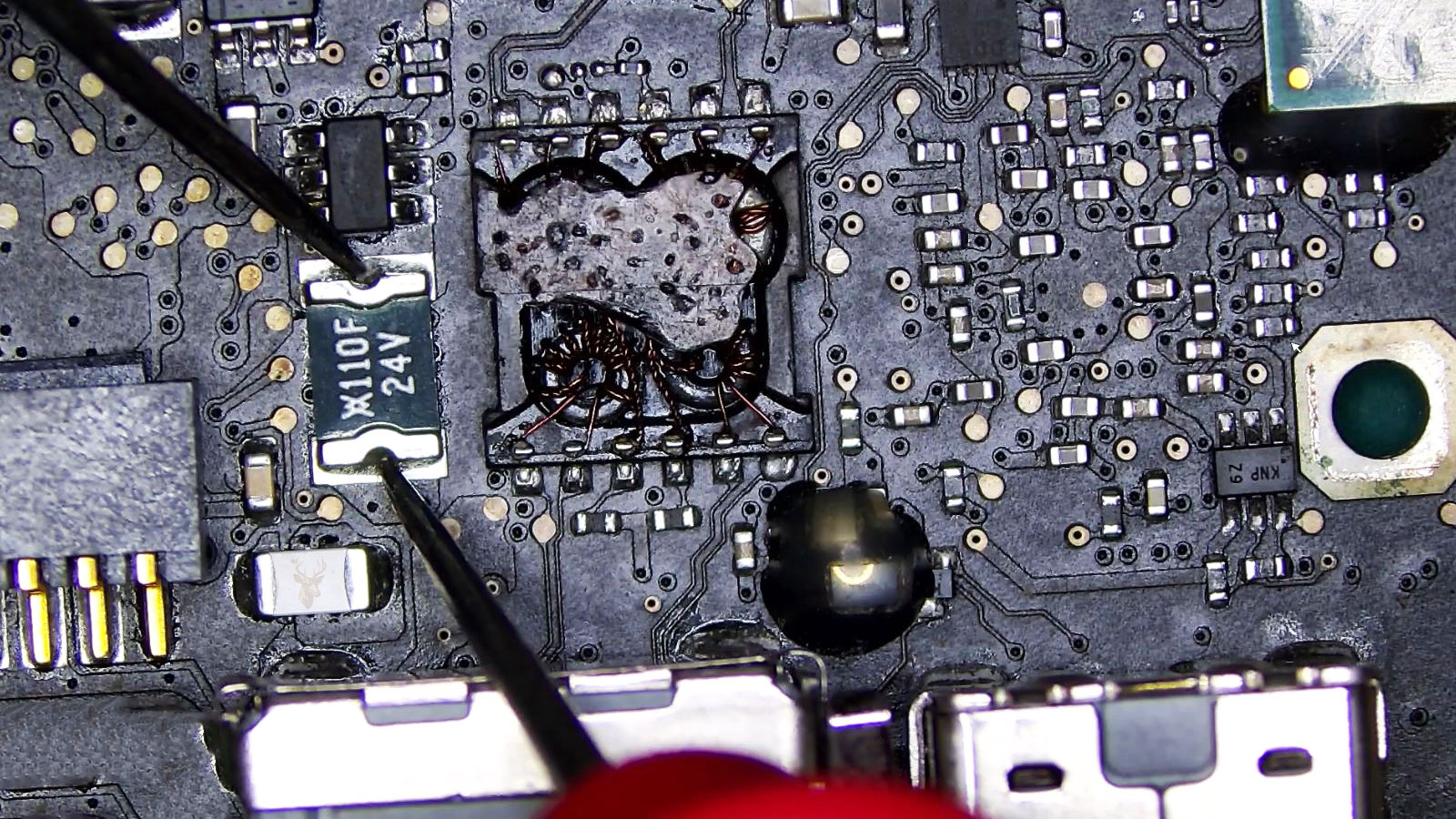
Motherboard Fault Review
Motherboard trouble can appear as no power, no display, dead ports, missing storage, random shutdowns, or startup behavior that changes each time the machine is turned on. We review the board’s response before assuming the computer is beyond repair.
Power Supply Testing
A failing power supply can cause sudden shutdowns, clicking sounds, weak fan activity, restart loops, or failure under heavier load. We check whether the system is receiving stable power before moving to other parts.
No Display Diagnosis
A black screen can come from a monitor, cable, graphics card, memory issue, BIOS setting, motherboard slot, or onboard video failure. We separate the display chain step by step so the wrong part is not replaced.
Graphics Card Troubleshooting
Video problems may show up as artifacts, freezing, fan noise, driver crashes, no signal, or shutdowns when the GPU is under pressure. We review the card, power connection, slot behavior, drivers, and heat before recommending a solution.
USB Port and Peripheral Problems
USB failures can affect printers, external drives, keyboards, barcode scanners, cameras, and other tools used with a computer. We check whether the issue is the port, the accessory, the driver, the power draw, or the board connection.
BIOS and UEFI Correction
Incorrect firmware settings can hide a drive, block startup, create boot errors, or cause problems after memory, storage, or graphics changes. We review configuration carefully before changing settings that affect the whole system.
When a Computer Starts Acting Like the Problem Is Deeper Than Software
Some failures are easy to misread. A computer can look like it has a Windows problem when the real issue is power, memory, storage, cooling, or a failing board. A desktop can light up without actually passing startup. A workstation can open normally in the morning and shut down once the workload increases.
The pattern is what matters. We look at when the symptom appears, whether it follows a certain action, and whether it became worse over time.
Power Lights With No Image
If the computer turns on but the monitor stays blank, the issue may be connected to display output, memory, graphics hardware, motherboard response, or the monitor connection. The first visible sign is not always the real cause.
Shutdowns During Heavier Work
A machine that fails while running design tools, browser tabs, business software, video, or multitasking may be reacting to heat, weak power, memory trouble, or graphics load.
Ports That Work Only Sometimes
Intermittent USB behavior can interrupt printers, external drives, keyboards, cameras, and other connected devices. Loose ports, damaged accessories, driver conflicts, and board faults all need to be considered.
Startup Changes After an Upgrade
New RAM, a replacement drive, a graphics card, or a BIOS change can trigger boot trouble when the part is incompatible, seated incorrectly, or configured poorly.
Unusual Smell, Heat, or Visible Marks
A burnt smell, melted area, darkened component, liquid residue, or sudden heat spike should be treated carefully. Turning the machine on repeatedly can make the failure harder to correct.
Repeated Freezing Without a Clear Message
A system that locks up without a warning can be affected by memory errors, storage delays, overheating, driver crashes, or unstable power. The timing of the freeze helps guide the review.
Careful Handling for Computers With Hardware-Level Symptoms
Hardware-related computer issues need a different starting point from routine software cleanup. If the computer has no display, unstable power, suspected board damage, or connected equipment failures, the first step should be controlled review rather than trial and error.
We ask for practical details before touching the machine. Was there a power surge? Was the computer moved? Was a part recently changed? Did the issue begin after plugging in a device? Does the machine still reach BIOS or only show fan activity? These answers help us avoid unnecessary steps.
Information That Changes the Starting Point
The computer type, age, model, custom build details, power behavior, screen response, fan activity, port behavior, and recent changes can all affect the first test. A business workstation with attached equipment may require a different review from a home desktop with no image.
We also consider file access before deeper work begins. If the storage drive may be failing or the computer shuts down unexpectedly, protecting important data may become the first priority.
Service Planning Around Allapattah’s Homes, Shops, Offices, and Workspaces
Allapattah includes apartments, small storefronts, industrial pockets, medical-adjacent work areas, and residential streets. That mix matters because not every computer should be handled the same way. A desktop connected to several devices may need planning before it is moved, while a laptop with a power issue may need a simpler intake conversation.
Service arrangements are discussed around the computer’s condition, the equipment involved, the urgency of the problem, and the safest way to begin review without creating extra risk for the machine or the files inside it.
When the Computer Is Connected to Other Equipment
If the machine is tied to printers, external drives, cameras, monitors, routers, or business accessories, it is helpful to know what stopped working first. Sometimes the connected equipment is part of the problem, and sometimes it only reveals the computer’s underlying fault.
Pickup, Delivery, or Intake When It Makes Sense
Pickup or delivery may be discussed when appropriate for the situation. If another option is cleaner or safer, we explain that before the computer is moved.
For systems with burnt components, unstable power, liquid exposure, or no-display behavior after repeated failures, we recommend avoiding extra startup attempts until the machine is reviewed.
Questions About No Display, Power Trouble, Ports, and Internal Parts
Hardware problems can feel unpredictable because one symptom may have several possible causes. These answers focus on the types of failures that affect startup, display, motherboard behavior, USB connections, graphics output, and power stability.
The final answer depends on testing. A computer that powers on with no image is different from one that shuts off immediately, and both are different from a system that freezes only after loading programs.
Can you check a computer that turns on but shows nothing on the screen?
Yes. No display can come from the monitor, cable, graphics card, memory, motherboard, BIOS settings, or power behavior. We review the signal path before recommending a part.
Do you diagnose motherboard problems?
Yes. Board-related symptoms can include no power, dead ports, missing storage, random shutdowns, or failure to complete startup. We review the motherboard along with the parts connected to it.
Can a bad power supply cause random shutdowns?
Yes. A weak power supply can cause shutdowns, restarts, startup failure, or problems when the computer is under load. It can also affect other parts if the voltage becomes unstable.
What if several USB devices stopped working?
That can point to a driver issue, damaged port, power draw problem, failed accessory, or motherboard fault. We check whether the issue affects one device, one port, or the entire group of ports.
Can you help if a hardware upgrade caused boot problems?
Yes. RAM, storage, graphics cards, and firmware changes can all affect startup. We review compatibility, installation, seating, BIOS settings, and whether the original setup still works.
Should I turn the computer back on if I smell something burnt?
No. A burnt smell, smoke, melted plastic, darkened part, or liquid mark should be treated carefully. Repeated power attempts can increase damage and make recovery harder.
Computer Repair for Machines That Need More Than a Basic Reset
Some computer problems are not solved by restarting, reinstalling software, or clearing temporary files. When a machine has no display, unstable power, failed ports, possible board damage, graphics trouble, or symptoms after a hardware change, the repair needs a careful technical review.
We provide service for Allapattah customers with attention to power behavior, internal parts, connected equipment, data access, and practical next steps. The focus is not on forcing a generic answer. It is on understanding what the computer is doing and choosing the safest way to move forward.