
Computer Repair Sweetwater
Computer Services for Homes, Students, and Local Businesses
Sweetwater combines residential neighborhoods, local storefronts, student housing, and busy commercial routes near Florida International University. Computers in this area may be used for university assignments, remote employment, household records, customer service, inventory management, or the daily operation of a small office.
Local service is available for laptops, desktops, Macs, and all-in-one computers experiencing startup failures, damaged screens, storage problems, overheating, slow performance, Windows errors, or other hardware and software concerns. Each device can be checked according to its condition and the way it is used.
Practical Computer Help Near SW 8th Street and the FIU Area
Service coverage extends throughout Sweetwater, including homes and businesses near SW 107th Avenue, SW 8th Street, the FIU campus area, and the commercial corridors connecting the city with nearby shopping and employment centers.
A computer may need attention because it no longer starts, loses its internet connection, displays repeated warnings, shuts down unexpectedly, or contains important files that require careful handling. The objective is to identify the problem clearly and provide a practical repair direction suited to the equipment.
A Careful Approach to Diagnosing and Repairing Computer Problems
Computer problems are easier to manage when the service process is organized and clearly explained. Instead of replacing parts without confirming the cause, each device should be reviewed according to its symptoms, operating condition, recent changes, and the circumstances surrounding the failure.
Customers in Sweetwater can receive practical guidance from the initial service discussion through diagnosis and repair. The process is intended to reduce uncertainty, protect important information whenever possible, and provide a clear understanding of the work needed before the computer is returned to regular use.
Initial Problem Review
The process begins by reviewing what the computer is doing, when the problem started, and whether any updates, drops, liquid exposure, power interruptions, or hardware changes occurred beforehand. Chargers, cables, accessories, and error messages may also provide useful clues.
Diagnosis and Service Direction
The device is checked to identify the most likely source of the failure. Depending on the symptoms, this may include the operating system, storage drive, memory, cooling system, display assembly, charging circuit, battery, internal connections, or other components affecting normal operation.
Repair and Final Verification
Once the appropriate repair direction is established, the approved work can be completed and the computer tested again. Startup, charging, display output, connectivity, temperature, system stability, and other relevant functions are reviewed before the service is considered complete.
Hardware and Software Solutions for a Wide Range of Computer Problems
A complete computer repair service should be prepared to handle more than operating-system errors or routine software cleanup. Modern laptops, desktops, Macs, gaming systems, and all-in-one computers can develop problems involving displays, storage devices, charging circuits, cooling systems, internal connections, power components, and other essential hardware.
Service options can address both visible damage and internal failures, from a broken laptop screen or damaged charging port to a computer that will not start, overheats under normal use, loses important files, or becomes unstable after a component begins to fail. Each repair should be based on the condition of the device and the specific cause of the problem.
Laptop Screen and Hinge Repair
Cracked displays, black screens, flickering images, damaged hinges, broken covers, and loose screen assemblies can be inspected and repaired. Service may involve the LCD panel, touchscreen, display cable, hinge mounts, bezel, or surrounding lid components.
Power and Charging Repairs
Computers that do not power on, charge intermittently, shut down without warning, or respond only when the adapter is held at an angle may have problems involving the battery, charging port, power supply, internal cable, or motherboard power circuit.
Motherboard and Component Repair
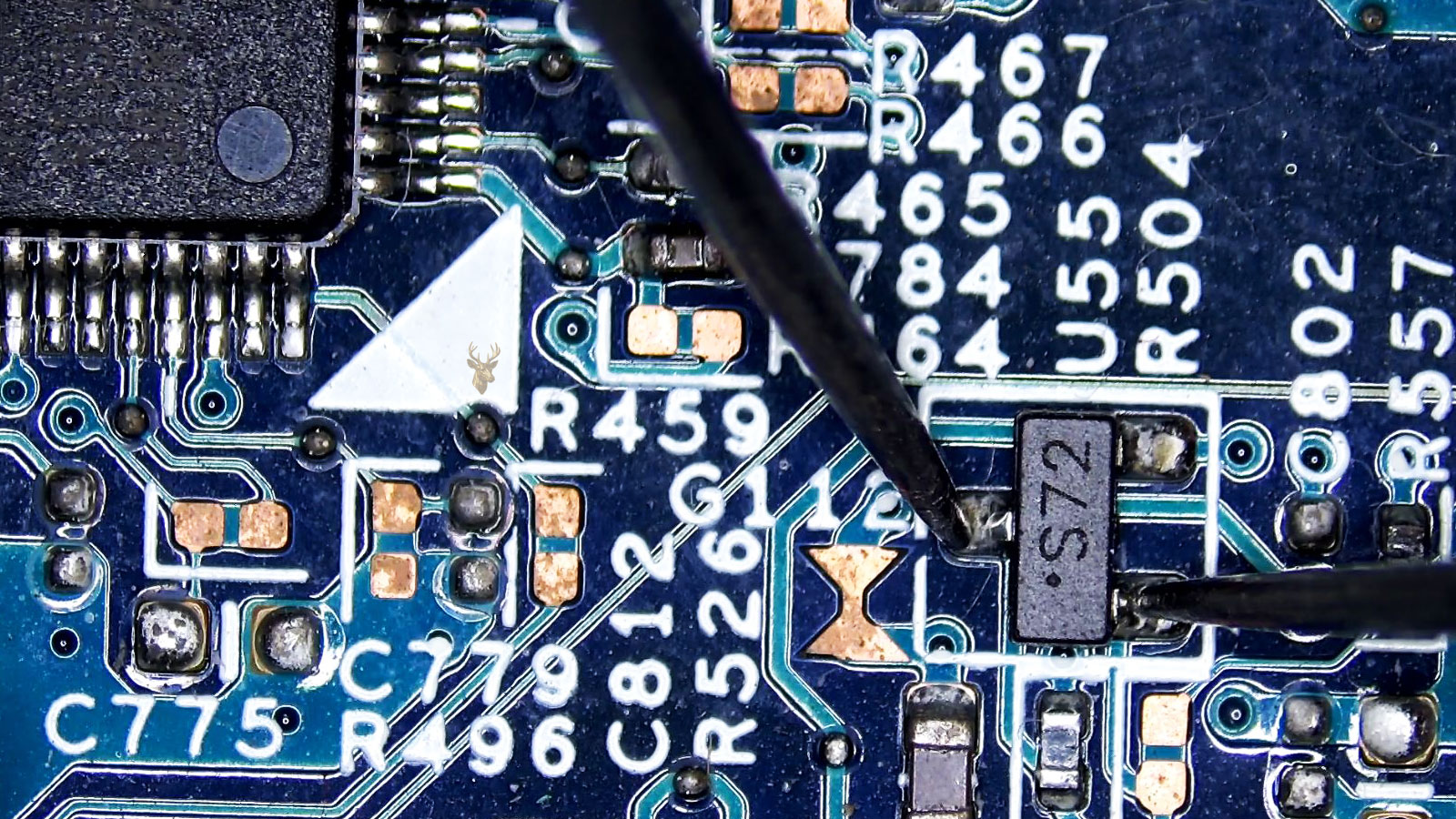
Board-level inspection can help identify short circuits, damaged connectors, failed power components, liquid-related corrosion, broken solder joints, and other faults that may prevent normal startup, charging, display output, or communication between internal devices.
Storage Upgrades and Data Recovery
Failing hard drives and solid-state drives can cause slow performance, startup errors, missing files, freezing, or complete system failure. Service may include drive replacement, SSD upgrades, operating-system transfer, file recovery attempts, and secure movement of accessible data.
Overheating and Cooling Service
Excessive heat, loud fans, sudden shutdowns, reduced speed, and temperature warnings may result from blocked airflow, dust buildup, failed fans, dried thermal material, or a cooling assembly that is no longer making proper contact with the processor.
Windows, macOS, and System Repair
Operating-system problems may include failed updates, boot loops, corrupted files, driver conflicts, malware, login issues, application errors, or severe performance loss. Service can include system repair, installation, configuration, cleanup, updates, and final stability testing.
Computer Problems That May Point to a Developing Hardware or System Failure
A computer does not always stop working without warning. Repeated freezing, unusual noises, excessive heat, charging trouble, screen problems, and startup errors can indicate that an internal component or system process is beginning to fail.
Continuing to use an unstable device may increase the risk of additional damage, file loss, or a complete shutdown. Recognizing these signals early can make it easier to identify the cause, protect accessible information, and determine the most appropriate repair direction.
The Computer Will Not Start
No power, blinking lights, repeated restart attempts, a blank display, or a system that turns on briefly and shuts back down may point to a battery, power supply, charging circuit, memory, motherboard, or internal connection problem.
Freezing and Unexpected Restarts
Frequent lockups, blue-screen errors, sudden restarts, or applications closing without warning can result from failing storage, unstable memory, overheating, corrupted system files, driver conflicts, or power-related faults.
Excessive Heat or Loud Fan Noise
A computer that becomes unusually hot, runs its fans constantly, slows down under light use, or shuts off during demanding tasks may have blocked airflow, a damaged fan, dried thermal material, or a failing cooling assembly.
Screen Flickering or No Image
Lines across the display, dim lighting, flickering, distorted colors, intermittent video, or a completely black screen may involve the panel, display cable, graphics hardware, backlight circuit, hinge area, or motherboard.
Charging Becomes Unreliable
A loose charging connection, rapidly draining battery, adapter warning, inconsistent charging percentage, or power loss when the cable moves can indicate damage to the charger, battery, charging port, cable, or internal power circuit.
Clicking Sounds or Missing Files
Unusual drive noises, disappearing folders, slow file access, repeated disk errors, startup delays, or messages stating that a drive cannot be found may signal storage failure and an increased risk of permanent data loss.
Thoughtful Computer Service From Intake Through Final Testing
Computers often contain personal documents, business records, photographs, saved passwords, licensed applications, and other information that may be difficult or impossible to replace. For that reason, each device should be handled carefully from the moment it is received, with attention given to its physical condition, reported symptoms, connected accessories, and any concerns involving stored data.
The service approach may vary depending on whether the computer has suffered physical damage, stopped starting, developed an intermittent fault, or remained operational while showing signs of hardware failure. Clear notes and methodical testing help preserve the original condition of the device while reducing unnecessary disassembly, part replacement, or changes to the operating system.
What Customers Can Expect During the Repair Process
The first priority is to understand the reported problem and determine which areas require inspection. When possible, customers should provide the charger, relevant cables, error messages, and details about what occurred before the failure. This information can help reproduce intermittent problems and avoid overlooking conditions that appear only with a particular accessory or workload.
Once the issue has been evaluated, the recommended direction can be explained before substantial work is completed. Final checks are based on the original complaint and may include startup, charging, display output, temperature, connectivity, storage access, system stability, and other functions directly related to the repair.
Flexible Computer Service for Devices That Are Difficult to Transport
Moving a desktop computer, all-in-one system, gaming setup, or damaged laptop is not always simple. Some devices are heavy, connected to several accessories, unable to close properly, or too unstable to transport without the risk of causing additional damage.
Pickup and service coordination can provide a more practical option when bringing the equipment directly to the repair location is inconvenient. Arrangements should be based on the type of computer, its physical condition, the reported problem, and any accessories needed to reproduce the failure accurately.
Preparing the Computer for Pickup
Before the device is collected, it is helpful to identify the model, explain the symptoms, and mention any visible damage or unusual behavior. The correct charger, power adapter, docking station, external drive, or specialized cable should be included when it may be connected to the problem.
Loose parts, detached hinges, cracked panels, and exposed components should not be forced back into position before transport. Important passwords or written instructions can be provided separately when access is necessary for testing, while unrelated accessories and personal items should remain at the property.
Coordinating Service Across the Local Area
Service coordination may be available for residential properties, home offices, student housing, professional workspaces, and small businesses. Scheduling depends on the location, equipment involved, access conditions, and the amount of preparation required to move the computer safely.
Once the device has been received, the reported issue can be documented and evaluated under controlled conditions. Communication during the service helps clarify the diagnosis, recommended repair, required parts, and return arrangements before the equipment is placed back into regular use.
Answers to Common Questions Before Scheduling Computer Service
Computer problems can involve hardware, software, stored files, power components, displays, operating systems, or several failures occurring at the same time. Understanding how the service process works can help customers prepare the correct equipment and provide useful details before the computer is evaluated.
The answers below explain what types of devices can be inspected, what information may be needed, how repair decisions are made, and what customers should consider when a computer contains important data or requires replacement parts.
What types of computers can be brought in for repair?
Service may be available for Windows laptops, desktop computers, Macs, all-in-one systems, gaming computers, custom-built machines, and many business workstations. The repair options depend on the model, age, physical condition, available replacement parts, and the specific failure affecting the device.
Should I bring the charger and other accessories with the computer?
The charger or power adapter should usually be included, especially when the problem involves charging, unexpected shutdowns, battery warnings, or intermittent power. Docks, external drives, specialized cables, and other accessories should also be provided when they are directly connected to the reported issue.
Can a computer be diagnosed if it does not turn on?
A computer that shows no power can still be inspected. Testing may involve the adapter, battery, charging port, power supply, memory, storage device, internal connections, motherboard circuits, and other components that could prevent startup or produce a blank display.
Will my files remain on the computer during the repair?
Every reasonable effort can be made to avoid unnecessary changes to accessible files. However, failing storage devices, severe operating-system corruption, liquid damage, or a required system installation may place data at risk. Important files should be discussed before repair work begins so the available options can be considered.
How is the repair cost determined?
The cost depends on the confirmed cause of the failure, the labor required, the price and availability of replacement parts, and whether additional damage is discovered during inspection. A computer that appears to have one problem may require further testing when several components are affected.
Is pickup available for desktop computers or difficult-to-move systems?
Pickup may be coordinated for desktops, all-in-one computers, gaming systems, damaged laptops, and other equipment that is difficult or unsafe to transport. Availability depends on the location, device type, physical condition, access requirements, and the accessories that must remain with the computer for proper testing.
Professional Repair Support for Computers Used at Home and at Work
Computer repair services are available throughout the city for residents, students, home offices, and local businesses dealing with hardware failures, damaged components, startup problems, overheating, storage concerns, operating-system errors, and other issues that interrupt normal use.
Whether the problem affects a laptop, desktop, Mac, all-in-one computer, or gaming system, the next step begins with a clear description of the symptoms and the condition of the equipment. Service can then be coordinated with careful evaluation, practical recommendations, and attention to the functions that matter most to the customer.